
TL;DR

Turn quiet afternoons into listening time
- Thousands of audiobooks, podcasts and originals
- Listen on your phone, tablet or Echo — also offline
- Cancel anytime
Medical alert systems for seniors use a wearable button and a connection to a monitoring center or chosen contacts to summon help in an emergency. Compare where the system works, who responds, how it handles power and connectivity, and whether the person will wear and maintain it; fall detection can help, but it is not guaranteed.
A help button left charging on the kitchen counter cannot call anyone from the bathroom. That small detail captures the biggest decision behind medical alert systems for seniors: a device’s features matter only when they fit the person’s real routine.
These systems, also called personal emergency response systems, can make it easier to summon help after a fall, sudden illness, or another emergency. They do not replace medical care or guarantee a fast rescue. In this guide, you’ll learn what they are, how the alert reaches someone, which features deserve a closer look, and how to make a practical choice with the older adult involved.
Think of an alert system as one link in a safety chain. A comfortable button, dependable connection, and agreed response plan can support independence; a device that stays unworn or uncharged cannot. A few key facts for choosing well can help you focus on the system the person will actually use.
Choose a system based on where the older adult spends time, including at home, in the shower, and outdoors.
Ask exactly who receives an alert and what happens if the wearer cannot answer.
Treat fall detection as an imperfect backup; keep the wearable button part of the plan.
Check comfort, charging, cellular coverage, privacy, contract terms, and the full current cost before buying.
Include the older adult in the decision and test the device as the provider directs.
See How a Button Becomes a Call for Help
A medical alert system connects a person’s help button to a monitoring center or chosen contacts through a home base, cellular network, smartphone, or another hub. After the user presses the button, the system opens a call or sends an alert; the response depends on the service and plan. That route matters because a button is only the start: each connection and handoff has to work before help can be arranged.
Most setups have three pieces: a wearable button, a connection, and a response plan. A person might wear a pendant, press a wrist button, or use a mobile device. The alert then reaches an operator or family member, who can ask what happened and follow the agreed next step, such as contacting emergency services or a caregiver. A monitoring center may provide a staffed point of contact, while chosen-contact systems depend on those people noticing and responding to the alert. The right choice depends partly on who is reliably available at the times the wearer needs coverage.
For example, imagine your father slips beside his bed and cannot reach his phone on the dresser. If he is wearing a pendant, he may be able to press it and speak with an operator through the device or base unit. If the plan names you as a contact, you should know whether you’ll get a call, a text, or both. Knowing the format and expected response time helps you avoid assuming that someone else has already seen the alert.
Before buying, ask who receives an alert, what happens if the user cannot speak, and how the system handles an accidental press. Write down the response steps and keep the contact list current. Also ask whether responders have access instructions, such as a lockbox code, if reaching the person may require entering the home. Like a doorbell, the button can announce a problem; people still need a plan for opening the door and responding.
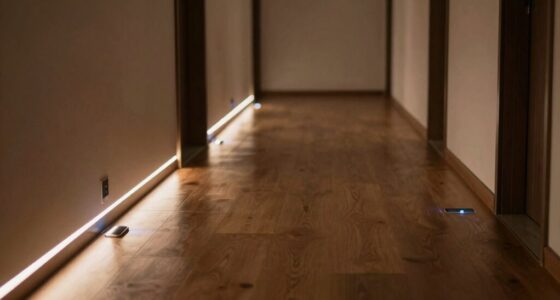
senior medical alert system with fall detection
As an affiliate, we earn on qualifying purchases.
As an affiliate, we earn on qualifying purchases.
Match the System to Where Your Family Member Goes
Medical alert systems for seniors come in at-home, mobile, and phone or smartwatch-based forms, and each works best in a different setting. An at-home unit suits someone who spends most of the day at home; a mobile device can travel with its wearer if it has power and cellular service. The choice affects where help can be summoned: a lower-cost home unit may leave gaps on errands, while a mobile option adds charging and network requirements.
At-home systems connect a wearable button to a base unit, sometimes using a landline and sometimes cellular service. The wearable may work only within a stated distance of the base. Mobile systems use a cellular connection and may include GPS to share location. That can help responders find someone away from home, but location and cellular features depend on the device having power and service. Phone or smartwatch options can be convenient, but they may rely on access to a phone, app, battery, or familiar controls. Each added device or connection can make the system more flexible while also adding something to charge, carry, or learn.
Say your mother walks her dog around the block every afternoon. A home-only button may not provide coverage once she leaves the base unit’s range, while a mobile system may suit her better if its network works along her route. If she rarely leaves home, paying for location features she does not use may add cost without adding much value. Consider how often she goes out alone and whether she is comfortable carrying and charging another device; a technically broader system offers little benefit if it is left at home.
Compare options against a normal Tuesday, not an imagined emergency. Ask where the person sleeps, showers, gardens, shops, and walks. Check home range for a base system and cellular coverage for a mobile one. Network availability changes by location, so check service directly where the device will be used. Think about weak-signal areas inside the home as well as outdoor routes: the advertised coverage matters less than whether the system connects in the places the wearer actually spends time.
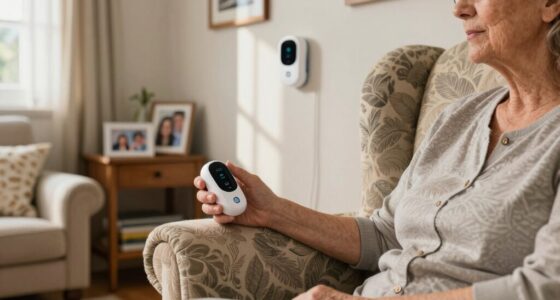
home medical alert button for seniors
As an affiliate, we earn on qualifying purchases.
As an affiliate, we earn on qualifying purchases.
Compare the Features That Affect Everyday Use
Choose features by asking whether they solve a real problem in the user’s routine. Coverage, response type, comfort, water resistance, battery life, and cost can matter more than a long list of add-ons. These details interact: for example, a mobile device may cover more places but require more frequent charging, while a water-resistant button may make it easier to keep the device on during bathing. A feature earns its place when the wearer can use it and the family understands its limits.
| Feature | Question to ask | Why it matters |
|---|---|---|
| Response plan | Does an operator answer, or do alerts go to chosen contacts? | The family knows who is expected to act. |
| Water resistance | Can the wearable be used in a shower or bath? | The person can keep it on in a place where a fall may happen. |
| Battery and backup | How often must it be charged, and how are low batteries reported? | The device needs power to send an alert. |
| Fall detection | Is it available, what does it cost, and what limits does the provider state? | It may trigger an alert after some falls, but it can miss one or create a false alarm. |
| Costs and contract | What are the equipment, monthly, add-on, cancellation, and return charges? | The total price can differ from the advertised starting fee. |
Picture your uncle, who likes to garden but forgets devices that feel heavy. A light wristband he accepts may be more useful than a feature-rich pendant he leaves beside the sink. Comfort is not a cosmetic detail; it affects whether the safety plan is there when needed. Let him try different styles during ordinary tasks, since a device that feels fine while sitting may snag or irritate during gardening or sleep.
Ask the older adult to try the button, listen to the speaker, and practice a test call as the provider directs. Confirm repair policies, caregiver app access, location sharing, and privacy settings. Prices and contract terms vary, so verify current details with the provider before you sign. A test call can also reveal whether the sound is clear enough and whether the user can operate the controls without help, giving the family a chance to address practical barriers before relying on the system.
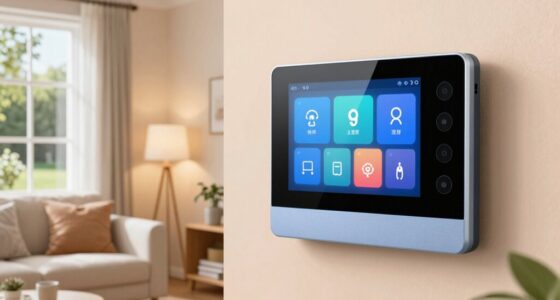
mobile personal emergency response system for elderly
As an affiliate, we earn on qualifying purchases.
As an affiliate, we earn on qualifying purchases.
Treat Fall Detection as a Backup, Not a Promise
Fall detection attempts to recognize certain movements and place an alert automatically, but it cannot identify every fall reliably. Some systems may miss a fall, and ordinary movement can sometimes trigger a false alert. It can add a layer of support, but it does not remove the need for a wearable button and response plan. This distinction matters because families may otherwise assume the device can summon help even when the user cannot press the button.
That limitation matters because falls do not all look alike. A person might slide slowly down a wall, stumble onto a soft chair, or lie still after a sudden collapse. A sensor may interpret those events differently, so ask the provider what it says about the feature’s limits and how alerts are handled. Automatic detection also does not by itself ensure someone will reach the wearer; the alert still needs a working connection and a responder who can act.
For example, your aunt might trip on a garden hose and land gently on her knees. A device may not classify that as a fall, even if she cannot stand. If she can press her button, that remains a direct way to request help; if she cannot, automatic detection may offer another route, depending on the product. This is why choosing a system with usable controls and a clear response path matters even when fall detection is included.
Check whether fall detection costs extra, whether it works away from home, and how the user can cancel an accidental alert. Avoid treating “automatic” as a guarantee of accuracy. Test the system as directed and make sure the wearer knows how to press the button even when the automatic feature is switched on. Weigh the added cost against the specific concern it addresses, while keeping expectations realistic about missed and false alerts.
Fall detection is a backup feature, not a promise that every fall will be detected or that help will arrive immediately.
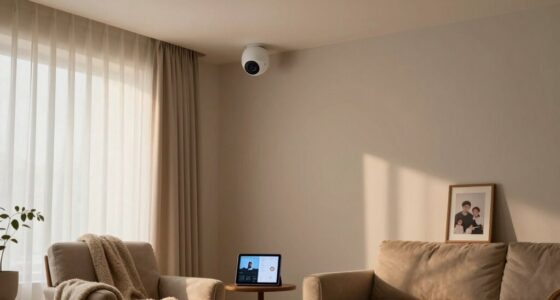
senior wearable emergency call device
As an affiliate, we earn on qualifying purchases.
As an affiliate, we earn on qualifying purchases.
Use a Simple Process to Choose and Set Up a System
A reliable choice begins with the older adult’s routine, then checks coverage, responders, usability, and total cost. Involving the person who will wear the device helps you find something that fits their preferences and respects their independence. A family decision made without them can produce a device that never leaves its box. The steps below turn broad preferences into checks the family can complete before depending on the system.
- Map the routine: List where the person spends time at home and away, including the shower, garden, car, and regular walks. This shows whether a home unit is enough or whether coverage beyond the home is part of everyday life.
- Pick the connection: Check landline, cellular, or phone requirements, then confirm service where the system will be used. A connection that works at home but fails on a usual route can leave a gap precisely where a mobile system is meant to help.
- Name responders: Decide whether a monitoring center or selected contacts should receive alerts, and agree on the next steps. Make roles clear so the wearer is not left waiting while family members assume another person has responded.
- Try the device: Check button size, weight, sound, wearing style, charging needs, and water guidance with the user. These practical details affect whether the device stays within reach and ready to use.
- Read the costs and test: Review monthly and one-time fees, contract terms, cancellation rules, and provider instructions for testing. A test helps confirm that the user can operate the system and that the planned contact route works.
Consider a couple choosing for a grandfather who lives alone and visits a nearby community center. They first confirm that a mobile unit has coverage on his route, then ask him to try the controls and wear it for a week. That trial can reveal whether the device feels comfortable during meals, naps, and trips outside. It can also show whether charging fits his routine; if he repeatedly forgets, the family can discuss reminders or a different system before relying on it.
Finally, add the system to a wider safety plan: keep emergency contacts current, place an accessible phone nearby, share relevant medication information with responders as appropriate, and discuss regular check-ins. A button is one rung on the ladder. Home changes and a clear plan can provide other support, while regular review helps keep contacts, access instructions, and charging habits aligned with changes in the person’s routine.
Check Coverage, Costs, and Who Pays
Medical alert system coverage and price depend on the product, provider, insurance or benefit plan, and eligibility rules. Traditional Medicare generally does not cover a standalone alert system as a standard benefit, while some Medicare Advantage plans or other programs may offer limited benefits. Confirm the details with the specific plan and provider before budgeting around them. This can change the real monthly cost for a household, so verify eligibility and any limits before choosing a system based on a possible benefit.
The listed monthly fee may not tell the whole story. Equipment, activation, fall detection, shipping, cancellation, and return charges can change the total. Contract terms also vary and may change over time, so request current fees in writing and ask what happens if the user moves or no longer needs the service. Comparing the full cost over the period you expect to use the system makes it easier to see whether a low introductory price comes with tradeoffs that matter to the family.
For instance, a family comparing two plans might find one has a lower monthly fee but charges extra for fall detection and requires a longer commitment. Another might cost more each month but include a mobile device and simpler cancellation. The better fit depends on the services the older adult will use and the household’s budget. The lower fee may be sensible if the included service meets the need; paying more can make sense if the additional coverage is used and reduces a gap in the safety plan.
Ask the provider to explain its response process, backup power, network availability, repair or replacement rules, and customer support hours. If caregivers use an app, find out what information they can see and how location is shared. Worth the cost is a personal judgment: weigh the full expense against the wearer’s needs, preferences, and ability to use and maintain the device. A system that costs less but is often uncharged or outside its coverage area may offer less practical support than its advertised features suggest.
Frequently Asked Questions
Do medical alert systems require a landline?
No. Some systems use a landline, while others connect through cellular service or a smartphone. Check the device’s network requirements and confirm coverage where it will be used.
Do you have to press the button?
Usually, the wearer presses the help button. Some devices offer fall detection that may trigger an alert automatically, but detection is imperfect and may miss a fall or send a false alarm.
Can you wear a medical alert button in the shower?
Some buttons are designed to be water-resistant or used in the shower, while others are not. Check the product specifications and follow the manufacturer’s care instructions.
Will an at-home system work outside the house?
An at-home system may work only within range of its base unit. A mobile system may work outside if it has power and cellular coverage, so check the provider’s coverage details for the places the wearer visits.
What happens when someone presses the button?
The device may connect to a monitoring center or alert chosen contacts, depending on the service and settings. Ask who receives the alert, how they can speak with the user, and what the plan says to do if the user cannot respond.
Does Medicare cover medical alert systems?
Traditional Medicare generally does not cover a standalone system as a standard benefit. Some Medicare Advantage plans or other programs may offer limited help, so check directly with the plan and provider about current eligibility and costs.
Conclusion
Choose the system the older adult will wear, charge, and trust, then make sure everyone knows who responds when an alert arrives. A button can help summon support, but it works best alongside clear contacts, reliable coverage, and everyday check-ins.
Try the device during an ordinary week. If it feels as natural as a watch on a wrist, it has a better chance of being there when the day takes an unexpected turn.
Cold & flu season Picks
humidifiers
As an affiliate, we earn on qualifying purchases.