
This guide provides clear instructions for setting up an automatic pill dispenser for seniors. It covers selecting the right device, installing, programming, and troubleshooting to ensure medications are taken accurately and on schedule. Ideal for caregivers or seniors comfortable with basic technology, this task improves medication management and safety.

Turn quiet afternoons into listening time
- Thousands of audiobooks, podcasts and originals
- Listen on your phone, tablet or Echo — also offline
- Cancel anytime
Difficulty: Intermediate | Time: 30-45 minutes
What You’ll Need
Tools & Materials:
- Automatic pill dispenser unit
- Power supply (batteries or AC adapter)
- Medications in labeled bottles or blister packs
- Smartphone or computer (if app-controlled)
- Internet connection (if required)
Knowledge:
- Basic familiarity with operating electronic devices
- Ability to read medication labels and schedules
Verify the device compatibility with your medications and check that it has all necessary accessories before starting. Fully charge or install batteries in the dispenser prior to setup.
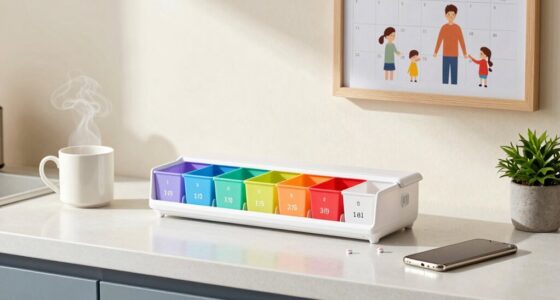
automatic pill dispenser for seniors
As an affiliate, we earn on qualifying purchases.
As an affiliate, we earn on qualifying purchases.
Before You Start
Ensure the device is placed on a stable, accessible surface near the senior’s usual medication area. Remove any packaging or protective films. Read the device manual for specific instructions and safety warnings.
As an affiliate, we earn on qualifying purchases.
Step-by-Step Instructions
Step 1: Unpack and inspect the device
Remove the automatic pill dispenser from its packaging. Verify all parts, including the dispensing compartments, power supply, and user manual, are present and undamaged.
Tip: Check for missing or damaged parts before proceeding to avoid setup delays.
Check: Device components are intact and ready for assembly.
Step 2: Install batteries or connect power
Insert batteries as instructed or connect the device to a power outlet using the provided adapter. Ensure the device powers on and displays the startup screen or indicator lights.
Tip: Use fresh batteries if applicable to prevent power issues during setup.
Check: Device powers on without errors and displays ready status.
Step 3: Load medications into the compartments
Open each dispensing compartment and place the prescribed medication pills or capsules inside. Close the compartments securely. Label each compartment with the medication name and dosing time, if manual labeling is supported.
Tip: Only load medications for the current or upcoming doses to avoid confusion.
Check: All medications are correctly loaded and compartments are securely closed.
Step 4: Set up the device schedule
Use the device interface or connected app to input medication times and names. Follow prompts to program each dose time accurately, ensuring the device will dispense at the correct moments.
Tip: Double-check the programmed schedule against the medication regimen for accuracy.
Check: Schedule is saved and confirmed, with upcoming dispense times visible.
Step 5: Test the dispensing function
Run a test cycle if available, or manually trigger a dispense to verify the correct operation. Observe whether the device opens the correct compartment and releases the medication properly.
Tip: Test with an empty compartment or a non-medication item to avoid wasting pills during testing.
Check: Medication or test item is dispensed correctly without jams or errors.
Step 6: Position the dispenser for accessibility
Place the dispenser in a location accessible to the senior, away from moisture or extreme temperatures. Ensure it is stable and within reach for daily use.
Tip: Avoid placing it in high-traffic or cluttered areas to prevent accidental knocks.
Check: Device is stable, accessible, and ready for daily use.
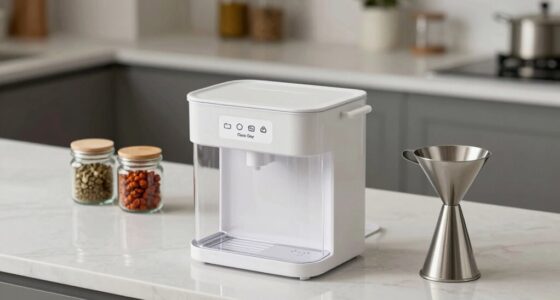
electronic pill organizer with timer
As an affiliate, we earn on qualifying purchases.
As an affiliate, we earn on qualifying purchases.
Common Mistakes to Avoid
- Loading incorrect medications or wrong doses — Double-check medication labels and prescribed doses before loading the compartments.
- Setting incorrect dispense times — Verify each programmed time against the medication schedule to prevent missed or double doses.
- Not testing the device before regular use — Always run a test dispense after setup to confirm proper operation.
- Placing the device in an inaccessible or unstable location — Choose a stable, reachable spot that is free from obstructions or environmental hazards.
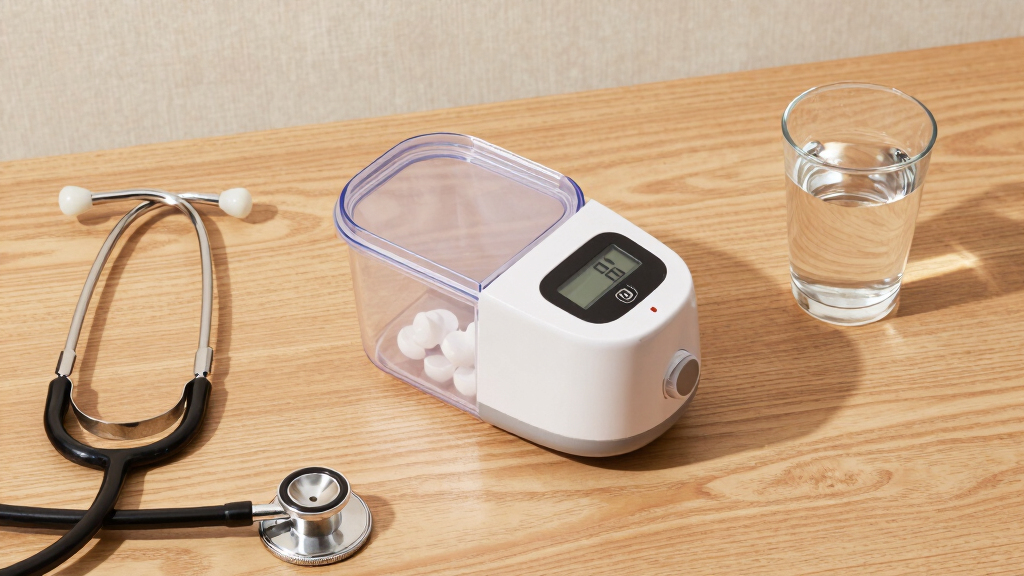
senior medication dispenser app-controlled
As an affiliate, we earn on qualifying purchases.
As an affiliate, we earn on qualifying purchases.
Troubleshooting
Problem: Device fails to turn on or show indicator lights
Solution: Check battery installation or power connection. Replace batteries or reconnect power as needed.
Problem: Medications do not dispense or get jammed
Solution: Open the compartments and clear jams carefully. Refill medications properly and avoid overloading.
Problem: Device displays error messages during setup
Solution: Consult the manual for error code explanations or reset the device. Re-enter the setup steps.
What Success Looks Like
The device correctly dispenses the right medication at scheduled times, with compartments opening smoothly and medications remaining secure. The schedule is confirmed, and the senior is able to access their medications without difficulty.
Next Steps
Regularly verify the device’s operation, refill medications as scheduled, and clean the compartments periodically. Keep the device updated if software updates are available. Contact customer support if persistent issues occur. Recheck the schedule quarterly or after any medication changes.
Frequently Asked Questions
How do I update the medication schedule?
Access the device menu or app, select ‘Schedule’ or similar, and input new times or medications. Save changes and run a test if needed.
What should I do if the device jams?
Turn off the device, open the compartments, carefully remove any stuck pills, and close the compartments securely. Restart the device and run a test dispense.
Can I program multiple medications at once?
Yes, most devices allow setting multiple doses and times. Follow the programming prompts to input each medication and schedule accurately.
Halloween Picks
halloween
As an affiliate, we earn on qualifying purchases.