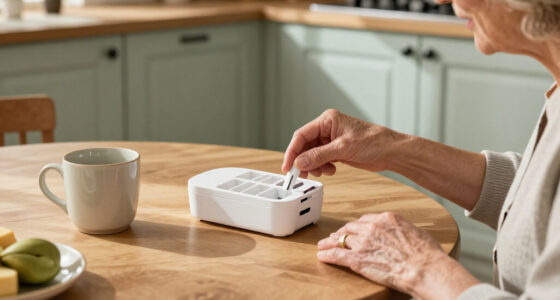
Choosing an indoor security camera for elder monitoring involves a different set of priorities than typical home security: you need clear two-way communication, reliable motion and person detection without constant false alerts, and enough resolution to spot a fall or a missed meal. The SYMYNELEC Elderly Monitoring Camera stands out as my top overall pick because it was built specifically for seniors, pairing a 2.8-inch screen with one-touch video calling that removes the hardest barrier — the senior having to use a smartphone. For most families, the SensForge 2.5K Pan-Tilt offers the best balance of coverage and cost with no subscription, while the eufy 4K Indoor Camera E30 is the premium choice when image detail matters most. The main tradeoff you will face in this category is between purpose-built elder-care features and general-purpose camera quality, plus whether you are willing to pay ongoing cloud fees. Read on for the full breakdown of all 15 options.

Turn quiet afternoons into listening time
- Thousands of audiobooks, podcasts and originals
- Listen on your phone, tablet or Echo — also offline
- Cancel anytime
Complete the kit


Key Takeaways
- Only one product in the lineup — the SYMYNELEC — was designed from the ground up for elder care, with a physical screen and one-touch calling; every other camera repurposes baby/pet monitoring hardware, which works but forces the senior to rely on someone else’s phone app.
- Subscription-free local storage (SensForge with its included 64GB card, eufy E30, Tapo models) separated the top tier from budget picks like the Blink Mini 2K+, which requires a paid plan for cloud clips.
- Pan-tilt coverage proved more valuable than raw resolution for elder monitoring — a 1080p camera that can follow movement across a room (Kasa EC70, Tapo C211) outperforms a fixed 4K lens that only sees one corner.
- Dual-band Wi-Fi (5GHz) support on the Anona, SensForge, eufy E30, and the Two Way Video Camera matters in larger homes where 2.4GHz-only models like the GNCC 2-pack, aosu, and Tapo C100 may stutter on live streams.
- Hidden-style cameras like the Funstorm mini and the no-WiFi portable cam are a poor ethical and practical fit for elder monitoring — dignity and consent issues aside, their tiny lenses and battery-saving intervals miss exactly the moments you’re watching for.
| GNCC 2.4GHz Indoor Security Camera for Home, 1080P Baby & Pet Cam, 2-Pack |  | Best Budget Multi-Room Starter Set | Resolution: 1080p Full HD | Connectivity: 2.4GHz Wi-Fi | Night Vision: Infrared (black and white) | VIEW ON AMAZON | See Our Full Breakdown |
| Blink Mini 2K+ (newest model) – Plug-in Indoor Security Camera, 2-Pack |  | Best for Alexa Households | Resolution: 2K with up to 4x zoom | Connectivity: Wi-Fi, plug-in power | Audio: Two-way talk with noise cancellation | VIEW ON AMAZON | See Our Full Breakdown |
| Anona 4K UHD Indoor Camera with 360° Pan-Tilt, 2-Pack |  | Best Premium Detail and Coverage | Resolution: 4K (8MP) with 8x digital zoom | Pan/Tilt: 355° pan, 110° tilt, auto-tracking | Connectivity: Dual-band 2.4/5GHz Wi-Fi 6 | VIEW ON AMAZON | See Our Full Breakdown |
| SensForge 2.5K Indoor Pan-Tilt Security Camera with 64GB SD Card |  | Best No-Subscription Value | Resolution: 2.5K Full HD | Pan/Tilt: 360° horizontal, 90° vertical | Connectivity: Dual-band 2.4GHz/5GHz Wi-Fi | VIEW ON AMAZON | See Our Full Breakdown |
| Kasa 1080p Indoor Pan/Tilt Wired Security Camera (EC70) |  | Best Beginner-Friendly Pan-Tilt | Resolution: 1080p Full HD | Pan/Tilt: Motorized with patrol mode | Connectivity: 2.4GHz Wi-Fi, wired power | VIEW ON AMAZON | See Our Full Breakdown |
| CIAJIE 4.3-Inch Two-Way Video Calling Indoor Camera |  | Best for Seniors Who Can’t Use a Phone | Screen: 4.3-inch built-in display | Connectivity: Dual-band 2.4G/5G Wi-Fi | Field of View: 360° wide-angle with pan/tilt | VIEW ON AMAZON | See Our Full Breakdown |
| eufy Security 4K Indoor Camera E30 |  | Best Premium Image Quality | Resolution: 4K (1080p through HomeKit) | Field of View: 360° panoramic | Night Vision: Color and IR with built-in spotlight | VIEW ON AMAZON | See Our Full Breakdown |
| TP-Link Tapo 2K Pan/Tilt Security Camera C211 (2-Pack) | 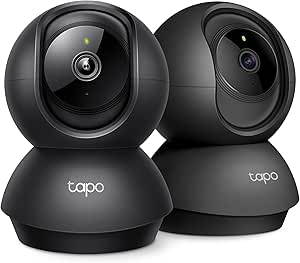 | Best Multi-Room Value | Resolution: 2K (3MP) | Field of View: 360° horizontal, 114° vertical pan/tilt | Night Vision: Infrared | VIEW ON AMAZON | See Our Full Breakdown |
| Blink Mini Pan-Tilt Camera |  | Easiest Setup for Alexa Households | Resolution: HD | Field of View: 360° via motorized pan/tilt mount | Night Vision: Infrared | VIEW ON AMAZON | See Our Full Breakdown |
| Mini Portable No-WiFi 1080P Indoor Camera |  | Best No-WiFi Backup Camera | Resolution: 1080P HD | Connectivity: None required — fully offline operation | Storage: microSD 16GB–512GB (not included), loop recording | VIEW ON AMAZON | See Our Full Breakdown |
| Funstorm 2025 Upgraded Security Camera, 4K HD Mini Camera with Night Vision |  | Best Battery-Powered Pick | Resolution: Advertised 4K (listed 1080p video capture) | Field of View: 110–150 degrees (listings vary) | Battery: 2600mAh rechargeable, up to 100 days standby | VIEW ON AMAZON | See Our Full Breakdown |
| SYMYNELEC Elderly Monitoring Camera with 2.8″ Screen & One-Touch Video Calling |  | Best Purpose-Built for Elder Care | Screen: 2.8 inches for video calling | Resolution: 1080P, 2 MP effective still resolution | Night Vision: 26 feet range, 6 IR LEDs | VIEW ON AMAZON | See Our Full Breakdown |
| GNCC 5G Cameras for Home Security Indoor, 4-Pack |  | Best Multi-Room Coverage | Resolution: 2K FHD, 3 MP sensor | Coverage: 355° pan, 90° tilt per camera | Connectivity: Dual-band Wi-Fi | VIEW ON AMAZON | See Our Full Breakdown |
| Tapo 1080P Indoor Security Camera (C100) |  | Best Budget Starter Camera | Resolution: 1080P | Lens: Fixed, no pan/tilt | Night Vision: Yes | VIEW ON AMAZON | See Our Full Breakdown |
| aosu 2K Indoor Camera with Touch-to-Talk | 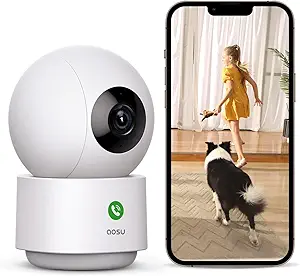 | Best for Quick Two-Way Check-Ins | Resolution: 2K QHD | Coverage: 360° horizontal, 155° vertical tilt | Tracking: Smart motion tracking | VIEW ON AMAZON | See Our Full Breakdown |
| indoor security cameras for elder monitoring | Resolution | Connectivity | Storage | Night Vision |
|---|---|---|---|---|
| GNCC 2.4GHz Indoor Security Ca | 1080p Full HD | 2.4GHz Wi-Fi | MicroSD up to 128GB (not included) or cloud subscription | Infrared (black and white) |
| Blink Mini 2K+ | 2K with up to 4x zoom | Wi-Fi, plug-in power | Blink cloud subscription (30-day trial included) | — |
| Anona 4K UHD Indoor Camera wit | 4K (8MP) with 8x digital zoom | Dual-band 2.4/5GHz Wi-Fi 6 | MicroSD up to 512GB (not included) or AES-128 encrypted cloud | — |
| SensForge 2.5K Indoor Pan-Tilt | 2.5K Full HD | Dual-band 2.4GHz/5GHz Wi-Fi | 64GB microSD pre-installed; no subscription required | — |
| Kasa 1080p Indoor Pan/Tilt Wir | 1080p Full HD | 2.4GHz Wi-Fi, wired power | MicroSD up to 256GB (sold separately) or Kasa Care subscription | — |
| CIAJIE 4.3-Inch Two-Way Video | — | Dual-band 2.4G/5G Wi-Fi | — | Infrared |
| eufy Security 4K Indoor Camera | 4K (1080p through HomeKit) | — | Local SD card (sold separately); no subscription required | Color and IR with built-in spotlight |
| TP-Link Tapo 2K Pan/Tilt Secur | 2K (3MP) | 2.4GHz Wi-Fi | Up to 512GB microSD (not included) or Tapo Care cloud | Infrared |
| Blink Mini Pan-Tilt Camera | HD | — | Blink Subscription Plan cloud or Sync Module 2 + USB drive (each sold separately) | Infrared |
| Mini Portable No-WiFi 1080P In | 1080P HD | None required — fully offline operation | microSD 16GB–512GB (not included), loop recording | Automatic infrared, black and white |
| Funstorm 2025 Upgraded Securit | Advertised 4K (listed 1080p video capture) | Wi-Fi, wireless | — | Yes |
| SYMYNELEC Elderly Monitoring C | 1080P, 2 MP effective still resolution | 2.4GHz Wi-Fi | microSD up to 128GB (not included) | 26 feet range, 6 IR LEDs |
| GNCC 5G Cameras for Home Secur | 2K FHD, 3 MP sensor | Dual-band Wi-Fi | microSD (not included) or optional cloud | — |
| Tapo 1080P Indoor Security Cam | 1080P | Wi-Fi, wired power | microSD up to 512GB or optional Tapo Care cloud | Yes |
| aosu 2K Indoor Camera with Tou | 2K QHD | 2.4GHz Wi-Fi only | — | — |
More Details on Our Top Picks
GNCC 2.4GHz Indoor Security Camera for Home, 1080P Baby & Pet Cam, 2-Pack
For families who want basic coverage of two rooms without a big spend, this two-pack covers the essentials: 1080p video, infrared night vision, two-way audio, and motion and sound alerts pushed to a phone. That combination is what most elder monitoring actually requires — knowing whether Mom got out of bed, or whether the room has gone unusually quiet. Compared with the Kasa EC70, the GNCC gives up remote pan/tilt and smart-home integration, so its field of view is fixed once you position it by hand. That tradeoff is acceptable if you’re watching a bed or a favorite chair, but risky in a large open living space where a parent wanders. Storage stays flexible with a microSD card up to 128GB or optional cloud, which keeps long-term costs low.
Pros:- Two cameras for whole-home coverage at low cost
- Local microSD storage avoids subscription fees
- Shared access lets multiple caregivers watch simultaneously
- Simple app setup with no technical background needed
Cons:- No remote pan or tilt, so blind spots require physical repositioning
- 1080p resolution is the weakest in this lineup for reading fine detail
- 2.4GHz-only Wi-Fi may struggle in congested network environments
Best for: Budget-conscious families covering a bedroom and one other room with fixed viewing angles
Not ideal for: Anyone monitoring a large open floor plan where a wandering parent moves out of a fixed frame
- Resolution:1080p Full HD
- Connectivity:2.4GHz Wi-Fi
- Night Vision:Infrared (black and white)
- Audio:Two-way talk
- Storage:MicroSD up to 128GB (not included) or cloud subscription
- Field of View Control:Manual angle adjustment only
- Quantity:2 cameras
Our verdict“A sensible low-cost entry point for two-room elder monitoring, provided a fixed camera angle is enough for your space.”
Blink Mini 2K+ (newest model) – Plug-in Indoor Security Camera, 2-Pack
The Blink Mini 2K+ stands out for ecosystem integration: if the home already runs on Alexa, this is the camera that answers voice commands, links to a Blink doorbell, and feeds live video to Echo Show devices with minimal fuss. Its 2K resolution and 4x zoom outperform the GNCC two-pack for reading detail like medication labels on a nightstand, and noise-canceling two-way audio makes the voice check-ins feel closer to a phone call than a walkie-talkie. The catch is the paywall: person detection requires a Blink Subscription Plan, and recorded clips depend on cloud storage after the trial ends, unlike the SensForge, which ships with a 64GB card and no recurring fees. For fixed-position monitoring in an Alexa home, though, the polish is hard to match.
Pros:- 2K resolution with 4x zoom for fine detail
- Works with Alexa for voice control and Echo Show streaming
- Noise-canceling two-way audio for clearer conversations
- Minutes-long setup with included stands and power adapters
Cons:- Person detection and clip storage gated behind a paid subscription
- No pan or tilt, so coverage depends entirely on placement
- Cloud-first design means limited usefulness without a plan
Best for: Alexa-equipped households that want voice control and Echo Show live views with a familiar brand
Not ideal for: Buyers who refuse recurring subscription costs for detection features and clip storage
- Resolution:2K with up to 4x zoom
- Connectivity:Wi-Fi, plug-in power
- Audio:Two-way talk with noise cancellation
- Smart Detection:Person/vehicle detection (subscription required)
- Storage:Blink cloud subscription (30-day trial included)
- Compatibility:Alexa-enabled devices; Blink Video Doorbell chime
- Quantity:2 cameras with stands, cables, and adapters
Our verdict“The right pick for Alexa households willing to pay a subscription for smarter alerts and cleaner audio.”
Anona 4K UHD Indoor Camera with 360° Pan-Tilt, 2-Pack
This is the most capable camera in this batch, and the gap shows in two places: 4K resolution with 8x zoom, and motorized 355° pan with 110° tilt plus auto-tracking. For elder monitoring, that tracking feature matters — a camera that follows a parent moving through the room does what fixed units like the Blink Mini 2K+ simply cannot. Its AI detection covers people, pets, and crying, useful if the person being monitored is upset or calling out. Dual-band Wi-Fi 6 also makes streaming more stable than the 2.4GHz-only GNCC. The tradeoffs are real: a 15 fps frame rate makes motion look slightly choppy at full resolution, dome units are more visually obtrusive in a bedroom, and 4K files eat storage quickly — you’ll want that 512GB card slot filled.
Pros:- 4K resolution and 8x zoom for identifying fine detail
- 360° pan and 110° tilt with auto-tracking of moving people
- AI detection for people, pets, and crying sounds
- Dual-band Wi-Fi 6 for stable streaming on modern routers
Cons:- 15 fps frame rate produces less fluid video than 30 fps rivals
- Dome form factor is bulky and conspicuous compared to mini cams
- 4K footage consumes microSD storage rapidly
Best for: Families who need maximum detail and whole-room tracking for a parent who moves around independently
Not ideal for: Privacy-sensitive seniors who would find a large tracking dome camera intrusive in a bedroom or bathroom-adjacent space
- Resolution:4K (8MP) with 8x digital zoom
- Pan/Tilt:355° pan, 110° tilt, auto-tracking
- Connectivity:Dual-band 2.4/5GHz Wi-Fi 6
- Frame Rate:15 fps
- AI Detection:Person, pet, and baby crying
- Storage:MicroSD up to 512GB (not included) or AES-128 encrypted cloud
- Extras:Two-way audio, privacy mode
- Quantity:2 cameras
Our verdict“The most feature-rich option here for families who want a camera that actively follows and records a mobile senior.”
SensForge 2.5K Indoor Pan-Tilt Security Camera with 64GB SD Card
The SensForge occupies a smart middle ground: it delivers remote pan-tilt and AI human detection that the cheaper GNCC lacks, while skipping the subscription treadmill that Blink runs on. A 64GB microSD card comes pre-installed, so recording works out of the box with no monthly fees — a genuine advantage for long-term elder monitoring, where costs quietly accumulate over years. At 2.5K, resolution sits between the Kasa EC70’s 1080p and the Anona’s 4K, which is plenty for confirming a parent is up and moving. Compared with the Anona, you give up auto-tracking and the higher resolution, and the AI video summaries and highlight reels sit behind an optional Pro membership — but core alerts stay free. Note the app is limited to the US and Canada.
Pros:- 64GB SD card included for subscription-free recording
- AI detection distinguishes humans and pets to cut false alerts
- 360° pan and 90° tilt for full-room coverage from one unit
- Dual-band Wi-Fi for reliable streaming
Cons:- Flashiest app features (AI summaries, highlight reels) require a Pro membership
- Single camera only — multi-room coverage costs more per unit
- Performance degrades if pointed through windows, limiting placement options
Best for: Families who want pan-tilt coverage and smart alerts with zero ongoing subscription costs
Not ideal for: Buyers outside the US and Canada, since the app may not be downloadable in other regions
- Resolution:2.5K Full HD
- Pan/Tilt:360° horizontal, 90° vertical
- Connectivity:Dual-band 2.4GHz/5GHz Wi-Fi
- AI Detection:Human, dog, cat, and motion alerts
- Storage:64GB microSD pre-installed; no subscription required
- Audio:Two-way talk
- App Region:US and Canada only
- Quantity:1 camera
Our verdict“The best balance of capability and long-term cost for a single-room setup with no monthly fees.”
Kasa 1080p Indoor Pan/Tilt Wired Security Camera (EC70)
The Kasa EC70 earns its spot through sheer dependability and a mature app — the Tapo/Kasa platform is among the friendliest for caregivers who aren’t gadget enthusiasts, and patrol mode automatically sweeps the room on a schedule, a clever workaround for watching a senior who moves between bed, chair, and kitchen. Resolution is only 1080p, the lowest here alongside the GNCC, but Kasa’s motion and sound detection (up to 30ft at night) is well-tuned in practice. Unlike the SensForge, there’s no SD card in the box, though local recording on a card up to 256GB still avoids subscriptions. Its standout extra is Smart Actions — motion can trigger Kasa smart lights to turn on, which doubles as a genuine fall-prevention feature for nighttime bathroom trips.
Pros:- Patrol mode automatically pans across the room on a schedule
- Mature Tapo/Kasa app that’s easy for non-technical caregivers
- Local microSD recording up to 256GB with no fees
- Smart Actions can trigger Kasa lights on motion for nighttime safety
Cons:- 1080p resolution trails every 2K-plus option in this lineup
- 2.4GHz-only Wi-Fi limits flexibility on modern mesh networks
- SD card sold separately, unlike the SensForge bundle
Best for: First-time caregivers who want an established brand, a polished app, and automated room sweeps without a learning curve
Not ideal for: Anyone needing to read fine detail like pill labels, since 1080p lags well behind 2.5K and 4K rivals
- Resolution:1080p Full HD
- Pan/Tilt:Motorized with patrol mode
- Connectivity:2.4GHz Wi-Fi, wired power
- Night Detection Range:Up to 30 ft
- Storage:MicroSD up to 256GB (sold separately) or Kasa Care subscription
- App:Tapo or Kasa
- Extras:Smart Actions with Kasa devices
Our verdict“The easiest pan-tilt camera to live with day to day, ideal for caregivers prioritizing simplicity over resolution.”
CIAJIE 4.3-Inch Two-Way Video Calling Indoor Camera
What separates this from every standard security cam in this roundup is that the elderly person is a participant, not just a subject. The built-in 4.3-inch screen and one-button video calling mean a parent who struggles with smartphones can still reach family with a single press — the same idea behind the SYMYNELEC elder-focused camera, but with dual-band Wi-Fi and an added medication reminder alarm. Compared with the eufy E30 or Tapo C211, its optics are ordinary, but those cameras only let you check in; this one lets your loved one call out. The tradeoff is real: a smaller app ecosystem, less polished smart-home integration, and shared-access limited to ten family members.
Pros:- One-touch video calling works without the senior needing a phone
- Built-in medication and schedule reminder alarm
- 4.3-inch screen shows the caller’s face during calls
- Dual-band 5G/2.4G Wi-Fi with 360° pan/tilt and night vision
- Access sharable with up to 10 family members
Cons:- Video resolution and image quality trail dedicated security cams like the eufy E30
- Limited smart-home ecosystem support and smaller app platform
Best for: Families whose parent lives alone and cannot reliably operate a smartphone but still wants to initiate contact
Not ideal for: Buyers wanting an ecosystem camera with HomeKit, Alexa routines, or continuous 24/7 recording — this is a communication device first
- Screen:4.3-inch built-in display
- Connectivity:Dual-band 2.4G/5G Wi-Fi
- Field of View:360° wide-angle with pan/tilt
- Night Vision:Infrared
- Calling:Two-way video and audio; device-to-device calls supported
- Extras:Medication/schedule alarm; sharing for up to 10 users
Our verdict“This makes the most sense when the goal is two-way connection with a tech-averse parent rather than pure surveillance.”
eufy Security 4K Indoor Camera E30
For detail-obsessed caregivers, the E30 sits at the top of the resolution ladder here — 4K footage with color night vision means you can actually read a pill bottle or spot a bruise, not just make out shapes. Its AI auto-tracking follows a wandering parent around the room, something the Blink Mini Pan-Tilt does only under manual control. Unlike most rivals, every core feature — human/pet detection, crying sound alerts, 24/7 recording — works with no subscription, footage staying on a local SD card. The catches: that SD card is sold separately, HomeKit caps the stream at 1080p, and premium cloud extras sit behind a paywall. Still, compared with the Anona 4K two-pack, the E30 counters with broader ecosystem support and round-the-clock recording.
Pros:- 4K resolution with color night vision and built-in spotlight
- AI distinguishes humans, pets, and crying sounds, with auto-tracking
- 24/7 continuous recording with no mandatory subscription
- Works with HomeKit, Alexa, and Google Assistant
Cons:- Local storage requires an SD card sold separately
- HomeKit streams limited to 1080p
- Optional cloud and premium AI features still cost extra
Best for: Caregivers who need maximum visual detail and continuous recording of a parent with dementia or fall risk
Not ideal for: Apple HomeKit-first households — HomeKit locks you to 1080p, negating the 4K advantage you paid for
- Resolution:4K (1080p through HomeKit)
- Field of View:360° panoramic
- Night Vision:Color and IR with built-in spotlight
- Audio:Two-way
- AI Features:Human/pet detection, sound detection, auto tracking
- Storage:Local SD card (sold separately); no subscription required
- Recording:24/7 continuous
- Compatibility:Apple HomeKit, Amazon Alexa, Google Assistant
Our verdict“The pick when image detail and subscription-free 24/7 monitoring matter more than upfront savings.”
TP-Link Tapo 2K Pan/Tilt Security Camera C211 (2-Pack)
Two cameras covering two rooms changes the math for elder monitoring, where the bedroom and living room usually both need eyes. The C211 pair delivers 2K video, 360° horizontal and 114° vertical coverage, and — rare at this tier — free baby-crying detection with no fee to use it as a monitor, a sound-alert capability that helpsfully doubles for detecting distress. Compared with the Kasa EC70, its sibling brand’s 1080p pan/tilt cam, the C211 jumps a resolution class while adding an IP54-rated housing. The tradeoffs: it’s 2.4GHz Wi-Fi only (unlike the dual-band CIAJIE or Anona), the microSD card is not included, and the best features like motion tracking and 30-day history live behind the Tapo Care subscription.
Pros:- Two-camera coverage for whole-home elder monitoring
- 2K resolution with 360°/114° pan-tilt range
- Free person detection and baby-crying alerts with no monthly fee
- RTSP/ONVIF support for NVR integration; Alexa and Google compatible
Cons:- 2.4GHz Wi-Fi only
- microSD card not included; richer features require Tapo Care subscription
Best for: Families covering multiple rooms on a budget who want dependable alerts and two-way talk in both
Not ideal for: Homes with only 5GHz networks, or buyers unwilling to add an SD card or subscription for full features
- Resolution:2K (3MP)
- Field of View:360° horizontal, 114° vertical pan/tilt
- Night Vision:Infrared
- Detection:Motion, person, baby crying (free)
- Storage:Up to 512GB microSD (not included) or Tapo Care cloud
- Connectivity:2.4GHz Wi-Fi
- Compatibility:Alexa, Google Assistant, RTSP/ONVIF
- Extras:Built-in siren and light alarm; wall mountable; IP54
Our verdict“The smart choice for blanketing two rooms with solid alerting at minimal cost per camera.”
Blink Mini Pan-Tilt Camera
If the caregiver doing the installing isn’t tech-savvy, this is where I’d point them first: plug in, connect to Wi-Fi, follow the app, and it works — no SD card shopping or router fiddling. Pan and tilt give it 360° room coverage, and its deep Alexa integration means live footage pops up on an Echo Show with a voice command, which the Tapo C211 and SensForge can’t match as seamlessly. The compromises are considerable, though. Video is HD rather than 2K or 4K, cloud storage requires a subscription after the 30-day trial (or a separately sold Sync Module 2 plus USB drive), and continuous live streaming is capped at 90 minutes. Compared with the Blink Mini 2K+ two-pack, you trade resolution for remote steering.
Pros:- Self-setup in minutes with no extra hardware required
- Best-in-class Alexa and Echo Show integration
- Remote pan/tilt with 360° coverage and two-way audio
- Instant motion alerts and infrared night view
Cons:- Only HD resolution versus 2K/4K rivals
- Meaningful storage and continuous streaming require a paid plan or extra hardware
Best for: Alexa-equipped households who want a zero-friction camera a distant relative can set up over the phone
Not ideal for: Anyone who refuses ongoing subscription costs or needs continuous all-day recording
- Resolution:HD
- Field of View:360° via motorized pan/tilt mount
- Night Vision:Infrared
- Audio:Two-way
- Storage:Blink Subscription Plan cloud or Sync Module 2 + USB drive (each sold separately)
- Live Streaming:Continuous up to 90 minutes with subscription
- Compatibility:Alexa
- Power:Plug-in (USB cable and adapter included)
Our verdict“The right pick when simplicity and Alexa integration outweigh image quality and subscription-averse buyers should look elsewhere.”
Mini Portable No-WiFi 1080P Indoor Camera
Every other camera in this lineup depends on a working internet connection — this one doesn’t. With no Wi-Fi needed at all, it records to a local SD card (16GB–512GB, sold separately), which makes it a sensible discreet secondary camera for homes with flaky broadband or where a primary cam like the SensForge or eufy E30 could go offline. Its gravity sensor keeps footage upright when repositioned, and loop recording overwrites old files so monitoring never stalls. The limitations are substantial: no remote viewing whatsoever, motion detection limited to about three meters directly in front of the lens, and reviewing footage means physically retrieving the card. This is a recorder, not a communication or alerting tool — a very different role from the CIAJIE calling camera.
Pros:- Operates entirely without Wi-Fi or an app
- Compact 1.9-inch body is easy to place discreetly
- Loop recording with motion-triggered capture saves storage space
- Records while charging and plays back via USB-C without software
Cons:- No remote viewing or smartphone alerts of any kind
- Motion detection range limited to roughly 3 meters at 110°; SD card not included
Best for: Caregivers who want an offline, always-recording backup in a room with unreliable Wi-Fi or a dead zone
Not ideal for: Anyone who needs live remote check-ins or instant alerts — there is no app, no notifications, no real-time access
- Resolution:1080P HD
- Connectivity:None required — fully offline operation
- Storage:microSD 16GB–512GB (not included), loop recording
- Night Vision:Automatic infrared, black and white
- Motion Detection:Within ~3m direct line of sight, 110° angle
- Size:1.9 x 1.5 x 0.7 inches
- Extras:180° gravity-sensor orientation; records while charging; USB-C playback
Our verdict“A niche but useful pick as an offline second layer of recording — never your only elder-monitoring camera.”
Funstorm 2025 Upgraded Security Camera, 4K HD Mini Camera with Night Vision
Most elder-monitoring cameras in this roundup, like the SYMYNELEC and Tapo C100, need to sit within reach of an outlet — which is a real constraint when you want eyes on a hallway, stair landing, or a corner of the living room where Mom actually spends her day. The Funstorm mini cube solves that placement problem with a 2600mAh battery rated for up to 100 days of standby, so it can go wherever the risk is rather than wherever the outlet is. Its wide-angle lens and night vision cover a whole room from a shelf, and motion alerts reach your phone instantly. The tradeoff is honesty about that battery claim: 100 days assumes standby with motion-triggered clips, not continuous recording. If you want 24/7 footage of an at-risk parent, a wired model like the GNCC 4-pack is the safer choice. There’s also no power adapter in the box, and motion-only alerts mean no fall or sound detection.
Pros:- Battery operation allows placement far from any outlet
- Very small cube design is discreet on a shelf or wall mount
- Wide-angle lens with night vision covers a full room from one position
- Instant motion alerts pushed to a phone app
- Simple three-step app setup for remote live viewing
Cons:- The 100-day battery figure applies to standby use, not continuous recording
- Motion-only alerts mean no audio or fall detection for elder care
- No power adapter included and resolution listings are inconsistent between marketing and specs
Best for: Families who need flexible placement in spots without outlets — stairwells, hallways, or a parent’s weekend cabin
Not ideal for: Caregivers who need continuous 24/7 recording or sound-based alerts like crying or calls for help — this is a motion-triggered device only
- Resolution:Advertised 4K (listed 1080p video capture)
- Field of View:110–150 degrees (listings vary)
- Battery:2600mAh rechargeable, up to 100 days standby
- Connectivity:Wi-Fi, wireless
- Night Vision:Yes
- Alerts:Motion detection with push notifications
- Mounting:Wall mount (screw-in), ABS housing
- Dimensions:2 x 2.7 x 0.7 inches
Our verdict“Pick this when outlet-free placement matters more than around-the-clock recording — it’s a spot-check camera, not a full-time caregiver substitute.”
SYMYNELEC Elderly Monitoring Camera with 2.8″ Screen & One-Touch Video Calling
This is the only camera in the lineup designed from the ground up for the elder-monitoring job itself. The 2.8-inch screen with one-touch video calling means your parent never touches a smartphone — compare that to the aosu 2K, where two-way audio is initiated from your end and the elder side has no screen to see you on. For a parent who is lonely or confused, seeing a face matters. Add fall and distress-sound alerts, PTZ auto-tracking, and a mechanical privacy mode that physically rotates the lens away, and the feature set reads like a caregiver’s checklist — all with no subscription fees, unlike Blink’s cloud-dependent ecosystem. The tradeoffs are real: it must stay plugged in (no battery backup during outages), the memory card is a separate purchase, and 1080P resolution trails the 2K and 4K options like the eufy E30. The family photo screensaver is a thoughtful touch that softens the ‘surveillance’ feeling.
Pros:- One-touch video calling with no smartphone or app needed on the elder’s side
- Fall detection and distress-sound alerts with instant phone notifications
- Mechanical privacy mode physically turns the lens away
- No subscription fees; local recording via microSD up to 128GB
- Family photo screensaver makes it feel like a gift, not a monitor
Cons:- Requires constant plug-in power with no battery backup
- Recording requires a separately purchased memory card
- 1080P resolution is lower than 2K/4K rivals in this roundup
Best for: Families with a parent living alone who wants simple video calls and fall alerts without any subscription costs
Not ideal for: Anyone needing battery backup during power outages, or those who already rely on a 5GHz-only router — this is 2.4GHz only
- Screen:2.8 inches for video calling
- Resolution:1080P, 2 MP effective still resolution
- Night Vision:26 feet range, 6 IR LEDs
- Connectivity:2.4GHz Wi-Fi
- Power:Corded, Type-C 5V 10W
- Storage:microSD up to 128GB (not included)
- Alerts:Fall detection, distress sound, PTZ auto-tracking
- Dimensions:3.38 x 3.22 x 6.53 inches, 12.32 oz
- Warranty:1-year, works with Alexa and Google Assistant
Our verdict“If the mission is keeping an aging parent connected and protected — not just watched — this is the most complete tool here.”
GNCC 5G Cameras for Home Security Indoor, 4-Pack
When one camera isn’t enough — a parent who wanders between bedroom, kitchen, and living room — this four-camera kit covers the whole home for less than a single premium unit like the eufy E30. Each camera pans 355° horizontally and 90° vertically, so a single unit can effectively sweep an entire open floor plan, and dual-band Wi-Fi means fewer dead-zone dropouts than 2.4GHz-only models like the aosu 2K. Two-way audio lets you speak up the moment you see something concerning, and motion alerts plus 24/7 SD card recording mean no moment goes unlogged — something the battery-powered Funstorm simply can’t offer. The catches: every unit needs a Type-C power cord and an outlet, so plan cable routing. SD cards are not included, continuous cloud recording requires a paid plan after the trial, and 2K resolution — while sharp — is a step below the Anona 4K dual-pack. For whole-house situational awareness, though, four cameras beat one sharper one.
Pros:- Four cameras cover an entire home for less than one premium model
- 355° pan and 90° tilt with auto-tracking follows movement across rooms
- Dual-band Wi-Fi for more reliable connections than 2.4GHz-only rivals
- 24/7 continuous recording to SD card plus two-way audio
- Works with Alexa and Google Assistant; viewable on up to 3 shared devices
Cons:- Every camera requires a nearby outlet and visible power cord
- SD cards not included; cloud recording becomes a paid subscription after trial
- No fall detection or elder-specific alert features
Best for: Caregivers monitoring a multi-room home — bedroom, kitchen, and living areas simultaneously — on a budget
Not ideal for: Small apartments needing just one camera, or buyers unwilling to manage power cords for four separate units
- Resolution:2K FHD, 3 MP sensor
- Coverage:355° pan, 90° tilt per camera
- Connectivity:Dual-band Wi-Fi
- Power:Corded electric, Type-C, 5V
- Quantity:4 cameras
- Audio:Two-way talk with built-in mic and speaker
- Storage:microSD (not included) or optional cloud
- Compatibility:Alexa, Google Assistant, OSAIO app
Our verdict“The most cost-effective way to watch every room a parent moves through, as long as you accept cords and buy your own SD cards.”
Tapo 1080P Indoor Security Camera (C100)
Not every family needs fall detection on day one — sometimes you just want to check in at lunch and confirm Dad is up and moving. The Tapo C100 is the low-commitment way to start: a compact wired cube with sharp 1080P video, night vision, motion detection, and local storage on a microSD card up to 512GB with no subscription ever required — a privacy and cost posture that Blink’s cloud-centric Mini models can’t match. Tapo’s app ecosystem is mature, with activity zones to cut false alerts, encrypted video, and two-factor authentication, which gives it stronger data practices than most budget cubes here like the GNCC 2.4GHz 2-pack. The limitations matter for elder care specifically: the fixed lens doesn’t pan or tilt, so you must aim it carefully at a bed or chair, there’s no auto-tracking, and no sound-based alerts. It’s a window into one spot, not a roaming monitor like the Tapo C211 pan-tilt sibling.
Pros:- Local microSD storage up to 512GB with zero subscription fees
- Mature Tapo app with activity zones to reduce false alarms
- Encrypted video and two-factor authentication for privacy
- Compact, discreet fixed-mount design from a well-established brand
Cons:- Fixed lens with no pan, tilt, or auto-tracking
- No sound detection for calls for help or distress
- Requires a nearby outlet and visible USB power cable
Best for: First-time caregivers who want simple, subscription-free check-ins on one specific spot like a bed or favorite chair
Not ideal for: Homes needing room-wide coverage — the fixed lens can’t follow a parent who moves around, unlike pan-tilt rivals
- Resolution:1080P
- Lens:Fixed, no pan/tilt
- Night Vision:Yes
- Storage:microSD up to 512GB or optional Tapo Care cloud
- Connectivity:Wi-Fi, wired power
- Alerts:Motion detection with activity zones
- Compatibility:Alexa, Google Assistant
- Security:Encrypted video, two-factor authentication
Our verdict“The cheapest credible way to start monitoring a parent — buy it for one key location, and upgrade to pan-tilt if you outgrow it.”
aosu 2K Indoor Camera with Touch-to-Talk
Between the no-frills Tapo C100 and the elder-specific SYMYNELEC sits this aosu, and its standout trick is the touch-to-talk button — the manufacturer explicitly positions it for kids and elders who need to reach you fast, which is a middle ground between one-way monitoring and full video calling. The 360° horizontal rotation and 155° vertical tilt out-swings nearly everything here, letting one camera follow a parent from kitchen to recliner, and 2K QHD is sharp enough to tell a nap from a fall risk on the floor. Smart motion tracking keeps the lens on the person automatically. It also doubles as a baby monitor through Alexa screens. The compromises: 2.4GHz-only Wi-Fi limits placement in larger homes with thick walls, there’s no dedicated fall or sound detection like SYMYNELEC offers, and recording storage options are more limited than Tapo’s 512GB local support. Compared with the SensForge 2.5K, you give up the included 64GB card but gain the elder-friendly call button.
Pros:- Touch-to-talk button lets an elder initiate contact without a phone
- 360° pan and 155° tilt covers an entire room from one mounting spot
- 2K QHD resolution with smart motion tracking that follows the person
- Works with Alexa screens for hands-free monitoring
Cons:- 2.4GHz-only Wi-Fi can be unreliable in larger homes
- No fall or distress-sound detection despite the elder-friendly call button
- Storage options are more limited than dual-band or higher-capacity rivals
Best for: Families who want a parent to be able to reach them with one button press, plus room-wide tracking from a single camera
Not ideal for: Large homes with 5GHz routers or thick walls — 2.4GHz-only connectivity may struggle, and there’s no dedicated fall detection
- Resolution:2K QHD
- Coverage:360° horizontal, 155° vertical tilt
- Tracking:Smart motion tracking
- Connectivity:2.4GHz Wi-Fi only
- Audio:Two-way with touch-to-talk call button
- Alerts:Motion detection and tracking notifications
- Compatibility:Alexa (viewable on Alexa screens)
Our verdict“A strong middle pick: more interactive than the Tapo C100 and more affordable than the SYMYNELEC, ideal when a call button plus tracking covers your needs.”

How We Picked
I evaluated every camera through one specific lens: how well it helps families watch over an aging parent. That meant prioritizing two-way audio clarity (a muffled speaker is useless for daily check-ins), person detection that can distinguish a senior moving through a room from a curtain fluttering, pan-tilt range for covering open living spaces, and storage flexibility without mandatory subscriptions — a recurring cost that hits fixed-income budgets hard. I also weighed setup difficulty, since many buyers of elder-care cameras are themselves seniors or less tech-confident adult children installing remotely.
The ranking logic is straightforward: purpose-built elder-care features rank highest, then general-purpose cameras that excel at the three pillars above, then budget multi-packs that trade intelligence for coverage, and finally niche devices like hidden cams that I cannot recommend for this use case despite their specs. Wi-Fi band support, night vision quality, and app usability acted as tiebreakers within each tier. No single camera wins everything — the goal of this ranking is to match your household’s specific situation, not to crown an all-purpose champion.
Factors to Consider When Choosing Indoor Security Cameras For Elder Monitoring
Before you compare individual models, it helps to understand what actually makes a camera work well for elder monitoring — because the features that sell home security cameras are not always the ones that matter here.Two-Way Communication Quality
The single most-used feature in elder monitoring is not video — it’s the speaker and microphone. A daily “Mom, did you take your pills?” conversation happens far more often than an emergency, and a tinny, delayed speaker makes those calls feel surveillance-like rather than caring. Look for full-duplex audio (both parties can talk at once, like a phone call) rather than push-to-talk, which creates awkward walkie-talkie pauses. If your parent is hard of hearing or uncomfortable with smartphones, a camera with a physical screen and one-touch calling — like the SYMYNELEC — eliminates the app barrier entirely, letting them answer a video call by pressing a single button. This is the one feature category where paying more genuinely changes daily life rather than adding spec-sheet polish.
Detection Intelligence vs. False Alarms
Generic motion detection is actively harmful for elder monitoring because it alerts on everything: pets, shadows, a ceiling fan. What you actually need is AI-based person detection, which the Anona, SensForge, and eufy E30 all offer, so your phone only buzzes when your parent moves — or, more importantly, when they haven’t moved in an unusually long time. Some platforms support absence alerts or activity zones; use both. A common mistake buyers make is maxing out sensitivity, which within a week trains the family to ignore notifications completely — the worst possible outcome for a safety device. Test detection for the first several days and tune it down until alerts feel meaningful rather than constant. Also note that cry detection (marketed for babies) rarely translates usefully to elder care, so don’t pay extra for it.
Coverage: Fixed Lens vs. Pan-Tilt
Decide early whether you want to watch one specific area — a bed, a favorite chair, the kitchen — or an entire open floor plan. A fixed camera is simpler, cheaper, and has no motor to fail, but a single unit covering a whole room needs pan-tilt (the Tapo C211, Kasa EC70, and Anona rotate a full 360°). Auto-tracking, available on the Anona, can follow your parent as they move, though it occasionally loses subjects who move quickly. A practical middle path many families take: a two-pack of fixed cameras (like the Tapo C211 bundle or Blink Mini 2-pack) covering two rooms, rather than one pan-tilt trying to do everything. Also check the vertical field of view — some pan-tilt models tilt far enough down to see the floor, which matters if fall detection by sight is your main concern.
Subscription Costs and Storage
This is where long-term budgets are won or lost. Several cameras on this list — notably Blink models — are inexpensive up front but gate recorded clips behind monthly cloud plans, and without a subscription you may only get live view and brief previews. Others, like the SensForge (64GB card included), eufy E30, and Tapo lineup, record locally to microSD with no recurring fee, which over two or three years of monitoring can amount to a meaningful difference. Local storage also keeps sensitive footage of your parent’s daily life off third-party servers — a privacy point worth discussing with your family. The tradeoff: if a camera is stolen or damaged, local footage goes with it, so cloud backup still has value for genuine security concerns. My general advice for elder care: local-first, cloud optional.
Wi-Fi, Placement, and Remote Setup Realities
Many adult children buy a camera for a parent’s home and configure it entirely remotely, which makes Wi-Fi compatibility a practical dealbreaker. If the parent’s router is modern and the house is large, a dual-band (5GHz) camera like the Anona or eufy E30 will stream more reliably; 2.4GHz-only models (GNCC, aosu, Tapo C100) work fine in smaller homes but can struggle through several walls. Think about power outlet placement too — nearly every camera here is plug-in, so map where outlets sit relative to the areas you want to watch. Finally, involve your parent in placement decisions: a camera in a bedroom or bathroom raises serious dignity and consent issues and can damage trust. Most families settle on living areas and kitchens, with an agreed-upon schedule for when monitoring is active or muted.
Privacy Mode and Ethical Monitoring
Unlike baby monitors, elder monitoring involves a consenting adult whose dignity deserves protection, and the best cameras acknowledge this with a privacy mode that physically disables the lens or microphone. The Anona offers a dedicated privacy mode, and several apps let you schedule monitoring hours so the camera goes quiet overnight or during caregiver visits. Have an explicit conversation with your parent before installing anything — research on aging-in-place technology consistently shows that cameras imposed without consent cause distress and get unplugged. A useful framing: the camera is for checking in, not watching. If your family needs genuine fall detection, no camera on this list replaces a wearable fall-alert pendant, and I’d encourage pairing whichever camera you choose with one.
Frequently Asked Questions
Is a regular pet or baby camera good enough for monitoring an elderly parent?
Often yes, with caveats. Cameras like the Tapo C211 or Kasa EC70 were designed for nurseries but handle elder monitoring well because they share the same core needs: wide coverage, clear audio, and motion alerts. The gaps show up in the details — baby cams emphasize cry detection (useless here) while skipping person detection, and they assume the viewer always initiates contact through an app. If your parent can comfortably use a phone or doesn’t need to initiate calls at all, a repurposed camera is a cost-effective choice. If your parent should be able to reach you by pressing a button, only a purpose-built device like the SYMYNELEC fills that role.
Do any of these cameras detect falls automatically?
None of the fifteen cameras here advertise true automatic fall detection, and you should be skeptical of any indoor camera that claims it — fall algorithms are notoriously unreliable in real homes with furniture, pets, and poor lighting. What these cameras do offer is person detection and activity alerts, which let a family member visually confirm within seconds whether an alert was a fall or a false alarm. That visual confirmation is genuinely valuable, but it still requires a human to look. For actual automatic fall response, pair your camera with a wearable medical alert pendant or watch, which detects impacts and orientation directly on the body. Treat the camera as your eyes and the wearable as your alarm system.
Do I need to pay a monthly subscription for these cameras to work?
It depends entirely on the brand, and this is the single biggest cost difference across this lineup. Blink cameras require a subscription for recorded clip storage, though they still show live view and motion alerts without one. The SensForge, eufy E30, and Tapo models record to local microSD cards with no recurring fees — the SensForge even includes a 64GB card in the box. Subscription plans do add value if you want footage preserved even when the camera is unplugged or stolen, and some unlock richer alert histories. For typical elder check-ins, though, local storage covers nearly all needs at a fraction of the long-term cost.
Is it legal and ethical to put a camera in my parent’s home?
Legality is generally straightforward when the camera is in your own parent’s home with their knowledge, in shared or common areas like living rooms and kitchens — but laws vary by state and situation, particularly regarding audio recording, and bathrooms and bedrooms are off-limits in almost every jurisdiction. The ethical dimension deserves equal weight: a camera installed secretly tends to destroy trust the moment it’s discovered, and many seniors find constant monitoring distressing. The approach that works best is transparency — explain what the camera does, agree together on where it points, and use privacy modes or scheduled monitoring for overnight hours. If your parent has cognitive decline and can’t meaningfully consent, discuss the plan with other family members and any caregivers to establish shared expectations.
How many cameras do I need to cover a parent’s home?
Most families start with one or two cameras covering the highest-risk, highest-activity areas — typically the living room and kitchen, where the parent spends most waking hours. A single pan-tilt camera like the Anona or Tapo C211 can sweep an open-plan space, but a two-pack of fixed cameras often covers the same ground more reliably since neither can be pointing the wrong way when something happens. Bedrooms are a personal decision best made with your parent’s input, and bathrooms should never be monitored. Multi-packs like the GNCC 4-pack or Blink 2-pack make sense for larger homes or split-level layouts. My suggestion: start with two cameras, live with them for a month, and add more only where you find genuine blind spots.
Conclusion
After comparing all fifteen cameras, the right choice comes down to what role the camera plays in your family’s routine. For the best overall pick, the SYMYNELEC Elderly Monitoring Camera wins because one-touch video calling solves the problem every other camera ignores — letting your parent reach you without touching a smartphone. The best value goes to the SensForge 2.5K, which bundles person detection, dual-band Wi-Fi, and a 64GB card with no subscription, delivering nearly everything a general-purpose monitor needs at a modest total cost. If money is less of a concern, the eufy Security 4K Indoor Camera E30 is the best premium option, with image detail sharp enough to read a pill bottle label from across a room.
For beginners or remote-setup situations, the Kasa EC70 and Tapo C211 two-pack are the gentlest on-ramps — simple apps, reliable hardware, and forgiving installation. Families needing wide coverage of open living spaces should look at the Anona 4K pan-tilt with auto-tracking and privacy mode. And I would steer clear of the hidden-camera options like the Funstorm and the no-WiFi portable cam for this use case — elder monitoring only works with consent and trust, and the budget multi-packs like the GNCC 2-pack and 4-pack are acceptable only if you accept basic motion alerts rather than intelligent person detection. Whatever you choose, pair it with a wearable fall-alert device and an honest conversation with your parent — the camera is one layer of care, not the whole plan.