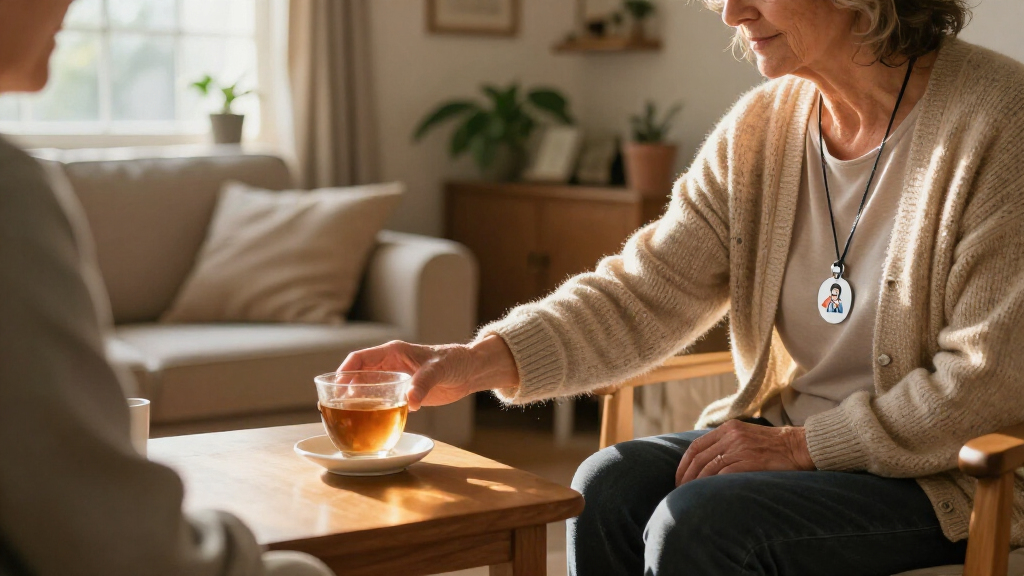
Among these medical alert systems for seniors, I’d put the SecuLife SOS Wristband first for shoppers seeking a mobile device with GPS, fall detection, and two-way calling. The Daytech Caregiver Pager stands out for in-home caregiver coverage across several rooms, while the MGMini is a compact option for someone who wants a wearable alert device. The main tradeoff is whether you need help only at home or also while out, and whether alerts should reach family, a monitoring service, or 911. Features such as fall detection and GPS can add useful support, but they do not replace checking cellular coverage, call routing, and ongoing service terms. Read on for the full comparison and advice on choosing a system that fits the senior’s routine.

Turn quiet afternoons into listening time
- Thousands of audiobooks, podcasts and originals
- Listen on your phone, tablet or Echo — also offline
- Cancel anytime
Complete the kit


Key Takeaways
- Home caregiver pagers and monitored mobile alerts serve different jobs: Daytech and CallToU setups signal a nearby caregiver, while GPS wearables are intended to support alerts beyond the home.
- SecuLife combines several mobile safety features: GPS, geofencing, fall detection, and two-way calling make it a strong fit for seniors who leave home and want family-linked support.
- CallToU’s multi-button, multi-receiver configuration suits shared homes: Several receivers can help caregivers hear a call from more areas, but it is not a substitute for a remote monitoring service.
- “No monthly fee” does not by itself explain how an alert gets help: Buyers should check whether calls go to family, emergency services, an app, or a monitoring center, and whether cellular service is required.
- Setup and connectivity split this lineup: Landline and plug-in home systems favor simpler fixed use, while Wi-Fi and 4G GPS models bring more flexibility but depend on compatible networks and service.
| Daytech Caregiver Pager System with 2 Watches, 2 Call Buttons, and 3 Receivers |  | Best for Multi-Room Caregiving | Brand and model: Daytech E-01W | Included devices: 2 watches, 2 call buttons, 3 receivers | Maximum range: 100 feet (30 meters) | VIEW LATEST PRICE | See Our Full Breakdown |
| CallToU Caregiver Pager with 2 Wireless Call Button for Elderly at Home |  | Best for Long-Range In-Home Alerts | Manufacturer and model: CallToU CC01 2-2 | Included devices: 2 wireless call buttons and 2 receivers | Maximum range: 500 feet | VIEW LATEST PRICE | See Our Full Breakdown |
| TurboSense Life Alert System with App and SOS Buttons |  | Best for App-Based Family Alerts | Brand and model: TurboSense Pager-XL | Connectivity: 2.4GHz Wi-Fi and 433MHz RF | Stated range: 656 feet (200 meters) | VIEW LATEST PRICE | See Our Full Breakdown |
| SecuLife SOS Wristband for Seniors with Fall Detection, GPS Tracking, Geofencing, and Two-Way Calling |  | Best Screen-Free GPS Wristband | Brand: SecuLife | Connectivity: Cellular | Listed features: Fall alerts, GPS tracking, geofencing, SOS, two-way calling | VIEW LATEST PRICE | See Our Full Breakdown |
| Medical Alert Pendant for Seniors – Direct Alerts to Family, No Call Center, Auto Fall Detection, GPS Tracking, 2‑Way Calling, Water‑Resistant Necklace |  | Best for Longer-Wearing Cellular Coverage | Connectivity: 4G LTE cellular | Battery life: Up to 6 days | Battery capacity: 1000 mAh | VIEW LATEST PRICE | See Our Full Breakdown |
| SOS Mobile GPS 24/7 Medical Alert with Optional Fall Detection – Call to Activate, 4G GPS Elderly Tracking & Panic Button |  | Best for Active Seniors | Network: Verizon 4G LTE | Weight: Under 2 oz | Dimensions: 2.72 x 1.38 x 0.57 inches | VIEW LATEST PRICE | See Our Full Breakdown |
| Medical Alert System – No Monthly Fees – Waterproof Necklace and Wrist |  | Best for No-Monthly-Fee Home Coverage | Connectivity: Home phone line; optional Bluetooth adapter | Coverage range: Up to 70,000 sq ft | Supported panic buttons: Up to 8 | VIEW LATEST PRICE | See Our Full Breakdown |
| Freedom Alert Landline Personal Emergency Device with 2-Way Call Pendant |  | Best for Direct Two-Way Home Calls | Connectivity: Landline | Communication: Two-way voice | Form factor: Wearable pendant with mount | VIEW LATEST PRICE | See Our Full Breakdown |
| Wireless Caregiver Pager, 1 Call Button + 1 Receiver for Elderly at Home |  | Best Expandable Caregiver Pager | Included units: 1 receiver and 1 call button | Maximum range: 1,500 feet | Expansion: Up to 30 call buttons and multiple receivers | VIEW LATEST PRICE | See Our Full Breakdown |
| CallToU Wireless Caregiver Pager with 2 Call Buttons and 3 Receivers |  | Best Ready-to-Place Multi-Room Pager | Included components: 2 call buttons and 3 receivers | Open-area range: Over 500 feet | Maximum range: 150 meters | VIEW LATEST PRICE | See Our Full Breakdown |
| Medical Alert Pendant for Seniors – Direct 911 Calling, No Monthly Fees, 4G LTE SOS Button with Two-Way Speaker, Neck Lanyard Included |  | Best for Direct 911 Access | Connectivity: 4G LTE; requires compatible US cellular service | Emergency response: Direct 911 calling | Communication: Built-in two-way speaker and microphone | VIEW LATEST PRICE | See Our Full Breakdown |
| CallToU Caregiver Pager Wireless Call Button Nurse Alert System Home Care |  | Best for Simple In-Home Caregiver Alerts | Wireless range: Over 500 feet | Ringtone options: 55 selectable ringtones | Maximum sound level: 110 dB | VIEW LATEST PRICE | See Our Full Breakdown |
| Life Alert System for Seniors – No Monthly Fee, App-Controlled Medical Alert with Two Call Buttons, Waterproof Wristband, Receiver and 1–6 LED Number Display (2.4 GHz Wi-Fi) |  | Best for Shared Household Notifications | Brand and model: PRNBRH CF106 | Connectivity: 2.4 GHz Wi-Fi and wireless dual-channel connection | Maximum range: 300 feet | VIEW LATEST PRICE | See Our Full Breakdown |
| Daytech WiFi Caregiver Call Button – 2 Buttons, 1 Wrist Unit, 1 Receiver |  | Best for App-Connected Family Care | Included call devices: Two buttons, including one wrist unit | Receiver: Plug-in receiver with local alarm | Connectivity: Wi-Fi and mobile app notifications | VIEW LATEST PRICE | See Our Full Breakdown |
| MGMini Medical Alert Device for Seniors, Silver |  | Best for Monitored Protection Away From Home | Device type: Medical alert necklace | Emergency response: 24/7 Medical Guardian monitoring with two-way speaker | Connectivity: Cellular with Wi-Fi backup | VIEW LATEST PRICE | See Our Full Breakdown |
| medical alert systems for senior | Connectivity |
|---|---|
| Daytech Caregiver Pager System | — |
| CallToU Caregiver Pager with 2 | — |
| TurboSense Life Alert System w | 2.4GHz Wi-Fi and 433MHz RF |
| SecuLife SOS Wristband for Sen | Cellular |
| Medical Alert Pendant for Seni | 4G LTE cellular |
| SOS Mobile GPS 24/7 Medical Al | — |
| Medical Alert System | Home phone line; optional Bluetooth adapter |
| Freedom Alert Landline Persona | Landline |
| Wireless Caregiver Pager | — |
| CallToU Wireless Caregiver Pag | — |
| Medical Alert Pendant for Seni | 4G LTE; requires compatible US cellular service |
| CallToU Caregiver Pager Wirele | — |
| Life Alert System for Seniors | 2.4 GHz Wi-Fi and wireless dual-channel connection |
| Daytech WiFi Caregiver Call Bu | Wi-Fi and mobile app notifications |
| MGMini Medical Alert Device fo | Cellular with Wi-Fi backup |
More Details on Our Top Picks
Daytech Caregiver Pager System with 2 Watches, 2 Call Buttons, and 3 Receivers
I’d choose the Daytech E-01W when several caregivers or rooms need to hear the same call. Its three receivers and two wearable watch pagers offer broader in-home coverage than the CallToU system, which includes two receivers. Two wall-mountable call buttons also give residents a fixed option near a bed or bathroom, while the watches can stay within reach when moving around the home. The controls are described as easy to operate, and the devices arrive pre-paired, reducing setup work. The tradeoff is that this is a caregiver alert system, not a monitored medical service: it does not provide GPS, cellular calling, or automatic fall detection. Its 100-foot range is also shorter than the CallToU’s stated range, and the buttons are splash-proof rather than suitable for immersion.
Pros:- Three receivers can alert caregivers in multiple parts of a home.
- Includes two watch pagers and two call buttons for different ways to request help.
- Splash-proof call buttons can be mounted in suitable bathroom locations.
- Pre-paired devices and adjustable settings simplify setup.
Cons:- The stated 100-foot range is shorter than the CallToU system’s 500-foot range.
- Battery-powered components require replacement batteries.
- Splash resistance does not mean the watch or call button can be immersed.
Best for: Households with multiple caregivers or several rooms to cover that want wearable and wall-mounted ways to summon help at home.
Not ideal for: Seniors who need alerts away from home, automatic fall detection, or a device that can be submerged during bathing.
- Brand and model:Daytech E-01W
- Included devices:2 watches, 2 call buttons, 3 receivers
- Maximum range:100 feet (30 meters)
- Power source:Battery powered
- Included batteries:4 12V alkaline batteries
- Mounting:Wall mount
- Audible noise:55 dB
- Call button water resistance:Splash-proof; not suitable for immersion
Our verdict“Choose Daytech if multiple caregivers need to hear alerts across the home; skip it if you need mobile monitoring or a longer stated range.”
CallToU Caregiver Pager with 2 Wireless Call Button for Elderly at Home
The CallToU CC01 2-2 is a sensible fit when caregivers may be farther from the person needing help. Its stated 500-foot range reaches beyond the Daytech system’s 100-foot range, although actual coverage can vary with walls and other obstacles. Two call buttons and two receivers cover a basic home setup, and the waterproof, dustproof buttons suit locations where splashes or everyday grime are a concern. The receiver offers 55 ringtone choices and five volume levels, which can help caregivers pick a sound they notice without relying on one fixed alert. Compared with TurboSense, this is a simpler local pager rather than an app-connected system. Its receiver needs an outlet, and the kit lacks the extra receiver and wearable watch options included with Daytech.
Pros:- Stated 500-foot range gives caregivers more room to move around than the Daytech system’s 100-foot range.
- Waterproof and dustproof design suits use near wet or dusty areas.
- 55 ringtones and five volume levels allow the alert to be tailored to the home.
- Includes two call buttons and two receivers.
Cons:- Receivers must be plugged into an outlet, limiting placement and portability.
- The kit has no watch or pendant call button.
- Only two buttons and two receivers are included, fewer receivers than Daytech supplies.
Best for: Caregivers in larger homes who want a long-range, water-resistant button-and-receiver alert system without relying on a smartphone app.
Not ideal for: Seniors who need a wearable call button, alerts while away from home, or a receiver that works without an outlet.
- Manufacturer and model:CallToU CC01 2-2
- Included devices:2 wireless call buttons and 2 receivers
- Maximum range:500 feet
- Ringtones:55
- Volume levels:5 levels, up to 110 dB
- Power:Battery-powered buttons; receiver plugs into an outlet
- Included batteries:2 12V alkaline batteries
- Water and dust resistance:Waterproof and dustproof
Our verdict“Pick CallToU for long-range alerts between fixed buttons and plugged-in receivers; choose another system if you need a wearable or mobile alert.”
TurboSense Life Alert System with App and SOS Buttons
TurboSense gives families a bridge between a basic in-home pager and a cellular medical alert device: a press can sound its receiver and send an app notification over 2.4GHz Wi-Fi. The included waterproof call button and SOS watch button give the wearer two ways to ask for help, while its stated 656-foot range exceeds both Daytech and CallToU on paper. For caregivers who want phone notifications without a monthly system subscription, that combination is the main distinction. However, the app route depends on a compatible Wi-Fi network, and phone calls or SMS may involve a paid third-party service. Unlike the SecuLife wristband and pendant, TurboSense does not offer automatic fall detection, GPS tracking, or cellular monitoring. It is best understood as a home alert system, not a substitute for an emergency-response service.
Pros:- App notifications can reach caregivers’ phones without a system monthly subscription.
- Stated 656-foot range is longer than the ranges listed for Daytech and CallToU.
- Includes both a waterproof call button and an SOS watch button.
- One-press operation offers a straightforward way to request help at home.
Cons:- App functionality requires a 2.4GHz Wi-Fi network.
- Phone calls and SMS alerts may require a paid third-party app service.
- No automatic fall detection, GPS tracking, or medical monitoring is listed.
Best for: Families who want a home receiver plus smartphone app alerts and can maintain a 2.4GHz Wi-Fi connection.
Not ideal for: Seniors who need automatic fall detection, GPS outside the home, cellular coverage, or alerts that do not depend on Wi-Fi.
- Brand and model:TurboSense Pager-XL
- Connectivity:2.4GHz Wi-Fi and 433MHz RF
- Stated range:656 feet (200 meters)
- Included devices:1 waterproof call button, 1 SOS watch button, 1 receiver
- Alert controls:App and push button
- Battery type:Lithium-ion, included
- Water resistance:Call button is listed as waterproof
- Monthly system fee:No monthly subscription fee stated for app notifications
Our verdict“Choose TurboSense for Wi-Fi-based family notifications at home, but choose a cellular SecuLife device if fall alerts or location tracking are priorities.”
SecuLife SOS Wristband for Seniors with Fall Detection, GPS Tracking, Geofencing, and Two-Way Calling
For seniors who may leave home alone, the SecuLife SOS Wristband offers capabilities the home-focused Daytech and CallToU pagers do not: cellular connectivity, GPS tracking, geofencing, and two-way calling. Its screen-free design keeps the interaction simple: the wearer can call preset contacts with one button, while automatic fall alerts add a second route for getting help. IP67 water resistance is useful for everyday wear around water, though the listing describes it as splash-resistant rather than a device to immerse without checking its care guidance. This added mobility and alert coverage comes with a recurring $25 monthly subscription. The listed one-day battery life also means frequent charging is part of ownership, unlike the SecuLife pendant’s stated battery life of up to six days. I’d favor this wristband when discreet wear matters more than long intervals between charges.
Pros:- Automatic fall alerts complement the one-button SOS call function.
- GPS tracking and geofencing support location awareness outside the home.
- Two-way calling connects the wearer with preset contacts.
- Screen-free design and IP67 water resistance support simple everyday wear.
Cons:- A $25 monthly subscription is required for tracking, alerts, calling, and customer care.
- Listed battery life is only one day, requiring frequent charging.
- A single wristband provides no separate receivers or call buttons for other rooms.
Best for: Seniors who leave home, prefer a screen-free wristband, and need GPS, fall alerts, and calling through a subscription service.
Not ideal for: People who want no recurring subscription, need several days between charges, or prefer an at-home pager without cellular service.
- Brand:SecuLife
- Connectivity:Cellular
- Listed features:Fall alerts, GPS tracking, geofencing, SOS, two-way calling
- Battery life:1 day
- Battery capacity:680 mAh
- Water resistance:IP67
- Subscription:$25 per month
- Warranty:1 year
Our verdict“Choose this wristband for screen-free GPS and fall alerts on the go if the monthly fee and daily charging routine are acceptable.”
Medical Alert Pendant for Seniors – Direct Alerts to Family, No Call Center, Auto Fall Detection, GPS Tracking, 2‑Way Calling, Water‑Resistant Necklace
This SecuLife pendant combines automatic fall detection, GPS, geofencing, and two-way calling in a necklace-style device, with alerts sent to selected family members rather than a call center. That direct-to-family approach suits households that want relatives to manage responses themselves. Its stated battery life of up to six days is a clear advantage over the SecuLife wristband’s listed one day, reducing how often the wearer needs to remember a charge. The IP67 rating and 4G LTE connectivity also make it more suited to all-day wear and outings than home-only systems such as the Daytech pager. The tradeoff is a $20 monthly subscription for full functionality, and frequent GPS use may shorten battery life. Families should also confirm that direct alerts fit their response plan, since this is not described as a call-center service.
Pros:- Automatic fall detection can alert selected family members.
- Real-time GPS tracking and geofencing support location awareness outside the home.
- Up to six days of stated battery life is longer than the SecuLife wristband’s one-day listing.
- IP67 water resistance and two-way calling support all-day use.
Cons:- Full functionality requires a $20 monthly subscription.
- Frequent GPS tracking may reduce the stated battery life.
- Direct-to-family alerts depend on relatives being available to respond; no call-center service is listed.
Best for: Seniors who want a cellular pendant for outings and families who can respond directly to fall, SOS, and location alerts.
Not ideal for: People who want no recurring subscription, a call-center response service, or a device that can be left uncharged for extended periods.
- Connectivity:4G LTE cellular
- Battery life:Up to 6 days
- Battery capacity:1000 mAh
- Water resistance:IP67
- GPS:Real-time tracking with geofencing
- Fall detection:Automatic
- Calling:Two-way calling
- Subscription:$20 per month for full functionality
Our verdict“Choose this pendant for cellular safety features and longer stated battery life if your family is ready to handle alerts directly and pay the subscription.”
SOS Mobile GPS 24/7 Medical Alert with Optional Fall Detection – Call to Activate, 4G GPS Elderly Tracking & Panic Button
The SOS Mobile GPS is the clearest fit here for someone who wants help beyond the house: its Verizon 4G LTE connection and GPS support caregiver location checks, while the built-in speaker lets the wearer speak with an operator. At under 2 oz, it is also easier to wear throughout the day than a home-based setup such as the Freedom Alert Landline Personal Emergency Device. The caregiver app adds battery and activity visibility, and the battery can last up to several days. The tradeoff is that this is not a no-cost, standalone alert plan: full functionality requires an ongoing subscription, and service depends on Verizon coverage. Fall detection is optional, so buyers should confirm that feature and its terms before relying on it.
Pros:- Compact, lightweight design can be worn on a lanyard or clipped to clothing.
- GPS and caregiver app provide location and battery information.
- Standalone device connects to an operator without a smartphone.
- Battery life is listed as up to 144 hours.
Cons:- Full functionality requires an ongoing subscription.
- Coverage depends on Verizon 4G LTE availability.
- Fall detection is optional rather than included by default.
Best for: Seniors who leave home regularly and want GPS-supported caregiver location checks without carrying a smartphone.
Not ideal for: People who need a no-subscription system or live in an area with unreliable Verizon 4G LTE coverage.
- Network:Verizon 4G LTE
- Weight:Under 2 oz
- Dimensions:2.72 x 1.38 x 0.57 inches
- Battery capacity:420 mAh
- Battery life:Up to 144 hours
- Water resistance:Yes
- Fall detection:Optional
- Included accessories:Charging dock and adapter, lanyard with magnetic clasp, belt clip, caregiver tracking app access
Our verdict“Choose the SOS Mobile GPS if the wearer needs a portable, GPS-enabled alert and accepts subscription and network requirements.”
Medical Alert System – No Monthly Fees – Waterproof Necklace and Wrist
This system stands out for households that want button-based help without a monthly subscription. It can support up to eight panic buttons, giving families room to place alerts where a senior spends time, and its listed coverage range is far larger than the room-to-room range many buyers need. The waterproof design also suits all-day wear, including in the shower. Compared with the Freedom Alert Landline Personal Emergency Device, this model emphasizes multiple wearable buttons and broad coverage rather than a pendant with two-way voice communication. That distinction matters: the provided details describe a push-button alert system, not direct conversation with an operator. It also needs a home phone line unless paired with an optional Bluetooth adapter, and its AAA batteries require periodic replacement.
Pros:- No monthly subscription fee is required.
- Waterproof buttons can be worn in the shower.
- Supports up to eight panic buttons for flexible placement.
- Listed coverage range is up to 70,000 square feet.
Cons:- Requires a home phone line unless an optional Bluetooth adapter is added.
- AAA batteries need periodic replacement.
- Product details do not specify two-way voice communication with an operator.
Best for: Seniors living at home with a landline who want several waterproof alert buttons and no monthly subscription.
Not ideal for: People without a landline who do not want to add the optional Bluetooth adapter, or anyone who needs confirmed two-way voice communication.
- Connectivity:Home phone line; optional Bluetooth adapter
- Coverage range:Up to 70,000 sq ft
- Supported panic buttons:Up to 8
- Power source:Battery powered
- Batteries:2 AAA batteries included
- Control method:Push button
- Dimensions:6.5 x 4.5 x 1.7 inches
Our verdict“Pick this system for landline-based home coverage with multiple waterproof buttons and no monthly fee, but not for mobile protection or operator conversation.”
Freedom Alert Landline Personal Emergency Device with 2-Way Call Pendant
The Freedom Alert earns its place for buyers who value a direct voice conversation over caregiver tracking or a cluster of call buttons. Its wearable pendant provides two-way communication with 911 dispatchers or family, so the wearer can explain what happened rather than relying only on a button alert. That makes it a different choice from the no-monthly-fee Medical Alert System with Waterproof Necklace and Wrist, whose listed details focus on a home-phone-connected button system and multiple buttons. Freedom Alert also avoids ongoing monthly fees and includes a rechargeable battery with a 24-hour backup. Its central limitation is the landline: it is intended for home use and will not provide the mobile GPS coverage of the SOS Mobile GPS. Buyers should also check how the device’s call routing fits their household’s response plan.
Pros:- Pendant supports two-way voice communication with 911 or family.
- No monthly fees are required.
- Rechargeable battery avoids routine disposable battery changes.
- Includes a 24-hour battery backup.
Cons:- Requires an existing landline phone service.
- Landline dependence limits use to the home.
- Does not provide the GPS location support offered by SOS Mobile GPS.
Best for: Landline households that want a wearable pendant with two-way voice contact and no monthly service fee.
Not ideal for: Seniors who spend substantial time away from home or lack landline phone service.
- Connectivity:Landline
- Communication:Two-way voice
- Form factor:Wearable pendant with mount
- Power source:Rechargeable
- Battery backup:24 hours
- Monthly fees:None
- Intended users:Seniors, older adults, and individuals with disabilities
Our verdict“Choose Freedom Alert when direct two-way calls at home matter more than mobile coverage or GPS tracking.”
Wireless Caregiver Pager, 1 Call Button + 1 Receiver for Elderly at Home
This STECHRO caregiver pager is a practical fit for a home where a nearby caregiver can respond when a receiver sounds. Its listed 1,500-foot range and support for up to 30 call buttons make it more expandable than the CallToU Wireless Caregiver Pager with 2 Call Buttons and 3 Receivers, which arrives with more receivers ready to place around the home. The STECHRO starts with just one receiver, so it suits a smaller setup or a household willing to add units as needs change. Its IP55 rating and adjustable volume offer useful flexibility, including louder alerts for rooms where a caregiver may not be close by. This is a caregiver notification system, not a monitored medical alert service: it does not describe an operator connection, GPS, or emergency dispatch.
Pros:- Listed transmission range reaches up to 1,500 feet.
- Can expand to support up to 30 call buttons and multiple receivers.
- IP55-rated water- and dust-resistant design.
- Five volume levels and multiple ringtone options help tailor alerts.
Cons:- Only one receiver is included.
- Additional receivers for wider household coverage must be purchased separately.
- Not described as a monitored medical alert service or direct emergency dispatch device.
Best for: Families building a customizable in-home alert network around one caregiver receiver, with the option to add buttons and receivers later.
Not ideal for: Seniors who live alone and need monitored emergency response, or households that need several receivers included from the start.
- Included units:1 receiver and 1 call button
- Maximum range:1,500 feet
- Expansion:Up to 30 call buttons and multiple receivers
- Water and dust resistance:IP55
- Maximum audible volume:120 dB
- Power source:Battery powered; lithium battery listed
- Warranty:18 months
Our verdict“Choose this pager for a caregiver-managed home setup that may grow over time, not as a substitute for monitored emergency response.”
CallToU Wireless Caregiver Pager with 2 Call Buttons and 3 Receivers
For households that want alert coverage in several rooms without first buying extra receivers, the CallToU pager bundle is the more ready-to-use choice in this group. It includes two call buttons and three plug-in receivers, so caregivers can hear a request from multiple areas of the home. By comparison, the STECHRO Wireless Caregiver Pager starts with one receiver and offers a longer stated maximum range, making that model a stronger base for gradual expansion. CallToU lists an open-area range of over 500 feet, but walls and layout may reduce real-world reach. Its waterproof, dustproof buttons suit everyday home use, and adjustable volume and ringtone choices help tailor alerts. Like the STECHRO pager, it signals a nearby caregiver rather than connecting to a monitoring center or emergency dispatcher.
Pros:- Includes two call buttons and three receivers.
- Open-area operating range is listed as over 500 feet.
- Waterproof and dustproof design supports everyday home use.
- Offers 55 ringtones and five volume levels.
Cons:- Receivers require nearby electrical outlets.
- The stated range is for open areas and may be shorter indoors.
- Alerts caregivers locally rather than connecting to an emergency response service.
Best for: Families who want two call buttons and multiple plug-in receivers ready for use across a senior’s home.
Not ideal for: People who need a wearable, monitored medical alert with operator response, or households unable to keep receivers plugged into outlets.
- Included components:2 call buttons and 3 receivers
- Open-area range:Over 500 feet
- Maximum range:150 meters
- Ringtones:55
- Volume:5 levels; up to 110 dB
- Power:Battery-powered buttons; plug-in receivers
- Water and dust resistance:Yes
- Warranty:1 year
Our verdict“Choose CallToU for convenient, multi-room caregiver alerts at home, but use a monitored medical alert system if emergency dispatch is needed.”
Medical Alert Pendant for Seniors – Direct 911 Calling, No Monthly Fees, 4G LTE SOS Button with Two-Way Speaker, Neck Lanyard Included
This pendant is for seniors who want to call emergency services directly without paying for a monitoring plan. Pressing its SOS button connects through 4G LTE to 911, and the built-in speaker and microphone let the wearer communicate with responders. That differs from the MGMini Medical Alert Device, which connects to a staffed monitoring team, while this model skips the intermediary and recurring service fees. A protective cover helps reduce accidental button presses, and the included lanyard supports hands-free wear. The tradeoff is that it is not a caregiver pager: it does not alert a family network or provide location tracking, and a direct call may be less reassuring for someone who needs help deciding what response to request. It also depends on compatible US cellular service and uses replaceable AAA batteries.
Pros:- Calls 911 directly over compatible 4G LTE service
- Two-way microphone and speaker support communication with dispatchers
- No monthly monitoring fee or contract
- Protective cover helps prevent accidental SOS calls
Cons:- Does not connect users to a monitoring center or notify caregivers as its primary response
- Requires compatible US cellular coverage
- AAA batteries need replacement over time
Best for: Seniors who can speak with 911 dispatchers and want a wearable emergency button without a monitoring subscription
Not ideal for: People who want a caregiver notified first, location tracking, or a staffed operator to assess the situation
- Connectivity:4G LTE; requires compatible US cellular service
- Emergency response:Direct 911 calling
- Communication:Built-in two-way speaker and microphone
- Power source:Battery powered
- Battery:3 included AAA alkaline batteries
- Dimensions:1.6 × 0.49 × 2.8 inches
- Weight:2.4 oz
- Included wear accessories:Removable neck lanyard and protective cover
Our verdict“Choose this pendant if direct 911 access and avoiding a monitoring subscription matter more than caregiver alerts or operator support.”
CallToU Caregiver Pager Wireless Call Button Nurse Alert System Home Care
For a senior who needs to summon someone already in or near the home, this CallToU pager offers a straightforward alternative to a cellular medical alert. Its wireless call button reaches a receiver over 500 feet, while 55 ringtone choices and volume up to 110 dB help caregivers notice an alert in different rooms. Both units are described as waterproof and dustproof, which makes the button more practical around bathrooms than a device meant to stay dry. Compared with the Daytech WiFi Caregiver Call Button, this model relies on a local receiver rather than app notifications, so it avoids dependence on home internet but cannot send alerts to caregivers away from the house. The main limitation is that the receiver must stay plugged into an outlet. This is a home-care pager, not a 24/7 emergency-response service.
Pros:- Wireless range of over 500 feet through walls
- Waterproof and dustproof design for use around damp or dusty areas
- 55 selectable ringtones and adjustable volume up to 110 dB
- Portable receiver can be carried while remaining connected to an outlet
Cons:- Receiver needs an outlet, limiting how freely a caregiver can carry it
- Alerts are local rather than routed to a monitoring center or remote app
- Call button requires a 12V alkaline battery that may need replacement
Best for: Households where a caregiver is usually on-site and wants a loud, local alert from a senior in another room
Not ideal for: Seniors who are often alone or need emergency operators, remote caregiver notifications, or alerts outside the receiver’s range
- Wireless range:Over 500 feet
- Ringtone options:55 selectable ringtones
- Maximum sound level:110 dB
- Environmental protection:Waterproof and dustproof
- Receiver power:Receiver must remain plugged into an outlet
- Battery requirement:One 12V alkaline battery
- Item weight:6.3 oz
- Mounting type:Tabletop receiver
Our verdict“Pick this pager for a caregiver who is nearby and needs a loud in-home signal, not a system for reaching emergency services or remote contacts.”
Life Alert System for Seniors – No Monthly Fee, App-Controlled Medical Alert with Two Call Buttons, Waterproof Wristband, Receiver and 1–6 LED Number Display (2.4 GHz Wi-Fi)
This set suits homes where several relatives or caregivers want to receive an alert on their phones, without a mandatory monthly plan. It combines a waterproof wrist remote and panic-button necklace with a receiver that displays up to six LED numbers; the Tuya Smart or Smart Life app can send push notifications to multiple users. Its stated dual-channel coverage reaches up to 300 feet, giving it a local wireless route alongside Wi-Fi. Compared with the CallToU Caregiver Pager, it adds app-based sharing and a number display, but setup is more involved and the Wi-Fi connection is limited to 2.4 GHz. The listing describes it as a medical alert system, but it does not specify a staffed monitoring service or direct 911 connection. Buyers should treat it as a household notification system, not a replacement for emergency dispatch.
Pros:- No mandatory monthly fee
- Waterproof wrist remote is suited to shower use
- App push notifications can be shared with multiple users
- Dual-channel setup is listed with coverage up to 300 feet
Cons:- Only supports 2.4 GHz Wi-Fi
- No staffed monitoring service or direct 911 response is specified
- Uses standard A batteries that may need replacement, and component dimensions are listed unusually small
Best for: Families or care teams who want multiple people to receive household alerts through an app and can configure 2.4 GHz Wi-Fi
Not ideal for: Seniors who need a monitored emergency-response service, use only non-2.4 GHz Wi-Fi, or want a clearly specified, durable wearable
- Brand and model:PRNBRH CF106
- Connectivity:2.4 GHz Wi-Fi and wireless dual-channel connection
- Maximum range:300 feet
- Included alert devices:Waterproof wrist remote and panic-button necklace
- Receiver display:LED display for up to six numbers
- App compatibility:Tuya Smart / Smart Life; compatible with smartphones
- Audible alarm:Up to 110 dB
- Batteries:Two A batteries included
Our verdict“Choose this system for shared app alerts at home, but not as a substitute for a monitored medical alert service.”
Daytech WiFi Caregiver Call Button – 2 Buttons, 1 Wrist Unit, 1 Receiver
The Daytech system is designed for a senior who can press a wrist unit or handheld button and a family member who wants alerts on a phone as well as at home. App notifications can be shared with multiple users, while the receiver provides a local alarm with up to 20 ringtone choices and five volume levels. That makes it more useful for distributed caregivers than the CallToU Caregiver Pager, which focuses on a local receiver and audible alert. Daytech also mentions phone or text notification upgrades for offline coverage, but the listing does not detail how those upgrades work, so buyers should check before relying on them. The receiver has to remain plugged in, and full app functionality depends on internet access. Unlike a monitored alert device, this setup sends a signal to chosen caregivers rather than connecting the wearer to emergency operators.
Pros:- Wrist and handheld buttons provide more than one way to request help
- App alerts can be shared with multiple caregivers
- Receiver offers up to 20 ringtones and five volume levels
- Seller lists lifetime service support
Cons:- Receiver must remain plugged into an outlet
- App-based alerts rely on internet connectivity
- Phone or text coverage for offline use is described as an upgrade, with details not specified
Best for: Families sharing caregiving duties who want app alerts alongside an in-home receiver and can maintain a reliable internet connection
Not ideal for: Seniors living alone who need 24/7 operator response, or households that need a fully mobile receiver or internet-independent app service
- Included call devices:Two buttons, including one wrist unit
- Receiver:Plug-in receiver with local alarm
- Connectivity:Wi-Fi and mobile app notifications
- Ringtone options:Up to 20
- Volume settings:Five levels
- Battery:Included 12V battery
- Item weight:10.2 oz
- Product dimensions:4.8 × 4.1 × 3.6 inches
Our verdict“Choose Daytech when multiple caregivers need phone alerts from a home call button, rather than a direct link to emergency responders.”
MGMini Medical Alert Device for Seniors, Silver
The MGMini is the strongest fit here for seniors who want an alert connected to a staffed response team rather than relying on a nearby caregiver. Pressing the device reaches Medical Guardian’s 24/7 monitoring team through its two-way speaker, and cellular connectivity with Wi-Fi backup supports use beyond the home. Its discreet necklace can also be worn with a belt clip, while the app or online portal provides hourly location updates and step counts. Compared with the direct-to-911 pendant, the MGMini adds operator support and location information, but it requires a paid subscription after the free trial. Fall detection is optional and carries an additional monthly fee, so it is not included protection by default. Battery life is listed as up to three days with a four-hour recharge; anyone who may forget charging should plan for that routine.
Pros:- Connects to a 24/7 monitoring team through two-way audio
- Cellular connectivity with Wi-Fi backup supports use beyond the home
- Location updates and step counts are available through an app or portal
- Can be worn as a necklace or with the included belt clip
Cons:- Requires a monthly subscription after the free trial
- Fall detection is an optional paid add-on
- Needs recharging, with battery life listed at up to three days
Best for: Seniors who leave home regularly and want 24/7 monitoring, two-way operator communication, and location updates
Not ideal for: Buyers seeking a no-fee device, or anyone who cannot manage regular charging and recurring service costs
- Device type:Medical alert necklace
- Emergency response:24/7 Medical Guardian monitoring with two-way speaker
- Connectivity:Cellular with Wi-Fi backup
- Battery life:Up to 3 days (listed as 120 hours)
- Charging time:4 hours
- Fall detection:Optional add-on; extra monthly fee
- Location and activity features:Hourly location updates and step counting through app or online portal
- Included accessories:Lanyard, belt clip, charging cradle, power cord, EMT card, and user manual
Our verdict“Choose the MGMini if you want operator-backed help and location features away from home and accept a subscription and charging routine.”
How We Picked
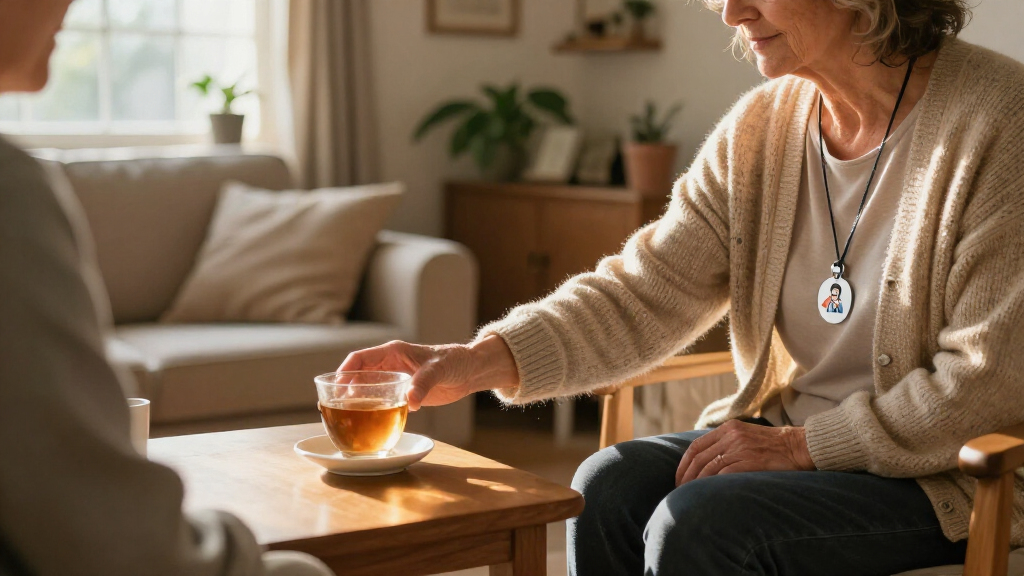
I compared these 15 devices around the decisions that matter most for senior safety: whether coverage is limited to the home or supports outings, how an alert reaches help, and what the wearer or caregiver must do after pressing the button. I also looked at the practical value of two-way calling, GPS, fall detection, water resistance, multiple buttons or receivers, and compatibility with landline, Wi-Fi, or cellular service. Feature names alone do not guarantee a particular response, so I treated the stated alert route and service requirements as key points for buyers to verify.
The ranking favors products with a clear use case and a useful combination of alert access, mobility, and caregiver reach. SecuLife ranks ahead for buyers who want several mobile features in one wearable; Daytech and CallToU home pager configurations rank well for in-home caregiver signaling and multi-room coverage. Landline, direct-to-family, 911-call, app-based, and no-monthly-fee options serve narrower preferences and are ranked for those specific needs rather than treated as universal substitutes for monitored service. Product names and listed features do not establish response times, cellular availability, or exact subscription terms, so buyers should confirm these details with the seller before choosing.
Factors to Consider When Choosing Medical Alert Systems For Seniors
Before choosing a device, decide what should happen after the senior presses the button. A home pager that alerts a caregiver nearby solves a different problem from a mobile device that calls family or emergency services. I’d start with the senior’s daily routine, the people available to respond, and the networks used at home and outside.
1. Match the alert route to the help available
Ask who will receive an alert and what they can do at that moment. A caregiver pager can work well when someone is nearby and able to respond, but it may not help if the senior is alone or the caregiver is away. A device that calls family depends on someone answering and knowing the senior’s location. A monitoring service or direct 911 feature has a different response path, so confirm whether the product actually includes that service or only offers a button that starts a call. Write down a backup plan for unanswered calls before buying.
2. Decide whether coverage must extend beyond home
Indoor systems are often a practical fit for a senior who spends most of the day at home and has a caregiver within hearing range. For walks, errands, or time in the yard, check that the wearable supports mobile coverage and that the relevant cellular network reaches those places. GPS can help locate a wearer, but location sharing is only useful if the device is charged, connected, and configured for the right contacts. Do not assume that a home receiver or landline pendant will work away from its base. Match the coverage promise to the senior’s actual routine rather than buying mobility features they are unlikely to use.
3. Treat fall detection as an aid, not a guarantee
Automatic fall detection can be helpful if a senior may be unable to press a button, but it cannot identify every fall or replace a manual alert. Ask whether the feature is included, optional, or tied to a service plan, and learn what happens when it triggers. Placement and fit matter: a wristband, pendant, and clip can be worn differently and may not suit every person. A senior who dislikes wearing a device may receive less benefit from the most feature-rich model. Choose a wearable they are likely to keep on, and make sure they can still activate an alert themselves.
4. Check signal, power, and backup arrangements
Wi-Fi, cellular, and landline systems can fail for different reasons, so confirm what connection each device needs at home and on the move. Check coverage in bedrooms, bathrooms, and the parts of the property where the senior spends time—not just near the router or base station. Ask how long a wearable and receiver operate between charges or battery changes, and whether low-battery warnings reach a caregiver. Power cuts and weak indoor cellular reception can interrupt service even when the device appears correctly set up. If reliability matters, identify a practical backup such as a charged phone, another caregiver contact, or a landline.
5. Choose a wearable the senior can use comfortably
Button size, wrist or neck fit, weight, water resistance, and ease of charging affect whether a device gets worn consistently. A pendant may be easier to find in an emergency than a small button kept in a drawer, while a wrist unit may suit someone who dislikes a lanyard. Check whether the product is intended for use in the shower, since bathrooms are a common place for falls and not every device handles water the same way. Also consider dexterity, hearing, eyesight, and whether the wearer can understand spoken prompts. Include the senior in the choice and practice an alert together after setup.
6. Read the service terms behind the feature list
A no-monthly-fee label does not reveal whether the device needs a separately purchased SIM, app account, cellular plan, or paid monitoring service. Compare the full operating requirements, not just the purchase package, and confirm which functions stop if a subscription ends. Ask about setup help, replacement batteries, warranty coverage, and who handles troubleshooting. For an app-connected model, find out whether more than one family member can receive alerts and what happens if the primary phone is unavailable. Paying for a service can make sense when it provides a response pathway the household cannot reliably supply itself.
Frequently Asked Questions
Is a caregiver pager the same as a monitored medical alert system?
No. A caregiver pager generally sends a signal to paired receivers in or around the home, so it works best when a caregiver is close enough to respond. A monitored system routes an alert to a monitoring service, while other devices may call family or emergency services directly. These routes differ in who answers and what happens if nobody is available. Before buying, confirm the exact alert path and decide whether the household can provide the response the device requires.
Can a senior use a home caregiver pager when no one else is in the house?
A pager can notify a caregiver only if a receiver is within range and someone can hear or see it. If the senior is regularly alone, a receiver-based alert may not provide help unless it connects to a person who can respond remotely. Consider a device with a clearly defined call route to family, emergency services, or a monitoring center. Check what happens if a call is missed and whether the senior can communicate through the device. A simple written response plan can reveal whether the pager alone is enough.
Does GPS mean the device will work everywhere?
No. GPS may provide location information outdoors, but the device still needs a working connection to send that information or place a call. Cellular coverage, device battery, setup, and the service plan can all affect whether an alert reaches contacts. Indoor location can also be less precise than outdoor location. Check the carrier and coverage where the senior lives and travels, then test the device in the places it is expected to be used.
Should I choose automatic fall detection or a simpler emergency button?
Fall detection can add a hands-free alert option, but it may not detect every fall and should not be treated as a guarantee of rescue. A manual button is useful only if the senior can reach and activate it, so dexterity and comfort matter. Some households may prefer both options, provided the added feature works with the chosen service and the senior will wear the device. Ask how alerts are handled when fall detection triggers and whether the wearer can cancel a false alarm. Practice using the manual alert either way.
What should I verify before buying a no-monthly-fee alert device?
Find out how alerts are delivered and whether the device requires a separate SIM, cellular plan, app, Wi-Fi connection, or paid monitoring. A device with no recurring fee may rely on family members to answer calls rather than a staffed response service. Confirm whether two-way voice is available, what contacts can be programmed, and what happens when a contact does not answer. Check battery life, coverage, and the cost or availability of replacement parts as well. Compare the full operating setup with the response support your household needs.
Conclusion
For the broadest mobile feature set in this roundup, I’d choose the SecuLife SOS Wristband as best overall, especially for seniors who go out and want GPS, fall detection, and two-way calling. For best value in a shared home, the Daytech Caregiver Pager with multiple watches, buttons, and receivers offers a practical way to reach an on-site caregiver; the CallToU multi-receiver option is another fit for distributing alerts around the house. The best premium-style choice for buyers prioritizing a compact mobile wearable is the MGMini, though they should verify its service and coverage details before purchase. For beginners who mainly need a straightforward in-home call button, a basic CallToU or single-button wireless pager is easier to match to a simple caregiver setup than a GPS-enabled system. If the senior needs a landline connection, consider Freedom Alert; if avoiding a monthly fee or calling 911 directly is the priority, compare the listed no-fee devices carefully and confirm exactly how each alert is routed. Choose the system whose response plan fits the senior’s routine—not simply the one with the longest feature list.