Shopping for a senior-friendly laptop or tablet means thinking differently than the average buyer. Raw performance matters less than things like screen size, interface simplicity, and comfortable ergonomics. In this comparison, I looked at three options that take very different approaches to serving older users, and the tradeoffs between them are stark. My top pick for most seniors is the Ofive 17.6-inch laptop, because a huge, sharp screen solves more usability problems than any other single feature. For seniors who find Windows overwhelming, the Pix-Star Touch strips everything down to a simplified interface built specifically for email, video calls, and photos. And for the tech-comfortable senior who wants maximum portability, the renewed Microsoft Surface Go offers a genuine Windows 11 experience in a 522-gram package. The core tension in this roundup is between flexibility and simplicity: the more a device can do, the more there is to learn, and the right balance depends entirely on the person using it.
Complete the kit


Key Takeaways
- The Ofive 17.6-inch laptop wins on screen real estate — its large 16:10 display reduces eye strain and squinting better than any other pick here.
- The Pix-Star Touch is the only device purpose-built for seniors, but its 2.9/5 customer rating means I recommend checking recent reviews before buying.
- The renewed Surface Go is the most portable option at 522 grams, but its older Pentium processor and refurbished status come with real longevity risks.
- Windows 11 familiarity is a genuine advantage: the Ofive and Surface Go both run it, so seniors who already know Windows face no learning curve.
- None of these devices handles demanding tasks like video editing — every pick trades processing power for accessibility, price, or portability.
| Ofive 17.6″ FHD+ Laptop, Core i3-10100Y, 16GB RAM, 256GB SSD, Windows 11, Black |  | Best Overall — The Big-Screen Winner for Comfortable Daily Use | Display: 17.6-inch FHD+ 1920×1200, 16:10 aspect ratio | Processor: Intel Core i3-10100Y (up to 3.9GHz) | RAM: 16GB | VIEW LATEST PRICE | See Our Full Breakdown |
| Pix-Star Touch Easy-to-Use Tablet for Seniors, 10.1-Inch Screen, WiFi, 2 Cameras |  | Best for Tech Beginners — A Simplified Tablet Built Specifically for Seniors | Display: 10.1-inch touchscreen | Cameras: Front and rear cameras | App Support: Google Play Store | VIEW LATEST PRICE | See Our Full Breakdown |
| Microsoft Surface Go Tablet, 10-inch Touchscreen, Intel Pentium 4415Y, 8GB RAM, 128GB SSD, Windows 11 Pro (Renewed) |  | Best for Portability — A Full Windows Tablet in a 522-Gram Package | Processor: Intel Pentium 4415Y | Display: 10-inch, 1800×1200 pixels | RAM: 8GB LPDDR3 | VIEW LATEST PRICE | See Our Full Breakdown |
| senior-friendly laptops and tablet | Display | Processor | RAM | Storage |
|---|---|---|---|---|
| Ofive 17.6" FHD+ Laptop | 17.6-inch FHD+ 1920×1200, 16:10 aspect ratio | Intel Core i3-10100Y (up to 3.9GHz) | 16GB | 256GB SSD, expandable up to 2TB via M.2 slot |
| Pix-Star Touch Easy-to-Use Tab | 10.1-inch touchscreen | — | — | — |
| Microsoft Surface Go Tablet | 10-inch, 1800×1200 pixels | Intel Pentium 4415Y | 8GB LPDDR3 | 128GB NVMe SSD |
More Details on Our Top Picks
Ofive 17.6″ FHD+ Laptop, Core i3-10100Y, 16GB RAM, 256GB SSD, Windows 11, Black
The Ofive 17.6-inch laptop earns my top spot for one simple reason: a large screen solves more senior usability problems than any other feature. The 1920×1200 resolution on a 17.6-inch panel means text, photos, and video call windows all render large enough to read without squinting or fiddling with display scaling settings. Compared with the 10-inch Surface Go, the difference is dramatic — everything is simply easier to see, and the 16:10 aspect ratio adds vertical space that helps when reading websites or documents. That said, a screen this size comes at a mobility cost. This is not a device for the couch or the kitchen table on the move; it lives on a desk and stays there.
Beyond the display, the internal specs hold up well for the price bracket. With 16GB of RAM, this laptop keeps multiple browser tabs, an email client, and a video call open simultaneously without the sluggishness that frustrates users and erodes confidence. That memory advantage matters more than the processor here — the Core i3-10100Y is a modest chip, and anyone expecting to edit video or manage large photo libraries should look elsewhere. But for email, web browsing, streaming, and word processing, it handles daily tasks without complaint.
Two caveats deserve honest attention. Ofive is not a household name like Microsoft, so long-term support and build consistency carry some uncertainty compared with the Surface Go’s established lineage. And while 256GB of storage is adequate for documents and a modest photo collection, heavy photo or video savers will want to use the M.2 expansion slot. Still, when I weigh the complete package — big screen, familiar Windows 11, backlit keyboard, WiFi 6, and a 7000mAh battery with fast charging — this option makes the most sense for the largest group of senior buyers, and that is why it leads my ranking.
Pros:- Huge 17.6-inch FHD+ display that makes text and images easy to read without zooming
- 16GB of RAM keeps multitasking smooth even with many tabs and apps open
- Backlit keyboard helps users with declining vision type comfortably in dim rooms
- Modern connectivity including WiFi 6 and Bluetooth 5.2
Cons:- Core i3-10100Y processor is underpowered for photo editing or heavy multitasking
- Large size makes it far less portable than a tablet
- Ofive is a lesser-known brand, so long-term support is less certain than bigger names
Best for: Seniors who want a traditional, desk-based computer with a large easy-to-read screen for email, browsing, video calls, and documents
Not ideal for: Buyers who need portability, a well-known brand with established support, or processing power for demanding creative work
- Display:17.6-inch FHD+ 1920×1200, 16:10 aspect ratio
- Processor:Intel Core i3-10100Y (up to 3.9GHz)
- RAM:16GB
- Storage:256GB SSD, expandable up to 2TB via M.2 slot
- Operating System:Windows 11 Home
- Connectivity:WiFi 6, Bluetooth 5.2, Type-C
- Battery:7000mAh with 45W fast charging
- Keyboard:Backlit
Our verdict“The Ofive’s enormous display and comfortable multitasking make it the most practical everyday computer for most seniors, as long as it stays on the desk.”
Pix-Star Touch Easy-to-Use Tablet for Seniors, 10.1-Inch Screen, WiFi, 2 Cameras
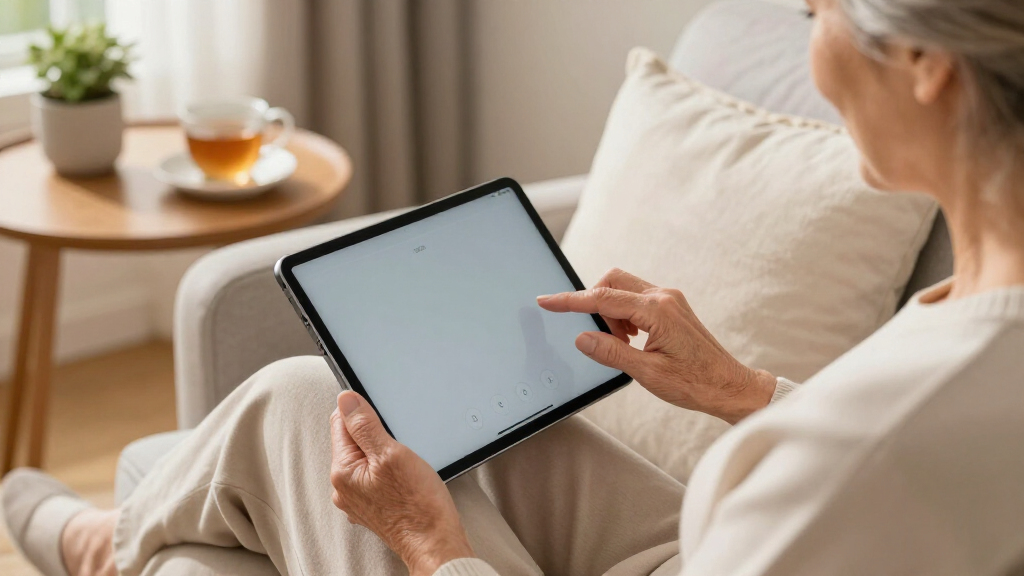
The Pix-Star Touch takes the opposite approach from everything else in this lineup: instead of a full computer adapted for seniors, it is a tablet designed from the ground up for older users. The interface strips away the layers of menus, settings, and notifications that make standard devices intimidating. Email, internet, video calls, and photos are presented as large, obvious destinations on the home screen. For a senior who has struggled with a conventional tablet or never used a computer at all, that simplicity is the entire point — and no other pick here matches it. The Surface Go, despite its friendly touchscreen, still presents the full complexity of Windows 11 underneath.
The hardware covers the basics sensibly. A 10.1-inch touchscreen sits between the Surface Go’s 10-inch panel and a phone-sized display, large enough for comfortable tapping without precision frustration. Front and rear cameras make video calling family straightforward, which for many buyers is the single most valued use case. Access to the Google Play Store means the device can grow with the user, adding apps like news readers or games as confidence builds. The two-year warranty is also longer than what most budget electronics offer, which suggests the manufacturer stands behind the product.
Now for the honest part: the 2.9 out of 5 customer rating is a genuine red flag that keeps this device out of my top spot. Reviews at that level usually signal inconsistent performance, confusing setup, or quality control issues, and I would not steer anyone toward it blindly. Performance and battery specifications are also thin on the ground, so buyers should expect modest capability rather than a snappy experience. Compared with the Ofive, the Pix-Star offers far less power and a much smaller screen — but for the right user, someone overwhelmed by Windows, it may still be the better choice. My advice: read recent reviews carefully before purchasing, and buy from a seller with a solid return policy.
Pros:- Purpose-built simplified interface that removes the intimidation of standard tablets
- Front and rear cameras make video calls with family easy
- Google Play Store support allows adding apps as skills grow
- Two-year warranty, longer than typical budget electronics
Cons:- Customer rating of 2.9/5 raises real concerns about reliability and satisfaction
- Limited published details on processor, RAM, and battery life
- Far less capable than the Ofive laptop for anything beyond basic tasks
Best for: Seniors with little or no tech experience who mainly want email, video calls, photos, and web browsing in the simplest possible package
Not ideal for: Anyone who wants reliable performance, detailed specifications, or a device that can grow into full productivity tasks
- Display:10.1-inch touchscreen
- Cameras:Front and rear cameras
- App Support:Google Play Store
- Connectivity:WiFi
- Target Users:Seniors and families
- Warranty:2 years
- Model Year:2022
Our verdict“The Pix-Star Touch offers the gentlest learning curve in this lineup, but its weak customer rating means buyers should proceed carefully and keep the return window open.”
Microsoft Surface Go Tablet, 10-inch Touchscreen, Intel Pentium 4415Y, 8GB RAM, 128GB SSD, Windows 11 Pro (Renewed)
The Surface Go occupies a distinctive niche: it is the only device here that offers full desktop Windows in a handheld form. At just 522 grams and 8.3mm thick, it weighs less than a third of the Ofive laptop, and it can slip into a handbag or sit comfortably on a lap. For an active senior who travels, visits family, or simply dislikes being anchored to a desk, that portability is worth real money. The 10-inch 1800×1200 touchscreen is also sharper than its size suggests — the 3:2 aspect ratio and high pixel density make text crisper than the Pix-Star’s display at the same nominal size.
Where this device shines compared with the Pix-Star is flexibility. Because it runs Windows 11 Pro, it handles real desktop software, multiple browser windows, and full Microsoft Office, and the touchscreen plus optional keyboard means users can tap when tapping is easier and type when typing is faster. Compared with the Ofive, though, the compromises become obvious quickly: the screen is dramatically smaller, which works against the reading comfort that seniors need most, and the Pentium 4415Y is a dated chip. It manages email, browsing, and streaming fine, but it stumbles with heavy multitasking in a way the Ofive’s 16GB configuration does not.
Two further cautions shape my ranking. The 128GB SSD fills up fast once Windows updates and photos accumulate, so cloud storage or an external drive becomes necessary sooner rather than later. More importantly, this is a renewed (refurbished) unit, which brings meaningful savings but also battery wear and uncertain lifespan. A refurbished battery may hold noticeably less charge than a new one — a real issue for a device whose main selling point is portability. For a confident, tech-savvy senior on a budget, those risks are acceptable. For a buyer prioritizing simplicity or longevity, the other two picks serve better.
Pros:- Featherweight 522-gram design that is genuinely portable around the house or while traveling
- Sharp 1800×1200 touchscreen that responds well to taps and swipes
- Full Windows 11 Pro means compatibility with familiar desktop programs
- Renewed pricing makes it the most affordable way into genuine Microsoft hardware
Cons:- Pentium 4415Y processor is dated and struggles with demanding multitasking
- 128GB of storage fills up quickly with updates and photos
- Refurbished condition means uncertain battery health and shorter expected lifespan
Best for: Tech-comfortable seniors who want a lightweight, travel-friendly device for email, browsing, and light productivity on the go
Not ideal for: Buyers who need a large easy-reading screen, a new-condition device with full lifespan, or power for demanding software
- Processor:Intel Pentium 4415Y
- Display:10-inch, 1800×1200 pixels
- RAM:8GB LPDDR3
- Storage:128GB NVMe SSD
- Weight:522 grams
- Thickness:8.3mm
- Ports:USB-C 3.1, Surface Connect, 3.5mm headphone jack
- Operating System:Windows 11 Pro
Our verdict“The Surface Go is the most portable and affordable way to keep full Windows in a senior’s hands, provided they accept a small screen and the risks of a renewed unit.”
How We Picked
When I evaluate devices for older users, I start with accessibility rather than specifications. A faster processor means nothing if the screen is too small to read comfortably or the interface is confusing to operate. My first criterion was display size and clarity, since vision changes are among the most common barriers to comfortable computing. Second, I weighed interface simplicity: does the device present a gentle learning curve, or does it assume prior tech fluency? Third, I considered everyday practicality — keyboard comfort for typing emails, camera quality for video calls with grandchildren, and battery life for use away from an outlet. I also factored in value and longevity, which is where things get interesting in this lineup: one device is refurbished, one is from a lesser-known brand, and one carries a below-average customer rating. Those realities shaped my rankings as much as the spec sheets did. Finally, I compared each device against the others rather than judging them in isolation, because the best choice depends on which tradeoffs a specific senior can live with — portability versus screen size, or flexibility versus simplicity.
| senior-friendly laptops and tablet | Processor | Operating System | Connectivity |
|---|---|---|---|
| Ofive 17.6" FHD+ Laptop | Intel Core i3-10100Y (up to 3.9GHz) | Windows 11 Home | WiFi 6, Bluetooth 5.2, Type-C |
| Pix-Star Touch Easy-to-Use Tab | — | — | WiFi |
| Microsoft Surface Go Tablet | Intel Pentium 4415Y | Windows 11 Pro | — |
Factors to Consider When Choosing Senior-friendly Laptops And Tablets
Before choosing between these three devices, I recommend thinking through a handful of questions that matter far more for senior users than for the average buyer. The right answer usually becomes obvious once these are settled.Screen Size Versus Portability
This is the single biggest tradeoff in this lineup. The Ofive’s 17.6-inch display is dramatically easier on aging eyes than either 10-inch tablet, but it confines the user to a desk. The Surface Go takes the opposite position at 522 grams, and the Pix-Star lands in between. My general guidance: if the device will mostly sit in one place, always choose the bigger screen. Portability only wins if the user genuinely moves around — to a recliner, a vacation home, or family visits.
Operating System Familiarity
Both the Ofive and Surface Go run Windows 11, which is a major advantage for seniors who already know their way around a PC from work or an earlier machine. Nothing new to learn means confidence from day one. The Pix-Star uses its own simplified interface on top of an Android-style foundation, which is far better for someone with zero computer experience but potentially confusing for someone who already knows Windows. Match the software to the person, not the other way around.
Renewed Versus New Hardware
The Surface Go’s renewed status saves money but shifts risk to the buyer. Refurbished batteries may hold less charge, and prior wear shortens expected lifespan — a particular concern for seniors who may not want to replace a device again soon. If longevity and predictable reliability matter most, a new device like the Ofive is the safer path despite the smaller brand name.
What the Device Will Actually Be Used For
For most seniors, the honest answer is email, video calls, photos, news, and streaming. All three devices handle those basics. The differences emerge at the edges: writing long emails favors a real keyboard, video calls favor good cameras and a big screen, and photo storage favors expandable storage. Match the device to the top two use cases rather than buying capability the user will never touch.
Customer Feedback and Brand Trust
A low customer rating, like the Pix-Star’s 2.9/5, does not automatically disqualify a product, but it demands extra diligence. Read the most recent reviews, look for recurring complaints, and confirm the seller’s return policy before committing. Established names like Microsoft carry more predictable support; lesser-known brands like Ofive and Pix-Star trade that familiarity for value and specialized design.
Frequently Asked Questions
Is a laptop or a tablet better for an older adult?
It depends on two things: comfort with technology and the physical setup. A laptop like the Ofive suits seniors who will mostly work from one spot and want a large screen plus a physical keyboard for typing emails or documents. A tablet like the Surface Go or Pix-Star suits seniors who want to browse and video call from a chair or on the go, and touch input often feels more intuitive than a mouse for people with limited dexterity. If the user has never used a computer and finds menus overwhelming, a simplified tablet wins. If they already know Windows from past jobs or an old PC, a laptop means zero learning curve, which preserves confidence and independence.
How much does screen size matter for seniors with vision changes?
It matters more than almost any other specification. Presbyopia, cataracts, and other age-related vision changes make small text genuinely tiring to read, and squinting leads to headaches and abandoned devices. A 17.6-inch display like the Ofive’s shows text roughly twice as large as a 10-inch tablet at the same settings before any zooming is applied. Software zoom features can partially compensate on smaller screens, but they require knowing how to use them and add friction to every session. When in doubt, buy the bigger screen — it is the one upgrade seniors consistently appreciate.
Is buying a renewed or refurbished device a good idea for a senior?
It can be, but with clear-eyed expectations. Renewed devices like the Surface Go in this roundup offer real savings on hardware that would otherwise exceed the budget. The tradeoffs are battery health, cosmetic wear, and a somewhat shorter remaining lifespan. For a budget-conscious buyer comfortable replacing a device in a few years, that math works well. For a senior who wants to buy once and not think about technology again for five years, a new device is worth the extra money. Whichever route you take, buy from a seller with a solid return window and test the battery in the first week.
Why is the Pix-Star’s customer rating so low, and should that stop me from buying it?
A 2.9/5 rating usually points to inconsistent quality, setup friction, or performance that falls short of expectations, and I treat it as a serious caution rather than a dealbreaker. The Pix-Star’s core idea — a radically simplified interface for seniors — is genuinely valuable and unmatched in this lineup. The risk is execution. My suggestion is to read reviews from the past few months to see whether complaints are current or from an older production run, and to purchase through a channel with a no-hassle return policy. If the device arrives and works, it can be an excellent fit; if it does not, a smooth return protects you completely.
How much RAM and storage does a senior realistically need?
For email, browsing, video calls, and streaming, 8GB of RAM is the comfortable floor, and the Ofive’s 16GB simply adds headroom that keeps the machine feeling responsive years from now. Memory matters more than processor speed for this use profile, because the frustration seniors experience usually comes from sluggish multitasking rather than slow single tasks. On storage, 256GB is adequate for documents and a moderate photo library, while the Surface Go’s 128GB will fill quickly once Windows updates accumulate — plan on cloud storage or an external drive in that case. Photos and videos are the biggest storage consumers, so a keen photographer should prioritize expandable storage like the Ofive’s M.2 slot.
Conclusion
After comparing all three devices, my recommendations break down cleanly by buyer type. For the majority of seniors — those who want a comfortable, desk-based machine for email, browsing, and video calls — the Ofive 17.6-inch laptop is the clear choice: its enormous display, generous 16GB of RAM, and familiar Windows 11 make daily use pleasant and frustration-free. For the complete beginner who finds conventional computers overwhelming, the Pix-Star Touch offers the simplest path to email and video calls with family, though its weak customer rating means buying carefully with a return option. And for the confident, on-the-go user who wants full Windows in something light enough for a handbag or a plane tray table, the renewed Surface Go delivers genuine Microsoft hardware at a budget price, provided the small screen and refurbished condition are acceptable tradeoffs. Whichever you choose, remember that the best device is the one that gets used — match it to the person’s habits and confidence level, not to the spec sheet.