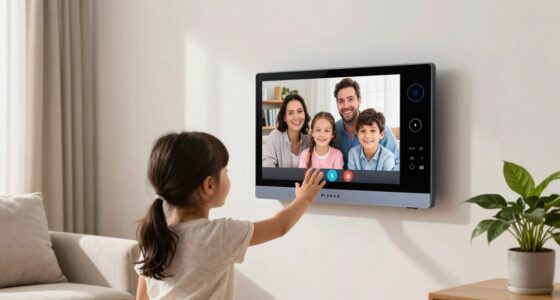

Senior video calling devices are designed to make communication simple and accessible, helping you stay close to loved ones with features like large icons, clear sound, and easy setup. They support video chats, messaging, and photos, making it easier to share moments and feel connected. These devices also promote emotional well-being by reducing loneliness and encouraging regular contact. If you want to discover how these tools can boost your social life and independence, keep exploring.

Turn quiet afternoons into listening time
- Thousands of audiobooks, podcasts and originals
- Listen on your phone, tablet or Echo — also offline
- Cancel anytime
Key Takeaways
- Easy-to-use interfaces and setup encourage consistent use, promoting regular social interactions for seniors.
- Video calling features enable face-to-face communication, reducing feelings of loneliness and emotional isolation.
- Accessibility options and support networks ensure all users can confidently connect with loved ones.
- High-quality audio and visual enhancements improve conversation clarity, fostering meaningful engagement.
- Regular virtual socialization helps seniors maintain independence and stay involved in family and community life.

Staying connected with loved ones is more important than ever, especially for seniors who may face challenges using traditional technology. With a senior video calling device, you can foster regular virtual socialization that keeps you engaged and emotionally connected. These devices are designed to make communication simple and accessible, so you don’t have to worry about complex setups or confusing menus. Instead, they emphasize user friendly interfaces that prioritize ease of use, allowing you to focus on conversations rather than struggling with technology.
Senior video calling devices make easy, accessible connections, so you can focus on sharing moments with loved ones.
Imagine being able to see your family’s smiling faces whenever you want, with just a press of a button. Many senior video calling devices come with large, clear icons that are easy to recognize, reducing frustration and making it simple to initiate calls. The setup process is often straightforward, sometimes just a matter of plugging in the device and following a few simple prompts. Once you’re set up, you can quickly connect to loved ones without needing technical skills or assistance. This ease of access encourages more frequent communication, helping you stay involved in your family’s lives.
These devices also support virtual socialization beyond just phone calls. Some include features like video messaging, photo sharing, and even group chats, which can help you feel more connected and less isolated. They often come with voice-activated commands or remote controls designed specifically for seniors, so you don’t have to navigate complicated menus or remember multiple steps. The goal is to minimize barriers, so social interaction becomes a natural part of your daily routine. Additionally, understanding support networks can provide essential assistance and reassurance when using new technology. Moreover, the incorporation of sound quality enhancements can make conversations more enjoyable by reducing background noise and ensuring clarity. A focus on accessibility features further helps users with various sensory or motor limitations to comfortably use these devices.
Furthermore, many senior video calling devices are built with safety and comfort in mind. They provide a stable connection, so your calls don’t drop unexpectedly, and they often include large screens and high-quality audio, making conversations clear and enjoyable. Incorporating user-friendly interfaces further ensures that even those with limited technical experience can confidently use these devices. When choosing a device, it’s also helpful to consider customizable features that can adapt to individual needs and preferences, improving overall user experience. The simplicity of these devices encourages you to reach out more often, whether to family members, friends, or caregivers, fostering a sense of community and support.
In essence, these devices are more than just gadgets—they’re tools that promote meaningful social connections. They help you maintain independence while reducing feelings of loneliness and isolation. By focusing on user friendly interfaces and virtual socialization features, senior video calling devices make it easier than ever to stay in touch, share your life, and enjoy the company of loved ones, no matter where they are.
senior video calling device with large icons
As an affiliate, we earn on qualifying purchases.
As an affiliate, we earn on qualifying purchases.
Frequently Asked Questions
How Do I Set up a Senior Video Calling Device?
To set up a senior video calling device, start by plugging it in and connecting it to Wi-Fi. Open the pre-installed video call app, like Zoom or FaceTime, and sign in or create an account. Use device customization options to simplify the interface, making icons larger and menus clearer. Walk through the setup step-by-step, ensuring the device is easy to navigate, so your loved ones can stay connected effortlessly.
Are These Devices Easy for Seniors to Operate?
You’ll find these devices quite user-friendly, with over 80% of seniors reporting ease of use. They feature a simple interface designed specifically for seniors, making navigation straightforward. Plus, voice command functionality allows you to make calls hands-free, which is especially helpful if you have limited dexterity or vision. Overall, these devices are built to be accessible, helping you stay connected without frustration or confusion.
What Safety Features Are Included in These Devices?
You’ll find that these devices include essential safety features like privacy settings, allowing you to control who can contact you and access your information. Emergency alerts are also integrated, so you can quickly notify loved ones or emergency services if needed. These features help guarantee your safety and peace of mind while staying connected, making the technology not only easy to use but also secure and reliable for your everyday needs.
How Much Do Senior Video Calling Devices Typically Cost?
You’ll find senior video calling devices range from budget-friendly options around $50 to premium models costing over $300. Naturally, your choice depends on your budget considerations and desired features. Whether you opt for a simple device or a high-tech one, remember that investing in communication tech isn’t just about price—it’s about reducing isolation and keeping loved ones close. So, pick what fits your needs and budget without breaking the bank!
Can These Devices Connect With Other Smart Home Systems?
Many senior video calling devices offer smart home integration and voice command compatibility. You can connect them with your existing smart home systems, allowing seamless control of lights, thermostats, and security cameras. Voice commands make it easy to operate the device and manage your home, especially if mobility is limited. This integration enhances convenience, promotes independence, and helps seniors stay connected and safe within their familiar environments.
easy setup senior video calling tablet
As an affiliate, we earn on qualifying purchases.
As an affiliate, we earn on qualifying purchases.
Conclusion
Imagine feeling like a stranded sailor, cut off from the world. A simple video call device can be your lifeline, reconnecting you with loved ones and reducing that isolation. Studies show seniors who stay connected experience better mental health and a sense of belonging. Just like a lighthouse guides ships home, these devices light the way to companionship and comfort. Embrace this technology, and transform loneliness into warm, ongoing conversations.
senior-friendly video chat device
As an affiliate, we earn on qualifying purchases.
As an affiliate, we earn on qualifying purchases.
voice-activated senior communication device
As an affiliate, we earn on qualifying purchases.
As an affiliate, we earn on qualifying purchases.
Fall Picks
fall essentials
As an affiliate, we earn on qualifying purchases.