![[Editorial] The next steps for chronic kidney disease](https://eldercarecompass.com/wp-content/uploads/2026/06/editorial-the-next-steps-for-chronic-kidney-disease-featured-200x110.jpg)
Finding a large screen TV suited for seniors involves balancing size, ease of use, and quality. The Samsung 65-Inch QLED Q8F stands out as the best overall for its vibrant picture and smart features. The LG 75-Inch NU85 Series offers a large, high-quality display with voice control, ideal for those who prioritize clarity and convenience. Meanwhile, the Hisense 55S7SG combines art mode with anti-glare technology, great for versatile living spaces. Buyers face tradeoffs between size, price, and simplicity—larger screens can be overwhelming or expensive, but they enhance readability and immersion. Continue reading for a detailed breakdown of each option to find the best fit for your needs.
Key Takeaways
- Size matters most: larger screens improve readability but can be overwhelming for some users.
- Smart features like voice control and simplified menus greatly benefit seniors with mobility or vision challenges.
- Anti-glare and matte screens help reduce reflections in bright rooms, making content easier to see.
- Premium models offer better upscaling and color accuracy but come at a higher cost, which may not suit all budgets.
- Choosing a TV with accessible remote controls and clear menus simplifies everyday use for seniors.




More Details on Our Top Picks
Samsung 65-Inch Class QLED Q8F 4K UHD Smart TV (2025 Model) Q4 AI Processor, 100% Color Volume with Quantum Dot, AirSlim Design, Endless Free Content, Samsung Vision AI, Alexa Built-in
This Samsung Q8F stands out for its stunning 4K picture quality with over a billion colors that remain vivid even in bright rooms, thanks to its Quantum Dot technology. Its AI-optimized picture and sound elevate the viewing experience, making it ideal for seniors who want immersive visuals without complexity. Compared to the Hisense CanvasTV, this model offers more vibrant color accuracy and smarter content optimization, but it comes with a thicker profile and a higher price tag. The AirSlim design keeps the setup sleek and wall-ready, perfect for minimalistic spaces. Its built-in voice control with Alexa simplifies navigation, reducing frustration. However, the lack of a dedicated art mode or gallery feature means it’s less suited for those seeking a decorative display. This pick makes the most sense for seniors who prioritize picture quality and simple voice commands in a large, wall-mountable screen.
Pros:- Exceptional color accuracy with 100% quantum dot coverage
- AI-enhanced picture and sound for a cinematic experience
- Clutter-free, slim profile that blends into modern decor
Cons:- Higher price point may be a barrier for budget-conscious buyers
- Lacks dedicated art or gallery mode for display purposes
Best for: Seniors who want a high-quality, visually stunning TV with easy voice control and wall-mount capability
Not ideal for: Those seeking a TV primarily for art display or low-profile aesthetics, as it’s bulkier and more expensive
- Display Technology:QLED
- Resolution:4K UHD
- Size:65 inches
- HDR Support:Quantum HDR, Dolby Vision
- Refresh Rate:120 Hz
- Design:AirSlim
Bottom line: This Samsung model is ideal for seniors craving vibrant visuals and smart features in a large, sleek screen.
Sony 85-Inch Class 4K Ultra HD BRAVIA 3 LED Smart TV with Google TV, Dolby Vision HDR, and PlayStation®5 Gaming Features (K-85S30)
This Sony 85-inch BRAVIA offers an enormous 4K display, ideal for seniors who want an immersive experience and access to a wide range of streaming apps via Google TV. Its Triluminos Pro technology delivers over a billion accurate colors, making visuals exceptionally vibrant. The Dolby Vision HDR enhances contrast and detail, perfect for viewing in well-lit spaces. Compared to the Hisense CanvasTV, the Sony provides more precise colors and a more intuitive voice remote, but its size requires significant wall space and it comes at a premium price. The built-in PlayStation 5 gaming features, like Auto HDR Tone Mapping, are a bonus for gaming seniors or those sharing the TV. However, the large size may be overwhelming for some and less suitable for smaller rooms or less tech-savvy users. This TV makes sense for those wanting a colossal, high-quality screen with smart home integration and gaming options.
Pros:- Enormous 85-inch display for immersive viewing
- Vivid, accurate colors with Triluminos Pro technology
- Excellent HDR support with Dolby Vision
Cons:- Requires extensive wall space and mounting considerations
- High cost may be prohibitive for some budgets
Best for: Seniors with ample space who desire a giant, feature-rich smart TV for viewing and gaming
Not ideal for: Smaller rooms or users uncomfortable with ultra-large screens or complex setups
- Display Technology:LED
- Resolution:4K Ultra HD
- Size:85 inches
- HDR Support:Dolby Vision, HDR10
- Smart Platform:Google TV
- Gaming Features:Auto HDR Tone Mapping
Bottom line: This Sony 85-inch TV suits seniors seeking a large, smart, and versatile screen for entertainment and gaming in spacious rooms.
Hisense 55“ Hi-QLED S7 CanvasTV Series 4K UHD Google Smart Art TV (55S7SG, 2026 New) – 144Hz, Art Mode, Anti-Glare Panel, Dolby Vision HDR, Hi-Matte Display, Frame & UltraSlim Wall Mount Included
This Hisense CanvasTV elevates the traditional TV into a home art gallery, making it ideal for seniors who want a decorative display that doubles as a screen. Its Art Mode displays over 1,000 curated artworks or personal photos, providing a soothing and customizable visual experience. The anti-glare Hi-Matte display ensures clarity in bright rooms, and the included frame offers a gallery-like appearance. Compared to the Samsung Q8F, this model emphasizes aesthetics and ambiance, but it sacrifices some brightness and contrast for a more artistic look. The 144Hz native refresh rate and AI Smooth Motion make fast scenes clear, suitable for sports or action content. However, its primary focus on art display may limit its appeal for those seeking pure home entertainment. This TV is perfect for seniors who want their TV to be part of the home’s decor and mood.
Pros:- Transforms into a digital art gallery with curated images
- Anti-glare Hi-Matte display reduces reflections
- Seamless wall-mount and ultra-slim design
Cons:- Less bright compared to traditional TVs, affecting HDR impact
- Primarily designed for art display, less for pure entertainment
Best for: Seniors who appreciate art and want a decorative, wall-mounted display that can also stream content
Not ideal for: Those primarily seeking a high-brightness, cinematic viewing experience without art features
- Display Technology:Hi-QLED
- Resolution:4K UHD
- Size:55 inches
- Refresh Rate:144Hz
- HDR Support:Dolby Vision
- Features:Art Mode, Anti-Glare
Bottom line: This CanvasTV is ideal for seniors wanting a stylish, art-focused display that also offers vibrant 4K streaming.
Hisense 50″ A7 Series (50A7NF) 4K UHD Smart Fire TV
This Hisense 50A7NF combines affordability with solid features, making it suitable for seniors who want a reliable, large-screen smart TV. Its 4K UHD resolution and Dolby Vision HDR provide vibrant visuals, though it doesn’t reach the brightness or color precision of premium models like Sony or Samsung. The Fire TV platform offers straightforward access to popular streaming apps, with Alexa voice remote for easy control. Its Game Mode Plus with VRR/ALLM caters to casual gamers or those who enjoy interactive content. Compared with the Insignia 40″, it offers a larger size and better HDR support but at a higher cost and slightly more complexity. The main tradeoff involves its mid-range specs—adequate for general viewing but less optimal for those seeking the brightest HDR or top-tier color accuracy. It’s ideal for seniors who want a big, smart TV at a reasonable price with gaming features.
Pros:- Vivid 4K resolution with Dolby Vision support
- Easy-to-use Fire TV interface with Alexa remote
- Gaming features like VRR and ALLM for low latency
Cons:- Wi-Fi 5 may lag behind newer Wi-Fi 6 standards
- Limited to three HDMI inputs which might require external switch
Best for: Budget-conscious seniors seeking a large, versatile smart TV with gaming features
Not ideal for: Those wanting the brightest HDR performance or a more premium image quality
- Display Technology:UHD LED
- Resolution:4K UHD
- Size:50 inches
- HDR Support:Dolby Vision, HDR10+
- Smart Platform:Fire TV
- Gaming Features:VRR, ALLM
Bottom line: This Hisense 50A7NF offers a well-rounded, budget-friendly large screen with smart and gaming features for everyday entertainment.
Insignia 40″ FE Series LED Full HD Smart Fire TV with Alexa Voice Remote
This Insignia 40″ Fire TV provides a simple, compact option for seniors with limited space or those new to smart TVs. Its 1080p Full HD resolution offers decent clarity, though it lacks the brightness and color depth of 4K models, making it less ideal for bright rooms or detailed viewing. The Fire TV OS and Alexa remote simplify streaming and voice commands, but the smaller size may not be suitable for those wanting a large viewing experience. Compared to the Hisense 50″, this model is more affordable and easier to handle but delivers a less immersive picture. Its limited size and lack of HDR support mean it’s better suited for casual viewing in small spaces or as a secondary TV. This pick makes the most sense for seniors who prioritize simplicity and space over cinematic quality.
Pros:- Compact size fits small rooms or desks
- Full HD resolution with decent image quality
- User-friendly Fire TV interface with voice control
Cons:- Lacks 4K and HDR support for richer visuals
- Limited screen size may reduce engagement for some users
Best for: Seniors with limited space or budget seeking a straightforward, smaller smart TV
Not ideal for: Those wanting a large, vibrant display or HDR-enhanced viewing experience
- Display Technology:LED
- Resolution:Full HD 1080p
- Size:40 inches
- Smart Platform:Fire TV
- HDR Support:None
- Voice Control:Alexa Remote
Bottom line: This Insignia 40″ Fire TV suits seniors looking for a simple, space-efficient smart TV for casual use.
LG 75-Inch Class Nano AI 4K NU85 Series Smart TV w/AI Sound Pro, HDR10, AI 4K Super Upscaling, Filmmaker Mode, Wow Orchestra, Compatible with Alexa (75NU850BPUA, 2026)
This LG 75-inch model stands out for its impressive clarity and detail, thanks to the Nano Detail Enhancer and AI Super Upscaling, which outperform many competitors like the Insignia 70-inch Fire TV by delivering sharper images and more nuanced contrast. Its advanced processor and Filmmaker Mode preserve the director’s original vision, making it ideal for viewers who prioritize cinematic quality. However, its premium features come with a higher price tag and a larger size that may be cumbersome in smaller spaces. Compared to the Samsung 50-inch Crystal UHD, it offers a much larger display and richer detail, but at the expense of space and affordability.
Pros:- Exceptional detail and contrast with Nano Detail Enhancer and AI Super Upscaling
- Accurate color and cinematic presentation with Filmmaker Mode
- Comprehensive smart features including webOS with AI integration
Cons:- High price point may be prohibitive for some buyers
- Large size requires significant space and may be difficult to mount or move
Best for: Senior viewers who want a large, detailed, and cinematic viewing experience in a dedicated entertainment space
Not ideal for: Those with limited viewing space or on a strict budget, as this model is both large and costly
- Screen Size:75 inches
- Resolution:4K UHD
- Processor:a7 AI Processor 4K Gen9
- HDR Support:HDR10 PRO
- Smart Platform:webOS 2026
- Special Features:Nano Detail Enhancer, Filmmaker Mode, Wow Orchestra
Bottom line: This TV is perfect for seniors seeking a premium cinematic experience with sharp visuals and smart features, provided space and budget permit.
Insignia 70-inch Class F50 Series LED 4K UHD Smart Fire TV with Alexa Voice Remote
This 70-inch Insignia Fire TV offers excellent 4K resolution with HDR10 and an intuitive Fire TV platform that provides access to over 1.8 million movies and shows, making it a strong choice for budget-conscious seniors. Compared to the LG 75-inch, it sacrifices some cinematic refinement but delivers substantial value for a large screen at a lower cost. Its smart home integration and DTS Virtual-X enhance usability and audio experience, but the screen size and resolution may feel less immersive than larger or more premium options like the LG model. For those who prioritize affordability and straightforward streaming, it’s a practical choice.
Pros:- Affordable large display with 4K UHD and HDR10 for vibrant visuals
- Access to extensive streaming library via Fire TV
- Built-in Alexa for voice control and smart home compatibility
Cons:- Limited picture processing compared to higher-end models
- 70-inch size may require a substantial space and proper mounting
Best for: Seniors who want a large screen with easy streaming and smart home controls without a hefty price tag
Not ideal for: Those seeking the most cinematic quality or the highest-end picture processing, as this model is more budget-focused
- Screen Size:70 inches
- Resolution:4K UHD
- HDR Support:HDR10
- Smart Platform:Fire TV
- Connectivity:3 HDMI ports, VESA wall-mount
- Audio Technology:DTS Virtual-X
Bottom line: Ideal for budget-conscious seniors who want a sizable, easy-to-use smart TV for everyday entertainment and streaming.
LG 65-Inch Class Nano AI 4K NU85 Series Smart TV w/AI Sound Pro, HDR10, AI 4K Super Upscaling, Filmmaker Mode, Wow Orchestra, Compatible with Alexa (65NU850BPUA, 2026)
This 65-inch LG model balances size and high-end features, making it suitable for those who want a premium experience without the space demands of larger screens. Its Nano Detail Enhancer and AI Upscaling outperform smaller or less advanced models like the Roku 55-inch series, providing sharp images and vivid colors. The inclusion of Filmmaker Mode and LG’s webOS platform ensures an engaging, cinema-like experience with smart home integration. However, it may not be the best choice for very small rooms or for seniors who prefer simpler, less feature-rich TVs. Compared to the 75-inch LG, it offers a more manageable size with still impressive visuals.
Pros:- Excellent picture quality with Nano Detail Enhancer and AI Upscaling
- Smart platform with Filmmaker Mode for authentic viewing
- Good size for most living rooms with smart home compatibility
Cons:- More expensive than entry-level options like Roku or Insignia
- Features may be overwhelming for seniors unfamiliar with smart tech
Best for: Seniors who want a quality-sized TV with cinematic features and smart capabilities in a more compact footprint
Not ideal for: Individuals needing the absolute largest screen or a very simplified interface, as this model still has multiple features and smart options
- Screen Size:65 inches
- Resolution:4K UHD
- Processor:a7 AI Processor 4K Gen9
- HDR Support:HDR10
- Smart Platform:webOS 2026
- Special Features:Nano Detail Enhancer, Filmmaker Mode
Bottom line: Best suited for seniors who want a high-quality, mid-size TV with advanced picture and smart features for a cinematic experience.
Samsung 50-Inch Crystal UHD Smart TV (2026 Model, 50U8000H)
Compared with larger models, this 50-inch Samsung offers a more manageable size while still delivering vibrant 4K visuals with the Crystal Processor and Color Booster. It’s ideal for smaller rooms or spaces where a large screen can still be appreciated, like a cozy living room or bedroom. Its Motion Xcelerator ensures smooth motion for sports and gaming, but it may not satisfy those seeking the immersive scale of 70 or 75 inches. While it lacks some of the premium smart features of LG’s higher-end models, it provides a solid balance of picture quality and size for seniors who want a versatile, space-efficient large screen.
Pros:- Vivid 4K visuals with Crystal Processor and Color Booster
- Compact size that’s easier to fit in smaller spaces
- Supports smooth motion for sports and gaming with Motion Xcelerator
Cons:- Smaller size may not be as immersive as larger screens
- Limited advanced smart features compared to premium LG models
Best for: Seniors with limited space who still want a sizable, vibrant screen for streaming and casual viewing
Not ideal for: Those looking for the most cinematic or feature-rich experience, especially if they want a very large or premium model
- Screen Size:50 inches
- Resolution:4K UHD
- Processor:Crystal Processor 4K
- Smart Platform:Samsung Tizen
- HDR Support:HDR10
- Refresh Rate:60Hz
Bottom line: Perfect for seniors who want a smaller yet vibrant large screen for everyday entertainment without overwhelming space or budget constraints.
Roku Smart TV – 55-Inch Select Series, 4K HDR TV – Roku TV with Enhanced Voice Remote – Flat Screen LED Television with Wi-Fi for Streaming Live Local News, Sports, Family Entertainment
This 55-inch Roku TV excels in simplicity and streaming variety, making it ideal for seniors who prioritize straightforward navigation and access to free content. Its 4K HDR visuals are sharp enough for most casual viewing needs, and the Roku interface is renowned for ease of use—especially with voice control options like Alexa and Google Assistant. Compared to the LG models with advanced AI picture processing, this TV offers a more basic but highly accessible experience. Its weaker sound quality can be a downside, but the remote’s lost remote finder and simple interface ease frustration for less tech-savvy users.
Pros:- Easy navigation with Roku’s intuitive interface
- Supports a wide range of streaming apps and free channels
- Enhanced voice remote with voice search and shortcuts
Cons:- Sound quality is less rich, requiring external speakers for better audio
- Limited advanced picture processing features
Best for: Seniors who want an easy-to-use streaming-focused TV with simple voice control and minimal fuss
Not ideal for: Those seeking high-end cinematic features or the largest possible screen, as this is more about convenience and basic quality
- Screen Size:55 inches
- Resolution:4K HDR
- Smart Platform:Roku OS
- Connectivity:Wi-Fi, Bluetooth
- Remote:Enhanced Voice Remote
- Audio Technology:Standard speakers
Bottom line: Ideal for seniors seeking a straightforward, streaming-rich TV experience with minimal complexity.
Hisense 75″ QD7 Mini-LED 4K Smart Fire TV – QLED, 144Hz, HDR10+, Dolby Vision/Atmos, Game Mode Pro, Alexa Built-in (75QD7QF)
This Hisense QD7 model stands out for its Mini-LED technology and 144Hz native panel, delivering exceptional contrast and ultra-smooth motion that surpasses many competitors like the TCL 75S551F, which offers excellent HDR but a standard 60Hz refresh rate. The combination of QLED color and Dolby Vision ensures vibrant, accurate images ideal for seniors who prioritize picture quality, yet the advanced gaming features—such as Game Mode Pro and AMD FreeSync—may be unnecessary for those only watching TV. The high peak brightness of 600 nits enhances HDR impact, but this model’s complex features can be overwhelming for tech-averse users, and its size may be less suitable for smaller spaces. Tradeoff: the extensive feature set and higher price point might be more than needed for casual viewing.
Pros:- Exceptional contrast with Mini-LED and full-array local dimming
- Ultra-smooth motion with 144Hz native panel and Game Mode Pro
- Vivid QLED color and Dolby Vision for high-quality picture
Cons:- Higher price and complex features may be overwhelming for some seniors
- Size may not fit smaller rooms or spaces
Best for: Seniors who want a large, vibrant screen with excellent contrast and smooth motion, especially for sports and gaming.
Not ideal for: Those preferring a simpler TV with fewer features or limited space, as this model’s size and complexity can be intimidating.
- Display Technology:Mini-LED QLED
- Resolution:4K
- Refresh Rate:144Hz
- HDR Format Supported:HDR10+, Dolby Vision
- Peak Brightness:600 nits
- Audio:Dolby Atmos
- Size:75 inches
- Smart Features:Fire TV, Alexa Built-in
Bottom line: This TV is perfect for seniors seeking premium picture quality and gaming performance in a large screen package.
Hisense 75″ E6 Cinema Series Hi-QLED 4K UHD Smart Fire TV – AI Light Sensor, Dolby Vision · Atmos, Voice Remote with Alexa, Motion Rate 120, HDR 10+ Adaptive, Game Mode Plus
Compared with the Hisense QD7, the E6 series emphasizes Hi-QLED color and adaptive HDR with HDR 10+ and Dolby Vision, providing stunning visuals that excel in brightly lit rooms, making it ideal for seniors who enjoy vivid, life-like images. The AI Light Sensor adjusts brightness based on ambient light, enhancing viewing comfort, whereas the Motion Rate 120 offers smooth motion but isn’t quite as ultra-smooth as the 144Hz in the QD7. This model’s Game Mode Plus with VRR supports casual gaming, yet lacks some of the more advanced gaming features of the QD7. Its peak brightness is slightly lower but still delivers vibrant HDR content, making it a versatile choice for general viewing. Tradeoff: the less advanced gaming tech might not satisfy gamers, but it’s well-suited for everyday entertainment.
Pros:- Vivid, true-to-life colors with Hi-QLED technology
- Adaptive HDR with HDR 10+ and Dolby Vision
- Ambient light sensor for comfortable viewing
Cons:- Refresh rate of 120Hz is less smooth than 144Hz models
- Lower peak brightness than QD7, less impactful in very bright rooms
Best for: Seniors who want a large, vibrant TV with adaptive HDR and excellent color for daily viewing and occasional gaming.
Not ideal for: Those seeking ultra-smooth motion for fast-paced sports or high-end gaming, as the 120Hz refresh rate is less fluid than 144Hz models.
- Display Technology:Hi-QLED
- Resolution:4K
- Refresh Rate:120Hz
- HDR Format Supported:HDR10+, Dolby Vision
- Peak Brightness:Less than 600 nits
- Audio:Dolby Atmos
- Size:75 inches
- Smart Features:Fire TV, Alexa
Bottom line: This TV offers vibrant visuals with adaptive features, ideal for seniors who prioritize color and HDR quality for everyday entertainment.
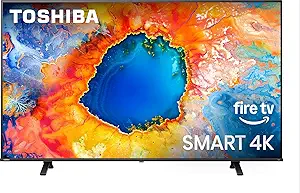
TOSHIBA 75″ Class C350 Series LED 4K UHD Smart Fire TV with Alexa Voice Remote
This Toshiba C350 series offers a large 75-inch 4K UHD LED display with standard HDR10 support, providing good picture quality at a more affordable price point compared to Hisense or TCL options. The Fire TV interface ensures easy access to popular streaming apps like Netflix and Prime Video, making it straightforward for seniors new to smart TVs. The Alexa Voice Remote adds convenience for voice commands, but the 60Hz refresh rate means less fluid motion, which might affect sports or action scenes. Its audio system with Dolby Atmos is decent but not as immersive as higher-end models, and the overall build is lightweight, which may raise concerns about durability. Still, this TV’s simplicity makes it a strong choice for beginners. Tradeoff: lower motion smoothness and basic features compared to premium models, but budget-friendly for casual use.
Pros:- Large 75-inch 4K UHD display
- Affordable price point
- Easy-to-use Fire TV interface with Alexa remote
Cons:- Limited to 60Hz refresh rate, less smooth motion
- Basic HDR support, less vibrant than Dolby Vision models
Best for: Budget-conscious seniors wanting a large screen with simple smart TV features for everyday streaming.
Not ideal for: Those seeking high refresh rates or advanced picture technologies for sports or gaming-focused viewing.
- Display Technology:LED
- Resolution:4K UHD
- Refresh Rate:60Hz
- HDR Format Supported:HDR10
- Size:75 inches
- Audio:Dolby Atmos
- Smart Features:Fire TV, Alexa Remote
- Connectivity:HDMI, USB, Wi-Fi
Bottom line: This TV is ideal for seniors who want a big screen with straightforward smart features without the extra cost or complexity.
Roku Smart TV – 65-Inch Plus Series, Mini-LED TV – RokuTV with Enhanced Voice Remote – Flat Screen 4K QLED Television with Dolby Vision & Wi-Fi for Streaming Live Local News, Sports
Compared to the 75-inch models, the Roku Plus Series offers a slightly smaller 65-inch screen but makes up for it with an easy-to-navigate Roku interface and broad app availability, including free channels. The Mini-LED backlighting and Dolby Vision support ensure vibrant colors and sharp details suitable for seniors who appreciate high-quality visuals without complexity. Its enhanced voice remote simplifies searching for content and controlling smart home devices, making it an excellent choice for users who want straightforward operation. However, the 60Hz refresh rate and slightly smaller size might not satisfy those seeking ultra-smooth motion or a larger display. The lower peak brightness compared to Hisense models could limit HDR impact in very bright environments. Tradeoff: the smaller size and standard refresh rate mean it’s best for casual viewing, but it remains highly user-friendly.
Pros:- User-friendly Roku interface with broad app selection
- Vivid colors with Mini-LED and Dolby Vision
- Enhanced voice remote for simple control
Cons:- Smaller 65-inch screen compared to larger models
- Standard 60Hz refresh rate less ideal for sports
Best for: Seniors seeking a reliable, easy-to-use streaming TV with smart home compatibility in a manageable size.
Not ideal for: Those wanting the largest possible screen or ultra-smooth motion for sports or fast-paced content.
- Display Technology:Mini-LED QLED
- Resolution:4K
- Refresh Rate:60Hz
- HDR Format Supported:Dolby Vision
- Size:65 inches
- Smart Features:Roku TV, Voice Remote
- Wi-Fi:Yes
- Content Sharing:Mobile to TV
Bottom line: This TV is an excellent choice for seniors prioritizing ease of use and streaming quality in a comfortable size.
TCL 75-Inch Class S5 UHD 4K LED Smart TV with Fire TV (75S551F, 2024 Model), Dolby Vision and Atmos, HDR PRO+, Alexa Built-in with Voice Remote, Apple AirPlay 2 Compatibility, Streaming Television
Compared to the Hisense models, the TCL S5 emphasizes a sleek FullView design and offers HDR PRO+ with Dolby Vision and Atmos, providing bright, vibrant images that appeal to those who enjoy detailed picture quality. The Game Accelerator 120 and support for Apple AirPlay 2 make it versatile for gaming and content sharing, but its 60Hz refresh rate means it’s less ideal for fast-paced sports. TCL’s intuitive Fire TV interface simplifies streaming access, making it suitable for seniors new to smart TVs, yet the remote requires AAA batteries and the audio output at 15W might be less immersive than higher-end models. The TV’s lightweight design makes placement easy, but some users may find the basic sound system insufficient for a cinematic experience. Tradeoff: excellent overall smart features and picture quality come with modest audio and refresh rate limitations.
Pros:- Elegant bezel-less design with 75-inch 4K display
- HDR PRO+ with Dolby Vision and Atmos for bright, detailed images
- Supports Apple AirPlay 2 for content sharing
Cons:- 60Hz refresh rate less ideal for fast sports
- Basic audio output might require external speakers for full immersion
Best for: Seniors looking for a large, stylish TV with strong smart features and good picture quality for daily entertainment.
Not ideal for: Those needing ultra-smooth motion or premium audio systems for sports or home theater use.
- Display Technology:LED
- Resolution:4K UHD
- Refresh Rate:60Hz
- HDR Format Supported:Dolby Vision, HDR10+
- Audio:Dolby Atmos, 15W
- Size:75 inches
- Smart Features:Fire TV, Alexa, Apple AirPlay
- Design:FullView bezel-less
Bottom line: This TCL TV offers excellent smart features and picture quality for seniors who want a stylish, large screen for everyday use.
How We Picked
To select these TVs, I prioritized factors that directly impact ease of use, viewing comfort, and value for seniors. Performance qualities such as screen size, picture quality, and smart features were key, but so were usability elements like remote design and menu simplicity. Build quality and reliability also played roles, ensuring the selected models can withstand regular use. I ranked the options based on how well they balance these factors for a senior-friendly viewing experience, weighing the tradeoffs between size, price, and feature set to offer a diverse range of top choices.Factors to Consider When Choosing Large Screen TVs For Seniors
When choosing a large screen TV for seniors, several key factors influence long-term satisfaction and usability. Understanding these considerations can help avoid common pitfalls like choosing overly complex systems or models that don’t match your living environment. Prioritizing size, control options, and display quality ensures the TV will be a helpful addition rather than a frustrating obstacle. Here’s what to keep in mind:Screen Size and Viewing Distance
While larger screens provide better visibility, they require adequate space and proper placement to prevent strain. For most living rooms, a 65-75 inch TV strikes a good balance, offering a sizable image without overwhelming the space. Keep in mind that very large screens can be intimidating or difficult to see clearly from a distance, especially if the room isn’t set up for optimal viewing angles. Measuring your space beforehand helps ensure the TV fits comfortably and remains accessible for everyday use.
Ease of Use and Remote Control
Seniors benefit from remote controls with large buttons, minimal clutter, and simple layouts. Some models feature voice control, reducing the need to navigate complex menus physically. Consider whether the TV offers straightforward menu systems, accessible buttons, or compatibility with smart assistants like Alexa or Google Assistant. These features can significantly reduce frustration and make content access more intuitive, especially for those with mobility or vision challenges.
Display Quality and Anti-Glare Technology
High contrast and vibrant colors enhance readability, but glare from windows or lights can diminish visibility. Matte or anti-glare screens help mitigate reflections, making images clearer in bright environments. HDR support and good upscaling improve picture quality, especially important for older content or streaming sources. Remember that high-end models often include better anti-glare coatings, but at a higher price, so weigh this feature against your budget and room lighting conditions.
Connectivity and Smart Features
Streaming capabilities and integrated voice assistants simplify content access and control. Look for models that support your preferred apps and have reliable Wi-Fi connectivity. Some TVs also include preset modes designed for easy operation, reducing the need to customize complex settings. Be cautious of overly complicated interfaces; opting for models with simplified menus or dedicated senior modes can make a big difference in everyday usability.
Price and Long-Term Value
While premium models deliver superior visuals and features, they may not be necessary for all seniors. Budget-friendly options can still provide large, clear displays, especially when combined with smart home integrations. Consider ongoing costs like subscriptions or updates, and focus on durability and ease of repair. Investing in a slightly more expensive model with better controls might save frustration and replacement costs later.
Frequently Asked Questions
How do I choose a TV with the simplest remote control?
Look for models that advertise large buttons, minimal button count, or dedicated shortcuts for streaming apps. Some brands offer remotes with oversized, high-contrast buttons designed for easier navigation. Voice control features can also reduce reliance on physical remotes, allowing you to command the TV with simple voice commands. Testing the remote in-store or reading reviews focused on remote usability can save you from frustration later.
Are smart TVs easier to use than traditional models for seniors?
Smart TVs often provide easier content access through voice commands and simplified interfaces, which can be very helpful for seniors. However, some smart systems are complex or cluttered, potentially creating confusion. Choosing models with senior-friendly modes or menus that prioritize essential features can make a significant difference. It’s best to select a smart TV that allows customization of the interface to simplify the user experience.
What size TV is best for small living rooms?
In smaller spaces, a 55-65 inch TV often strikes a good balance between size and comfort. It provides enough screen real estate for easy viewing without dominating the room. Larger models, such as 75 inches, might be overwhelming or require adjustments to seating arrangements. Measuring your space and considering the typical viewing distance helps determine the optimal size and prevents strain or discomfort.
Should I prioritize picture quality or ease of use?
Both matter, but the right balance depends on the user. If readability and simple operation are more critical, focus on models with straightforward menus, large remotes, and voice control. If the user values vivid images and detailed visuals, high-quality displays with HDR support and good upscaling are beneficial. For most seniors, ease of use should take precedence, with quality features added as secondary considerations.
How important is anti-glare technology in choosing a TV for seniors?
Anti-glare or matte screens can significantly improve visibility in bright rooms by reducing reflections. This feature helps seniors see content more clearly without adjusting lighting or curtains constantly. While premium models often include better anti-glare coatings, even mid-range options with matte finishes can offer noticeable improvements. Assess your room’s lighting conditions to determine whether this feature will make a meaningful difference for your viewing comfort.
Conclusion
For those seeking the best overall performance, the Samsung 65-Inch QLED Q8F offers vibrant visuals and smart features in a manageable size. Budget-conscious buyers will find the Hisense 55S7SG provides excellent display quality with anti-glare tech at a reasonable price. If you want a large, high-end experience, the LG 75-Inch NU85 Series combines size, clarity, and voice control seamlessly. Beginners or those less comfortable with technology should favor models with simplified remotes and menus, like basic Fire TV options. Ultimately, matching the TV’s features to your space, budget, and needs ensures a more satisfying viewing experience for seniors.