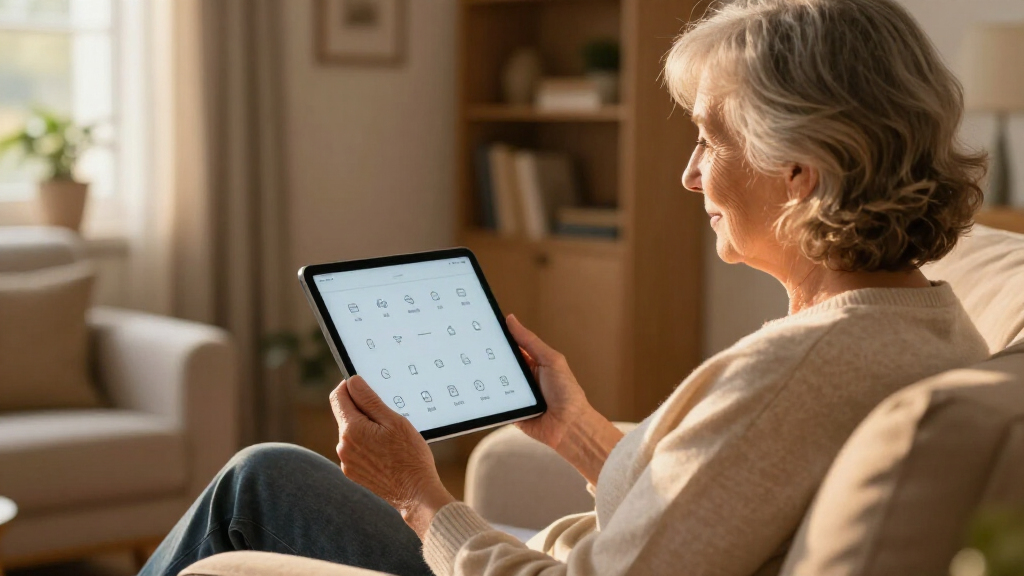

The best senior-friendly tablet for most people in 2026 is the GrandPad, a purpose-built tablet and phone that replaces standard Android menus with large icons, one-tap calling, and live human support. If the older adult in your life is comfortable with technology, the Samsung Galaxy Tab A11+ offers a sharper screen and full app access with mainstream reliability, while the Lenovo Tab One is the easiest to hold at just 8.7 inches. The real decision in this category comes down to simplicity versus flexibility: locked-down senior tablets cost more over time through subscriptions, while cheap Android tablets demand setup help and patience. Screen readability, speaker volume, and who will provide tech support matter far more here than processor speed. Read on for my full ranking of all 14 tablets, the tradeoffs behind each pick, and a buying guide for matching a tablet to a specific person.

Turn quiet afternoons into listening time
- Thousands of audiobooks, podcasts and originals
- Listen on your phone, tablet or Echo — also offline
- Cancel anytime
Complete the kit


Key Takeaways
- Purpose-built senior tablets won on simplicity, not specs. The GrandPad and Pix-Star beat faster, cheaper Android tablets because their closed interfaces and human support remove the two biggest failure points: confusing menus and scam exposure.
- RAM claims on budget tablets are inflated. Listings like the SVITOO‘s ’16GB’ and the URAO‘s ’36GB’ combine a small amount of physical memory with slower virtual memory — the DigiLand‘s honest 12GB and Samsung‘s 6GB behave more predictably.
- Screen resolution separated the tiers. Only the AGM PAD T2 (11-inch FHD) and the Samsung Galaxy Tab A11+ offer full HD sharpness; most sub-$100 picks stick to 1280×800 panels where enlarged text looks fuzzy.
- Software support is the hidden dividing line. Samsung and Lenovo commit to updates, while most generic brands in this roundup ship with no update path at all — a real security concern on a device used for email and accounts.
- Battery life turned out to be a non-factor. Nearly every budget tablet here uses the same 6000mAh cell, so ranking differences came from interface design, screen quality, and included accessories instead.
| GrandPad Easy-to-Use Tablet & Phone for Seniors |  | Best Overall | Designed For: Seniors | Interface: Large icons, simplified menus | Plans: Basic, Premium, or Ultimate | VIEW LATEST PRICE | See Our Full Breakdown |
| SUAAT S3 Android 15 Tablet |  | Best Performance | Operating System: Android 15 | Display: 10.1-inch FHD IPS | Processor: 2.0GHz Octa-Core | VIEW LATEST PRICE | See Our Full Breakdown |
| DigiLand 10.1-Inch Android Tablet |  | Best Value | Display: 10.1-inch HD IPS (1280×800) | Processor: MediaTek MT8786, 2.0GHz | RAM: 12GB | VIEW LATEST PRICE | See Our Full Breakdown |
| Coopers 10 inch Android Tablet |  | Best Budget Pick | Operating System: Android 15 | Display: 10-inch IPS, 1280×800 | Processor: Quad-Core | VIEW LATEST PRICE | See Our Full Breakdown |
| Pix-Star Touch Easy-to-Use Tablet for Seniors |  | Best for Photo Sharing | Screen Size: 10.1 inches | Storage: 32GB | Cameras: Front and rear | VIEW LATEST PRICE | See Our Full Breakdown |
| Samsung Galaxy Tab A11+ |  | Best Overall | Display: 11 inches | Refresh rate: 90Hz | RAM: 6GB | VIEW LATEST PRICE | See Our Full Breakdown |
| Lenovo Tab One |  | Best Lightweight Pick | Display: 8.7-inch HD | Weight: Less than a pound | Battery life: Up to 12.5 hours | VIEW LATEST PRICE | See Our Full Breakdown |
| ECOPAD 10.1 Inch Android Tablet |  | Best Budget Pick | Display: 10.1-inch IPS touchscreen | Resolution: 1280 x 800 | Operating system: Android 15 | VIEW LATEST PRICE | See Our Full Breakdown |
| SVITOO Android Tablet 10 Inch |  | Best for Streaming | Display: 10.1-inch IPS, 1280 x 800 | Processor: Allwinner A333 Penta-Core | RAM: 3GB physical + 17GB virtual | VIEW LATEST PRICE | See Our Full Breakdown |
| AGM PAD T2 Tablet |  | Best for Avid Readers | Display: 11-inch FHD 1920×1200 | Brightness: 500 nits | Storage: 256GB | VIEW LATEST PRICE | See Our Full Breakdown |
| Topsand Android 13 Tablet, 10.1 Inch |  | Best for Password-Free Sign-In | Display: 10.1 inch, 1280×800 | Processor: 2.0 GHz quad-core | RAM: 3 GB | VIEW LATEST PRICE | See Our Full Breakdown |
| URAO 10.1-inch Android Tablet, Octa-core |  | Best Performance Pick | Display: 10.1 inch, 1280×800 IPS, low blue light | Processor: Octa-core 1.8 GHz | RAM: 36GB (6GB physical + 30GB virtual) | VIEW LATEST PRICE | See Our Full Breakdown |
| 10.1 inch Android 15 Tablet with Case (Green) |  | Best for Streaming | Display: 10.1 inch HD IPS, Widevine L1 | Processor: Allwinner A523 octa-core, up to 2.0GHz | RAM: 8GB | VIEW LATEST PRICE | See Our Full Breakdown |
| Aiprotablet 10-inch Android Tablet, 12GB RAM |  | Best Budget Pick | Display: 10.1 inch, 1280×800 LCD | Processor: 2.0GHz quad-core | RAM: 12GB | VIEW LATEST PRICE | See Our Full Breakdown |
| senior-friendly tablet | Storage | Display | RAM | Battery |
|---|---|---|---|---|
| GrandPad Easy-to-Use Tablet & | — | — | — | — |
| SUAAT S3 Android 15 Tablet | 64GB, expandable to 2TB | 10.1-inch FHD IPS | 8GB physical (+22GB virtual) | 6000mAh |
| DigiLand 10.1-Inch Android Tab | 128GB | 10.1-inch HD IPS (1280×800) | 12GB | — |
| Coopers 10 inch Android Tablet | 32GB, expandable to 1TB via SD card | 10-inch IPS, 1280×800 | 8GB (3GB physical + 5GB virtual) | 6000mAh |
| Pix-Star Touch Easy-to-Use Tab | 32GB | — | — | — |
| Samsung Galaxy Tab A11+ | 128GB | 11 inches | 6GB | Long-lasting |
| Lenovo Tab One | 64GB | 8.7-inch HD | 4GB | — |
| ECOPAD 10.1 Inch Android Table | 64GB | 10.1-inch IPS touchscreen | 12GB (mostly virtual) | 6000mAh, up to 8 hours |
| SVITOO Android Tablet 10 Inch | 32GB, expandable to 1TB | 10.1-inch IPS, 1280 x 800 | 3GB physical + 17GB virtual | 6000mAh with fast charging |
| AGM PAD T2 Tablet | 256GB | 11-inch FHD 1920×1200 | — | 7850mAh, about 10 hours |
| Topsand Android 13 Tablet | 64 GB, expandable to 1TB | 10.1 inch, 1280×800 | 3 GB | 6000mAh |
| URAO 10.1-inch Android Tablet | 128GB, expandable to 1TB | 10.1 inch, 1280×800 IPS, low blue light | 36GB (6GB physical + 30GB virtual) | 6000mAh with 18W fast charging |
| 10.1 inch Android 15 Tablet wi | 64GB, expandable to 1TB | 10.1 inch HD IPS, Widevine L1 | 8GB | 5000mAh |
| Aiprotablet 10-inch Android Ta | 64GB, expandable to 1TB | 10.1 inch, 1280×800 LCD | 12GB | 6000mAh |
More Details on Our Top Picks
GrandPad Easy-to-Use Tablet & Phone for Seniors
Of every tablet in this roundup, the GrandPad takes the senior-friendly brief most seriously. Instead of handing an older adult a standard Android screen and hoping for the best, it rebuilds everything around oversized icons, a closed family network, and scam blocking that filters out spam calls and phishing attempts before they ever reach the user. Compared with the SUAAT S3, which offers far more raw power and app freedom, the GrandPad trades flexibility for peace of mind — and for many families, that trade is the whole point. The catch is real: it requires a monthly plan starting at $25, functionality drops sharply without one, and it won’t work with carriers like Consumer Cellular. I’d call it the right choice when safety matters more than versatility.
Pros:- Purpose-built interface with oversized icons and simplified menus
- Closed network blocks spam calls and online scams
- Video calling and photo sharing designed for non-technical users
- 911 calling available on select plans
Cons:- Requires an ongoing subscription starting at $25/month
- Severely limited functionality without an active plan
- Not compatible with Consumer Cellular or other wireless carriers
Best for: Adult children setting up a first tablet for a parent in their 80s or 90s who has never used a touchscreen and may be vulnerable to phone or email scams
Not ideal for: Budget-conscious buyers — the required $25/month plan costs more over two years than the tablet itself, and there’s no full functionality without it
- Designed For:Seniors
- Interface:Large icons, simplified menus
- Plans:Basic, Premium, or Ultimate
- Plan Cost:From $25/month or $275/year
- Key Features:Video calling, photo sharing, games, scam protection
- Emergency:911 calling on select plans
- Activation:Required — limited functionality without a plan
- Carrier Compatibility:Not compatible with Consumer Cellular or other carriers
Our verdict“The GrandPad is the tablet I recommend when a senior’s safety and simplicity matter more than app selection or price.”
SUAAT S3 Android 15 Tablet
Seniors who already handle a smartphone comfortably will get more from the SUAAT S3 than from the locked-down GrandPad. Its 2.0GHz octa-core chip and Android 15 run video calls, streaming, and email without the stutter common on cheaper tablets like the Coopers, and the 10.1-inch FHD IPS display is the sharpest screen in this lineup — text stays crisp when font sizes are bumped up, which matters more for aging eyes than any other spec here. WiFi 6 and Bluetooth 5.0 keep connections steady on modern routers. The tradeoffs: there’s no senior-specific interface out of the box, so a family member may need to simplify the home screen, and the 30GB RAM figure on the box is mostly virtual memory — only 8GB is physical. It also lacks the GrandPad’s scam protection.
Pros:- Sharpest display in the roundup — FHD resolution keeps enlarged text crisp
- Octa-core processor handles video calls and streaming smoothly
- Eye-care certified screen reduces strain during long reading sessions
- Modern connectivity with WiFi 6 and Bluetooth 5.0
Cons:- No senior-friendly interface or scam blocking built in
- Advertised 30GB RAM is mostly virtual — only 8GB is physical
- Cameras are serviceable for calls but mediocre for photos
Best for: Seniors already comfortable with smartphones who want a fast, sharp-screened tablet for video calls, streaming, and reading with enlarged text
Not ideal for: Complete beginners or anyone at risk of answering scam calls — there’s no built-in protection or simplified interface, so it needs a family member’s setup help
- Operating System:Android 15
- Display:10.1-inch FHD IPS
- Processor:2.0GHz Octa-Core
- RAM:8GB physical (+22GB virtual)
- Storage:64GB, expandable to 2TB
- Battery:6000mAh
- Cameras:8MP rear, 5MP front
- Connectivity:WiFi 6, Bluetooth 5.0
- Build:1 lb, 6mm thin
Our verdict“The S3 is my pick for seniors who don’t need hand-holding and would rather have speed and a sharp screen than training wheels.”
DigiLand 10.1-Inch Android Tablet
The DigiLand is where I’d send shoppers who want the most hardware per dollar. Its 12GB of RAM and 128GB of storage double what the Coopers offers at the budget end, and the 12-hour battery outlasts nearly everything else here — a senior who forgets to charge nightly won’t wake up to a dead tablet. The bundled stand case is a quiet win: propping a tablet upright for video calls or recipes usually means a separate purchase. Against the SUAAT S3, it gives up screen sharpness (1280×800 versus Full HD) and WiFi 6, so enlarged text looks a touch softer. There’s also no GPS or cellular option, which limits its usefulness away from home WiFi. For a living-room-and-kitchen tablet, though, those gaps rarely matter.
Pros:- 12-hour battery outlasts most rivals in this roundup
- Generous 12GB RAM and 128GB storage for the price
- Stand case included in the box
- Lightweight build is easy on arthritic hands
Cons:- HD (not Full HD) screen renders text slightly softer than the SUAAT S3
- No GPS or cellular connectivity for use away from home
- Can’t sync with a family member’s Apple ecosystem
Best for: Practical buyers who want a capable home tablet for a senior — long battery, included stand case, and generous storage — without paying for top-tier specs
Not ideal for: Seniors who travel often or need a tablet outside the house — no GPS and no cellular means it’s tied to home WiFi
- Display:10.1-inch HD IPS (1280×800)
- Processor:MediaTek MT8786, 2.0GHz
- RAM:12GB
- Storage:128GB
- Battery Life:Up to 12 hours
- Cameras:8MP front, 13MP rear
- Connectivity:WiFi only — no cellular or GPS
- Included:Stand case, charger, charging cable
- Model Year:2025 (Third Generation)
Our verdict“The DigiLand is the sensible middle ground — more tablet than the budget picks, without the subscription or setup burden of the senior-specific models.”
Coopers 10 inch Android Tablet
If the goal is getting a parent online for the least money possible, the Coopers 10-inch covers the basics at a fraction of what the Pix-Star charges for a similar promise. Android 15 means current apps from the Google Play store still install and run, and the 6000mAh battery holds up through a day of video calls and reading. The headline feature is 1TB expandable storage via SD card — cheap insurance for a senior who will never delete a photo. Set against the DigiLand, though, the compromises show: a quad-core chip and lower-resolution 1280×800 screen make apps and text feel slower and softer, and the 2MP front camera produces grainy video calls. It works best when expectations stay modest and a family member handles setup.
Pros:- Lowest-cost entry into a current Android 15 tablet
- Storage expandable to 1TB via an inexpensive SD card
- 6000mAh battery lasts a full day of light use
- Headphone jack and FM radio for simple, familiar media
Cons:- Quad-core processor and 1280×800 screen feel dated next to the SUAAT S3
- 2MP front camera delivers grainy video calls
- Only 32GB of usable internal storage before adding a card
Best for: Families on a tight budget who need a functional tablet for a senior’s video calls, email, and photo viewing — and can help with initial setup
Not ideal for: Anyone prioritizing video-call quality — the 2MP front camera is the weakest in this lineup, and the quad-core chip strains under heavy apps
- Operating System:Android 15
- Display:10-inch IPS, 1280×800
- Processor:Quad-Core
- RAM:8GB (3GB physical + 5GB virtual)
- Storage:32GB, expandable to 1TB via SD card
- Battery:6000mAh
- Cameras:8MP rear, 2MP front
- Connectivity:WiFi 2.4G, Bluetooth 4.2, GPS, FM radio
- Ports:USB-C, 3.5mm headphone jack
Our verdict“The Coopers makes sense only when price is the deciding factor — spend a little more on the DigiLand if the budget allows.”
Pix-Star Touch Easy-to-Use Tablet for Seniors
The Pix-Star Touch aims at the same beginner audience as the GrandPad but takes a different route: no mandatory subscription, and the Google Play store stays open for extra apps. Its real strength is photo sharing — family members can send pictures straight to the tablet, echoing Pix-Star’s popular digital frames, and the 10.1-inch touchscreen with a simplified interface keeps email and video calls within reach of first-time users. The problem is execution. A is the lowest in this roundup by a wide margin, with complaints clustering around sluggish performance and reliability. Against the Coopers, which costs less and runs newer software, the Pix-Star’s premium is hard to justify unless the photo-push feature is the whole reason for buying. The two-year warranty softens the risk somewhat.
Pros:- Simplified interface built for seniors and first-time users
- Remote photo sharing with no required subscription
- Open Google Play store access for additional apps
- Two-year warranty is longer than most rivals offer
Cons:- Sluggish performance reported by multiple reviewers
- Costs more than the Coopers while offering similar core specs
Best for: Families whose main goal is pushing photos remotely to a senior’s tablet and who want a GrandPad-style experience without a monthly subscription
Not ideal for:
- Screen Size:10.1 inches
- Storage:32GB
- Cameras:Front and rear
- Ports:USB-C
- Connectivity:WiFi
- App Access:Google Play Store pre-installed
- Warranty:2 years
- Model Year:2022 (1st Generation)
Our verdict“Buy the Pix-Star only if subscription-free photo sharing is the priority; otherwise, the GrandPad or DigiLand serves most families better.”
Samsung Galaxy Tab A11+
If I had to name one tablet that works for the widest range of older adults, the Samsung Galaxy Tab A11+ is it. The 11-inch screen with a 90Hz refresh rate makes text glide instead of stutter when scrolling, which tired eyes genuinely appreciate, and the quad Dolby Atmos speakers get loud and clear enough for video calls without a headset. Unlike the ECOPAD or SVITOO, this is a mainstream brand backed by a two-year warranty and years of software updates — real peace of mind. Compared with the purpose-built GrandPad, it does demand more setup patience: there’s no simplified senior interface here, and Samsung’s menus can feel busy to a first-timer. The charger also isn’t in the box, an annoying extra purchase at this price.
Pros:- Smooth 90Hz 11-inch display reduces eye strain during long reading sessions
- Quad Dolby Atmos speakers stay loud and clear for calls and shows
- Two-year warranty, rare among tablets at this price
- Expandable storage via microSD for growing photo libraries
Cons:- Charger sold separately, adding to the real cost
- No senior-specific interface, so setup can overwhelm first-time users
- Some features require an internet connection to work fully
Best for: Seniors who want a dependable big-screen tablet from a brand their family already knows, and who have someone around to help with the initial setup
Not ideal for: Total tech beginners who need a locked-down, one-touch experience — the GrandPad serves them better — and buyers who expect a charger included
- Display:11 inches
- Refresh rate:90Hz
- RAM:6GB
- Storage:128GB
- Expandable storage:Yes (microSD sold separately)
- Speakers:Quad speakers with Dolby Atmos
- Battery:Long-lasting
- Color:Gray
- Warranty:2 years
Our verdict“The safest all-around choice for seniors who want a big, smooth screen and a brand that will still support this tablet years from now.”
Lenovo Tab One
Holding a tablet through an hour of reading is where many 11-inch models fail older users, and it’s exactly where the Lenovo Tab One earns its place. At less than a pound, it’s far easier on arthritic wrists than the Samsung Galaxy Tab A11+ or the AGM PAD T2, and the included folio case with a built-in stand means hands-free video calls on day one with nothing extra to buy. The 12.5-hour battery comfortably covers a full day of news, email, and streaming. The tradeoff is the screen itself: 8.7 inches at 60Hz is the smallest, least fluid display in this lineup, so seniors with low vision will lean harder on text scaling than they would on the AGM’s 11-inch FHD panel. A modest 4GB of RAM also means keeping the number of open apps to a reasonable handful.
Pros:- Under a pound, the easiest tablet here to hold one-handed
- Folio case with stand included in the box
- 12.5-hour battery reliably lasts a full day
- 480-nit screen stays readable near windows
Cons:- Smallest display in the roundup at 8.7 inches
- Only 4GB of RAM, so heavy multitasking stutters
- No mention of 4G or LTE for use away from Wi-Fi
Best for: Seniors with arthritis or weaker grip strength who read or stream for long stretches and value carrying comfort over screen size
Not ideal for: Low-vision users who want the largest possible text on a big display — the 8.7-inch panel forces real compromises there
- Display:8.7-inch HD
- Weight:Less than a pound
- Battery life:Up to 12.5 hours
- Processor:MediaTek Helio G85
- RAM:4GB
- Storage:64GB
- Brightness:480 nits
- Refresh rate:60Hz
- Included:Tablet, folio case, guides
Our verdict“The right pick for seniors who find full-size tablets tiring to hold and want everything, case included, in one box.”
ECOPAD 10.1 Inch Android Tablet
For seniors who mostly check email, browse the news, and video-call grandkids, the ECOPAD 10.1-inch covers the basics at a fraction of what the Samsung Galaxy Tab A11+ costs. The 10.1-inch IPS screen is a comfortable size for enlarged text, Android 15 keeps it current with app compatibility, and storage expands to 1TB for family photos. I’d treat the 12GB RAM figure cautiously — most of it is virtual memory borrowed from storage, so real-world speed sits closer to the SVITOO than the spec sheet suggests. The honest tradeoffs: the 8-hour battery is the shortest in this lineup, there’s no case or screen protector in the box (the SVITOO and AGM include one), and as a little-known brand there’s no stated warranty or update promise. Fine for light use; riskier as a years-long daily driver.
Pros:- Very low price for a 10.1-inch Android 15 tablet
- Storage expands up to 1TB via SD card
- Dual cameras handle video calls and casual photos
- Straightforward spec sheet that’s easy to understand
Cons:- 8-hour battery is the shortest in this lineup
- No case, screen protector, or stated warranty included
- The 12GB RAM claim is mostly virtual memory, so performance is modest
Best for: Budget-conscious seniors, or adult children buying a first tablet, whose needs stop at email, web browsing, and video calls
Not ideal for: Anyone who wants guaranteed software updates, a real warranty, or all-day battery — spending more on the Samsung or Lenovo buys that security
- Display:10.1-inch IPS touchscreen
- Resolution:1280 x 800
- Operating system:Android 15
- RAM:12GB (mostly virtual)
- Storage:64GB
- Expandable storage:Up to 1TB via SD card
- Battery:6000mAh, up to 8 hours
- Cameras:2MP front, 8MP rear
- Wi-Fi:Dual band
Our verdict“A serviceable starter tablet for light daily use, as long as expectations stay matched to the rock-bottom price.”
SVITOO Android Tablet 10 Inch
Many budget tablets quietly fail at the one thing seniors buy them for — watching shows — because they lack Widevine L1 certification, which Netflix and similar apps require for HD playback. The SVITOO 10-inch has it, so streams play in full quality instead of a blurry 480p. I also like the senior-sensible details: face unlock skips fiddly passwords, the 3.5mm headphone jack works with familiar wired earphones, and the bundled case has a magnetic stand for hands-free viewing. Compared with the similarly priced ECOPAD, you get more in the box and better streaming, but the same class of compromises: the Allwinner chip and 3GB of real RAM mean one app at a time, and there’s no split-screen mode. Navigation apps are out too, since GPS isn’t built in.
Pros:- Widevine L1 certified, so Netflix streams in true HD
- Face unlock removes password hassles
- Protective case with magnetic stand included
- 3.5mm jack for familiar wired headphones
Cons:- Only 3GB of physical RAM limits it to one app at a time
- No GPS, so in-car navigation is off the table
- No split-screen multitasking
Best for: Seniors whose tablet time centers on Netflix, YouTube, and video calls, and who want a ready-to-use bundle with a protective case
Not ideal for: Multitaskers and anyone who needs GPS for maps in the car — the modest processor and missing GPS rule both out
- Display:10.1-inch IPS, 1280 x 800
- Processor:Allwinner A333 Penta-Core
- RAM:3GB physical + 17GB virtual
- Storage:32GB, expandable to 1TB
- Battery:6000mAh with fast charging
- Cameras:8MP rear, 2MP front
- Connectivity:WiFi 6, Bluetooth 5.3, USB-C
- Audio:3.5mm headphone jack
- Certification:GMS certified, Widevine L1
Our verdict“The budget pick I’d choose for a senior who mainly wants to stream shows in proper HD without typing passwords.”
AGM PAD T2 Tablet
Aging eyes ask two things of a screen — sharpness and brightness — and the AGM PAD T2 leads this roundup on both. Its 11-inch FHD 1920×1200 panel renders book text crisper than the 1280×800 displays on the ECOPAD and SVITOO, and 500 nits of brightness keeps pages readable in sunny rooms where dimmer tablets wash out. The 256GB of built-in storage holds a full library of books, photos, and shows without buying a memory card, and a case plus screen protector come in the box. I’d buy it for the screen, but only somewhere with a painless return window.
Pros:- Sharpest display here: 11-inch FHD 1920×1200
- 500-nit brightness stays readable in bright rooms
- 256GB of storage, no memory card required
- Case and screen protector included at no extra cost
Cons:- Processor and operating system version aren’t disclosed
- Wi-Fi only, with no cellular option
Best for: Avid readers and streamers with aging eyes who want the sharpest, brightest screen in the group plus generous built-in storage
Not ideal for:
- Display:11-inch FHD 1920×1200
- Brightness:500 nits
- Storage:256GB
- Battery:7850mAh, about 10 hours
- Connectivity:Wi-Fi, Bluetooth, USB
- Included:Case, screen protector, power adapter
- Model year:2024
Our verdict“The best screen-for-dollar in this roundup, ideal for seniors who read for hours — just buy from a retailer with easy returns.”
Topsand Android 13 Tablet, 10.1 Inch
The Topsand 10.1-inch tablet earns its spot for one feature most budget rivals skip: Face ID. For a senior who fumbles with typed passcodes, looking at the screen to get in removes a daily frustration, and I’d call that the single most practical accessibility touch in this price bracket. It also includes GPS and a 3.5mm headphone jack, two things the URAO tablet lacks, so it doubles nicely for maps in the car and wired headphones. The compromises are real, though. Choose it for the face sign-in, not the speed.
Pros:- Face ID removes the need to remember or type passwords
- GPS built in for maps and location apps
- 3.5mm headphone jack for wired earbuds or hearing-aid-friendly listening
- Storage expandable to 1TB via microSD
Cons:- Only 3GB RAM, so apps and web pages load slowly
- 1280×800 screen looks soft next to sharper rivals
Best for: Seniors who struggle to remember or type passcodes and want to sign in with their face
Not ideal for: Anyone who multitasks or streams heavily — the 3GB of RAM and soft HD screen will feel limiting fast
- Display:10.1 inch, 1280×800
- Processor:2.0 GHz quad-core
- RAM:3 GB
- Storage:64 GB, expandable to 1TB
- Cameras:5MP front, 8MP rear auto-focus
- Battery:6000mAh
- Operating System:Android 13
- Extras:Face ID, GPS, stereo speakers, 3.5mm headphone jack
Our verdict“The right pick if face sign-in matters more to you than raw speed or screen sharpness.”
URAO 10.1-inch Android Tablet, Octa-core
Compared with the Topsand and Aiprotablet slates in this roundup, the URAO 10.1-inch tablet is simply the fastest on paper: an octa-core processor, 128GB of built-in storage, and modern Wi-Fi 6 and Bluetooth 5.4 that keep video calls steady on a busy home network. I’d also weigh its low blue light IPS screen heavily for older eyes during long reading sessions. The advertised 36GB of RAM is really 6GB physical plus 30GB of virtual memory, so expect competent rather than flagship speed. Real drawbacks: there’s no GPS, the brand’s build quality is an open question, and brand-new Android 16 may not play nicely with every app yet. For pure responsiveness per dollar, nothing else here matches it.
Pros:- Octa-core chip keeps apps and video calls responsive
- Low blue light IPS display is gentler on aging eyes
- 128GB built-in storage, expandable to 1TB
- 18W fast charging tops up the 6000mAh battery quickly
Cons:- No GPS, so it’s a poor choice for maps on the go
- 36GB RAM figure is mostly virtual memory, not physical
- Little-known brand with unproven long-term build quality
Best for: Seniors who want the snappiest, most future-proof budget tablet for video calls, browsing, and long reading sessions
Not ideal for: Users who need GPS navigation or prefer the reassurance of an established brand like Samsung or Lenovo
- Display:10.1 inch, 1280×800 IPS, low blue light
- Processor:Octa-core 1.8 GHz
- RAM:36GB (6GB physical + 30GB virtual)
- Storage:128GB, expandable to 1TB
- Cameras:5MP front, 8MP rear
- Battery:6000mAh with 18W fast charging
- Connectivity:Wi-Fi 6, Bluetooth 5.4
- Operating System:Android 16
Our verdict“Buy this if raw responsiveness and modern connectivity matter more to you than brand recognition.”
10.1 inch Android 15 Tablet with Case (Green)
For a senior whose tablet time is mostly watching shows and movies, this bundle makes the most sense in the group. Its Widevine L1 certification means Netflix and other services stream in proper HD rather than blurry standard definition — a limitation that quietly affects many cheap tablets, including the Topsand. I also like that a protective case, charger, and OTG adapter come in the box, so there’s nothing extra to buy on day one. Where it gives ground: the 5000mAh battery is smaller than the 6000mAh cells in the URAO and Aiprotablet, the 2MP front camera produces grainy video calls, and Bluetooth 4.2 is a generation or two behind. Pick it for the screen time, not the chat time.
Pros:- Widevine L1 support enables HD streaming on Netflix and similar apps
- Case, charger, and OTG adapter included — ready out of the box
- 8GB RAM with octa-core processor handles everyday apps smoothly
- Dual-band WiFi 6 for stable, faster streaming
Cons:- 5000mAh battery is smaller than most rivals here, with no stated runtime
- 2MP front camera makes video calls look grainy
- Outdated Bluetooth 4.2 limits wireless accessory performance
Best for: Seniors who mainly want to stream shows in HD and appreciate a complete bundle with a case already included
Not ideal for: Grandparents who video-call family often — the 2MP front camera is one of the weakest in this roundup
- Display:10.1 inch HD IPS, Widevine L1
- Processor:Allwinner A523 octa-core, up to 2.0GHz
- RAM:8GB
- Storage:64GB, expandable to 1TB
- Cameras:2MP front, 5MP rear
- Battery:5000mAh
- Connectivity:Dual-band WiFi 6, Bluetooth 4.2
- Operating System:Android 15, GMS certified
- In the box:Protective case, charger, OTG adapter, Type-C cable
Our verdict“The easiest recommendation for a senior whose tablet is primarily a portable TV.”
Aiprotablet 10-inch Android Tablet, 12GB RAM
The Aiprotablet 10-inch is the no-frills choice here, and I’d frame it honestly: it covers the basics at the lowest level of investment. Its 12GB of RAM is generous for the price and keeps simple tasks like email, news, and solitaire moving, while the 6000mAh battery lasts through a day of casual use. The savings show up in the details, though. WiFi 5 is an older standard than the Wi-Fi 6 on the URAO and the green Android 15 bundle, so connections feel less robust on crowded networks, and the LCD panel has narrower viewing angles than IPS screens. The quad-core processor and 2MP selfie camera are strictly entry-level. For a first tablet or a spare, that’s an acceptable set of tradeoffs.
Pros:- 12GB RAM is generous at this price for smooth basic use
- 6000mAh battery comfortably lasts a day of casual use
- Storage expandable to 1TB via microSD
- Modern USB-C charging port
Cons:- WiFi 5 is a step behind the Wi-Fi 6 on newer rivals
- LCD panel has narrower viewing angles than IPS screens
- Quad-core chip and 2MP front camera are strictly entry-level
Best for: First-time tablet users or tight-budget shoppers who need email, news, and light games without extras
Not ideal for: Households with busy Wi-Fi networks or frequent streamers — WiFi 5 and the basic LCD panel hold it back
- Display:10.1 inch, 1280×800 LCD
- Processor:2.0GHz quad-core
- RAM:12GB
- Storage:64GB, expandable to 1TB
- Cameras:2MP front, 5MP rear
- Battery:6000mAh
- Connectivity:WiFi 5, Bluetooth 5.0, USB-C
- Model Year:2025
Our verdict“A sensible low-cost starter tablet as long as you accept dated Wi-Fi and a basic screen.”
How We Picked
I ranked these 14 tablets the way a family actually shops for an older adult: ease of use first, everything else second. That meant weighting interface simplicity, text and icon size, speaker volume, and setup difficulty above raw specs, because a fast processor does nothing for someone who can’t find the video call button. I also scored display readability (size, resolution, brightness), battery life against real-world claims, build quality, and total cost of ownership — including subscriptions like GrandPad’s monthly plan, which changes the value math over two or three years.
The ranking logic explains the order. Purpose-built senior tablets (GrandPad, Pix-Star) lead because they solve the actual problem — confusion and isolation — rather than winning the spec sheet. Trusted mainstream brands (Samsung, Lenovo) come next for offering reliable hardware and guaranteed software updates at fair prices. The budget Android cluster (DigiLand, ECOPAD, SVITOO, URAO, and similar) fills the lower ranks: usable and genuinely cheap, but held back by 1280×800 screens, inflated RAM marketing, and no update commitments. Where two tablets were otherwise equal, I ranked the one with the larger, sharper screen or the better included accessories higher.
Factors to Consider When Choosing Senior-friendly Tablets
The reviews above tell you which tablets are good. This section tells you how to choose between them for a specific person — because the right tablet for a tech-confident 70-year-old is the wrong one for an 88-year-old with shaky hands and no patience for menus.
Choose Between a Closed Senior System and Open Android First
This is the fork in the road that decides everything else, and most buyers skip straight past it to screen size. Closed senior systems like the GrandPad and Pix-Star replace the standard Android home screen with a handful of huge buttons — call, photos, email — and limit contacts to an approved family list. That design nearly eliminates accidental purchases, spam calls, and scam messages, which is why I’d point anyone with memory issues or zero tech experience in that direction. The tradeoff is real: no app store means no banking app, no games beyond what’s built in, and no video services the maker didn’t include. Open Android tablets do everything but hand a confused user plenty of ways to get lost or get scammed. The most common mistake I see is buying for the person you hope your parent is rather than the person they are — be honest about which side of this line they fall on.
Screen Size and Sharpness Beat Every Other Spec
For older eyes, the display is the whole product. A 10-inch or larger screen lets you crank text and icon sizes up without squeezing everything off the page, which is why most of this roundup clusters around 10.1 inches. Resolution matters just as much as size: a 1280×800 panel — what nearly every sub-$100 tablet here uses — renders small text with a faint fuzz that tired eyes notice, while the AGM PAD T2’s 11-inch full HD screen and the Samsung Galaxy Tab A11+ keep letters crisp. Weight is the counterweight to size. Big tablets run 450 grams and up, and that gets tiring for arthritic wrists during a long video call, so a lighter option like the 8.7-inch Lenovo Tab One or a simple folding stand can matter more than an extra inch of glass. My rule of thumb: buy the biggest screen the person can comfortably hold for ten minutes, then add a case with a stand.
Do the Real Math on Subscriptions and Total Cost
The sticker price on a senior-friendly tablet is rarely the real price. The GrandPad’s hardware is only part of the deal — the monthly subscription covering data, support, and the managed contact network adds up to several hundred dollars over three years, which can still undercut buying a mainstream tablet plus a cellular plan plus paid tech help. At the other end, a $70 Android tablet looks nearly free until you add a case, a screen protector, and a decent charger. Some budget picks quietly bundle these: the AGM PAD T2 ships with both a case and screen protector, and the Lenovo Tab One includes a folio case, which closes much of the gap with cheaper bare tablets. Check what connectivity is included too, since Wi-Fi-only models are useless at a doctor’s office or in the car. Add up three years of ownership before comparing any two prices.
Plan the Support System Before You Buy
Every tablet in this roundup will eventually confuse its owner — what differs is who gets the call. Purpose-built options handle this for you: GrandPad includes live operator support, and the Pix-Star lets family members push photos and manage settings remotely from their own phones. Mainstream tablets lean on you instead, though Google’s Family Link and Samsung’s remote tools help a tech-comfortable relative adjust settings from afar. The classic failure mode is shipping a sealed box to a parent in another state and hoping the instructions are clear. They rarely are. If you can’t do the setup yourself, pay for a tablet whose business model includes doing it for you. And whatever you buy, spend an hour pre-loading contacts, enlarging text, and disabling notifications before the gift leaves your hands — that first impression decides whether the tablet gets used or shelved.
Read Budget Tablet Listings with a Skeptical Eye
The generic Android half of this roundup plays spec-sheet games you should know how to spot. RAM inflation is the big one: claims like 16GB or 36GB typically mean 4GB of physical memory padded with slow virtual memory borrowed from storage, and the real number is buried in the fine print. Processor descriptions like ‘octa-core’ without a chip name tell you almost nothing about speed. Check for GMS certification — without it, the Google Play Store and apps like YouTube may not work at all, which is a common gotcha with off-brand tablets. Android version numbers also deserve a second look, because a generic tablet running Android 15 today will likely never receive another update. None of this makes budget tablets bad buys for light use; it just means the honest listings deserve your money over the flashy ones.
Don’t Overlook Sound, Charging, and Small Ergonomics
Spec sheets barely cover the things seniors feel daily. Speaker volume tops the list — mild hearing loss is common, and a tablet that maxes out at a whisper turns every video call into a frustration, so look for dual speakers and Bluetooth 5.0 or newer for pairing hearing aids and headphones. Charging is the other daily touchpoint: USB-C ports that work in either orientation beat older micro-USB, and a tablet left on a stand doubles as a photo frame while it charges. Battery claims, oddly, are the one spec you can mostly ignore — almost every budget model here carries the same 6000mAh cell and lands in the same 6-to-8-hour window of real use. Physical details like textured power buttons and cases with raised bezels also earn their keep with unsteady hands.
Frequently Asked Questions
Is a tablet designed specifically for seniors worth the subscription cost?
It depends on who will use it and who will support it. A purpose-built option like the GrandPad charges a monthly fee because the price includes curated contacts, scam blocking, and live human help — services, not just hardware. For an older adult with memory loss, low tech confidence, or no family nearby to troubleshoot, that fee often replaces hours of frustration and paid tech visits, and I think it’s money well spent. For a senior who already handles email and app stores comfortably, the same fee buys restrictions they don’t need, and a mainstream tablet like the Samsung Galaxy Tab A11+ does far more for less. Compare three-year totals, not sticker prices, and be honest about how much free tech support your family can realistically provide.
What screen size is best for an elderly person?
For most seniors, 10 to 11 inches is the sweet spot. That size allows large text and big touch targets without forcing constant scrolling, and it keeps video calls and photos at a comfortable viewing scale. The catch is weight: bigger tablets tire weak or arthritic hands quickly when held, so pair a large screen with a stand or folio case for long sessions. If grip strength or tremors are a concern, a compact model like the 8.7-inch Lenovo Tab One sacrifices some readability for far easier handling. Whatever size you choose, sharpness matters as much as inches — a full HD panel keeps enlarged text crisp, while budget 1280×800 screens can look slightly hazy at large font settings.
How much RAM and storage does a senior actually need?
Less than the marketing suggests. Video calls, email, photos, and light web browsing are gentle tasks, and 4GB of physical RAM handles them without trouble — which is why the inflated 16GB and 36GB claims on budget listings shouldn’t drive your decision. Storage deserves more attention: 64GB covers apps and thousands of photos, and a microSD slot for expansion future-proofs the purchase for families who share lots of videos. I’d only chase 128GB or more if the person plans to download shows for travel or keep a large music library offline. Put the money you save on memory into a sharper screen or a better case instead.
Can I set up and manage the tablet remotely for my parent?
Yes, though how easily depends on the tablet. Purpose-built senior models lead here: the GrandPad is managed entirely through a family member’s companion app, from adding contacts to approving who can call, and the Pix-Star lets relatives push photos and adjust settings from their own phones. Mainstream Android tablets offer partial remote control through tools like Google Family Link, but expect to do the initial setup in person. My advice is to never mail a sealed tablet — open it, connect it to Wi-Fi, enlarge the text, pre-load contacts, and test a video call before it ships. Twenty minutes of preparation is the difference between a tablet that gets used daily and one that lives in a drawer.
Are cheap generic Android tablets safe enough for seniors?
Mostly, with caveats worth taking seriously. The budget tablets in this roundup from brands like DigiLand, ECOPAD, and URAO run real Android and handle video calls, photos, and browsing fine — but they typically ship with no software update commitment, which slowly becomes a security concern for email and anything involving passwords. Check the listing for GMS certification, since uncertified tablets can’t properly run the Google Play Store. For banking or medical portals, I’d steer toward Samsung or Lenovo, whose update policies keep security patches current. A practical middle ground works too: use the budget tablet for calls and entertainment, and keep financial tasks on a more secure device.
Conclusion
After weighing all 14, my picks line up by buyer type. For most families buying for a senior, the GrandPad is the best overall choice — it costs more over time, but its simplified interface, managed contacts, and live support solve the problems that actually sink tablet adoption. The best value is the DigiLand 10.1-inch, which pairs a metal body, 128GB of storage, and a 12-hour battery at a price the generic brands can’t match with the same honesty. Confident users who want full app access should take the Samsung Galaxy Tab A11+, my pick for best mainstream alternative, while first-timers and anyone with cognitive decline belong on the GrandPad or the photo-centric Pix-Star. For specific needs: the Lenovo Tab One suits weak hands and travel, and the AGM PAD T2 delivers the biggest, sharpest screen with a case and screen protector already in the box. Whichever you choose, set it up yourself first — that single step matters more than anything on a spec sheet.