
Finding a smart TV that truly meets the needs of seniors involves balancing simplicity, accessibility, and helpful features. The Roku Smart TV 2026 – 40-Inch Select Series stands out for its straightforward interface and voice control, making it ideal for users new to streaming. The INSIGNIA 50″ Class F50 Series offers a crisp 4K picture combined with Alexa voice remote for easy navigation, while the JubileeTV Remote Care System adds remote monitoring and control for peace of mind. These options highlight the main tradeoffs: affordability versus advanced accessibility features. Continue reading for a detailed breakdown of these and other top picks, so you can find the best fit for your needs.
Key Takeaways
- Ease of use and simple remotes are the most critical factors for senior-friendly TVs.
- Voice control integration significantly reduces frustration and helps those with mobility issues.
- Larger screen sizes with clear, high-contrast displays improve visibility and comfort.
- Additional accessibility features like remote monitoring enhance safety and peace of mind.
- Price varies widely, but investing in quality controls and voice features yields better long-term usability.




More Details on Our Top Picks
Roku Smart TV 2026 – 40-Inch Select Series, 1080p Full HD TV – Roku TV with Voice Remote – Flat Screen LED Television with Wi-Fi for Streaming Live Local News Sports & Movies, Bluetooth Headphone Mode
This 40-inch Roku TV stands out for its straightforward interface and seamless streaming, making it ideal for seniors who prioritize ease of use. Compared with the larger 55-inch Roku model, this smaller size fits comfortably in bedrooms or kitchens, but it offers slightly lower resolution (1080p vs. 4K). Its voice remote simplifies searching for content, and Bluetooth Headphone Mode allows private listening, a feature often overlooked. However, its Full HD resolution might disappoint those seeking ultra-sharp visuals, and the limited screen size isn’t suited for group viewing. This pick is perfect for seniors who want a simple, reliable streaming experience without extra bells and whistles.
Pros:- Intuitive Roku OS interface simplifies navigation
- Voice remote enables easy content search and control
- Bluetooth Headphone Mode offers private listening
Cons:- 1080p resolution may be less sharp than 4K models
- Limited to 40-inch screen size, less suitable for group viewing
Best for: Seniors who value easy streaming, voice control, and a compact design for bedrooms or small spaces
Not ideal for: Those wanting 4K resolution or larger screens for family viewing or detailed visuals
- Display Technology:LED
- Resolution:1080p
- Display Size:40 Inches
- Refresh Rate:60 Hz
- Connectivity:Wi-Fi, Bluetooth
- Sound Power:14 Watts
Bottom line: A solid choice for seniors seeking straightforward streaming with helpful features in a smaller package.
INSIGNIA 50″ Class F50 Series LED 4K UHD Smart Fire TV, Voice Remote with Alexa, Stream Live TV Without Cable
This 50-inch Insignia Fire TV offers stunning 4K HDR picture quality and a broad app selection, making it a good fit for seniors who want vibrant visuals and easy access to entertainment. Compared to the smaller Roku 40-inch, it provides 4K resolution for sharper images, but it may be slightly more complex for those unfamiliar with Fire TV’s interface. Its Alexa voice remote simplifies searching and controlling content, and built-in smart home capabilities add convenience. On the downside, its size may be less ideal for small bedrooms, and some users find Fire TV’s interface less intuitive than Roku’s. This TV is well-suited for seniors who desire high-quality visuals and integrated smart home control in a larger screen.
Pros:- Excellent 4K HDR picture quality with HDR10 support
- Alexa voice remote for easy content and smart home control
- Supports streaming from multiple popular apps
Cons:- Fire TV interface may seem less intuitive than Roku for some seniors
- Larger size might not fit small rooms comfortably
Best for: Seniors who want crisp 4K visuals and the convenience of an integrated smart platform in a 50-inch size
Not ideal for: Those preferring a simpler interface or smaller screens for limited space or minimal tech use
- Display Technology:LED
- Resolution:4K UHD
- Display Size:50 Inches
- HDR Support:HDR10
- Connectivity:Wi-Fi, Bluetooth
- Sound Power:10 Watts
Bottom line: Ideal for seniors seeking vibrant 4K visuals and smart home integration in a sizeable screen.
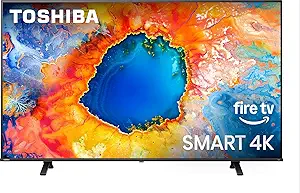
TOSHIBA 50″ Class C350 Series LED 4K UHD Smart Fire TV, Voice Remote with Alexa, Stream Live TV Without Cable
This Toshiba 50-inch 4K UHD Fire TV combines impressive picture quality with advanced motion and gaming modes, making it suitable for seniors who enjoy sharp visuals and occasional gaming or fast-paced content. Compared with the Insignia, it offers a more refined image processing engine and gaming features like VRR and ALLM, but it comes with a potentially steeper learning curve for those unfamiliar with Fire TV’s interface. Its Dolby Vision and Atmos support elevate the viewing experience, yet the size and more complex controls might be less ideal for users seeking simplicity. This TV suits seniors who appreciate high picture quality and multimedia versatility in a larger size.
Pros:- Excellent 4K picture with Dolby Vision and Atmos
- Supports gaming features like VRR and ALLM
- AI 4K upscaler improves non-4K content
Cons:- More complex interface may be challenging for some seniors
- Larger size might not fit compact rooms comfortably
Best for: Seniors who want high-quality visuals, gaming support, and immersive sound in a 50-inch size
Not ideal for: Those needing a straightforward interface or smaller screen for limited spaces
- Display Technology:LED
- Resolution:4K UHD
- Display Size:50 Inches
- HDR Support:Dolby Vision
- Smart Platform:Fire TV
- Audio Power:Dolby Atmos, 20 Watts
Bottom line: A top pick for seniors who want cinematic visuals and gaming capabilities in a 50-inch TV.
Roku Smart TV – 55-Inch Select Series, 4K HDR TV – Roku TV with Enhanced Voice Remote – Flat Screen LED Television with Wi-Fi for Streaming Live Local News, Sports, Family Entertainment
This 55-inch Roku TV provides a bigger, more immersive viewing experience while maintaining Roku’s simple interface, making it ideal for seniors who enjoy watching with family or need larger visuals for clarity. Unlike the smaller 40-inch Roku, this model’s size is better suited for living rooms or shared spaces, but it might be overwhelming in very tight spaces. Its 4K HDR display offers vibrant, detailed images, and the enhanced voice remote makes navigation easier. However, the larger size can be cumbersome for those with limited mobility or in small rooms, and its higher power consumption might be a concern. This TV is best for seniors who prioritize size and vibrant visuals in a relaxed, social setting.
Pros:- Large 55-inch screen enhances viewing comfort
- 4K HDR delivers bright, detailed images
- Enhanced voice remote simplifies control
Cons:- Size may be unwieldy in small rooms
- Higher energy use compared to smaller models
Best for: Seniors who want a larger screen for family viewing, with easy voice control and vibrant visuals
Not ideal for: Those with limited space or mobility concerns who prefer smaller, more manageable TVs
- Display Technology:LED
- Resolution:4K HDR
- Display Size:55 Inches
- HDR Format:HDR10
- Connectivity:Wi-Fi, Bluetooth
- Sound Power:20 Watts
Bottom line: Excellent for seniors wanting a sizable, detailed TV for shared viewing experiences.
JubileeTV Remote Care System for Seniors — Stay Connected Through Their TV | Control TV Remotely from Your Phone | Video Calls, Reminders & Monitoring | Simple Setup + Voice Remote
This innovative system offers remote control of existing TVs via a smartphone app, along with video calling, reminders, and activity monitoring, making it ideal for seniors needing connection and supervision. Compared to traditional smart TVs, JubileeTV doesn’t require seniors to learn new interfaces; instead, caregivers can control the TV and communicate through familiar features. Its large, backlit buttons and voice remote make it accessible for those with cognitive or physical challenges. The system’s privacy features and flexible membership plans add to its appeal. However, it requires a compatible TV and a caregiver’s setup, which might be less appealing for independent users. This pick is perfect for families seeking a comprehensive remote care solution for seniors who still watch regular TV.
Pros:- Remote control via phone simplifies managing TV and communication
- Built-in video calling and drop-in features for easy check-ins
- Large, backlit buttons and voice remote enhance accessibility
Cons:- Requires compatible existing TV and caregiver setup
- Membership fees add ongoing cost
Best for: Families who want to stay connected with a senior through remote control, video calls, and reminders
Not ideal for: Independent seniors preferring traditional smart TV interfaces or minimal tech setups
- Control Method:Smartphone App
- Supported Devices:TV, Smartphone
- Features:Video Calls, Reminders, Monitoring
- Remote Buttons:Large, Backlit
- Connectivity:Wi-Fi, Bluetooth
- Remote Range:10 Meters
Bottom line: An excellent solution for families needing ongoing connection and remote monitoring of seniors’ TV use.
Roku Smart TV 43-Inch Select Series 4K HDR LED with Roku Remote
This 43-inch 4K HDR TV excels at delivering vibrant picture quality with HDR10 and smart signal optimization, making it ideal for viewers who prioritize excellent visuals and a broad selection of free streaming channels, including local news and sports. Compared with the Amazon Ember 32″ Fire TV, it offers a larger screen and more streaming options, though it lacks voice control directly on the TV and may produce glare in bright rooms due to its glossy screen. Its customizable home screen and automatic updates keep the interface fresh and user-friendly. However, its limited wall-mount weight capacity (14.8 lbs) and absence of voice assistant integration could be drawbacks for those seeking more smart home connectivity. This pick makes the most sense for seniors seeking easy streaming and high-quality visuals without complex setups.
Pros:- Vivid 4K HDR10 picture quality with optimized streaming signals
- Access to over 500 free channels including live news and sports
- Customizable home screen for quick access to favorite apps
- Automatic software updates for new features
Cons:- Glossy screen may cause glare in brightly lit environments
- Limited weight capacity (14.8 lbs) restricts wall-mount options
- Lacks voice assistant support for hands-free control
Best for: Seniors who want a straightforward, high-quality streaming experience with minimal setup.
Not ideal for: Those requiring built-in voice control or smart home integration, as this model does not support voice assistants.
- Display Technology:4K UHD, LED
- Resolution:4K
- Refresh Rate:60Hz
- HDR Format:HDR10
- Screen Size:43 Inches
- Dimensions (D x W x H):9.2″D x 37.7″W x 24.5″H
- Weight:14.8 Pounds
Bottom line: This TV is ideal for seniors seeking a simple, vibrant 4K streaming experience with broad content options.
GE BigEZ OneTouch Big Button Universal TV Remote for Seniors, Easy to Use, Replacement Remote for Samsung, LG, Sony, Vizio, Roku TV, Streaming Players, Backlit Buttons, 2 Device, White, 84666
This large, backlit remote simplifies TV control for seniors, especially those with visual impairments, by presetting buttons for major brands like Samsung, LG, and Vizio, and including a dedicated, easy-to-find AUX button for streaming devices. Compared to a standard remote like the TOSHIBA Fire TV remote, it offers larger buttons and clearer labeling, though it doesn’t support voice commands or smart home features. Setup is straightforward—pressing the brand button and then the power button automatically configures it for your TV. Its fully backlit, colorblind-friendly buttons reduce frustration in low-light conditions. However, it only supports two devices at a time and lacks advanced features like voice control or app connectivity. This remote makes the most sense for seniors who want a simple, reliable way to control their TV and streaming devices with minimal fuss.
Pros:- Extra-large, easy-to-see, backlit buttons
- Preset buttons for major TV brands, simple setup
- Colorblind-friendly design with distinct button colors
- Controls two devices simultaneously
Cons:- Limited to controlling only two devices at once
- No support for voice commands or smart home features
- Basic functionality; lacks advanced customization
Best for: Seniors with visual impairments or those who prefer large, tactile buttons for easy TV navigation.
Not ideal for: Tech-savvy users needing voice control or smart home integration, as this remote does not support these features.
- Remote Control Type:Button Control
- Backlit Buttons:Yes
- Number of Devices Supported:2
- Maximum Range:30 Feet
- Batteries:2 AA (not included)
- Color:White
Bottom line: This remote is perfect for seniors seeking a simple, tactile way to control their TV and streaming devices without complexity.
INSIGNIA 24” Class F20 Series LED HD Smart Fire TV, Voice Remote with Alexa, Free & Live TV
This 24-inch Fire TV provides a compact solution with Full HD resolution and built-in Alexa voice control, making it suitable for small rooms or kitchens. Compared to larger options like the Westinghouse 40-inch, it offers less screen real estate but is easier to fit into tight spaces. The voice remote supports hands-free Alexa commands, allowing easy content searches and device control—particularly helpful for seniors with mobility issues. Its intuitive Fire TV interface grants access to over 1.5 million movies and TV episodes, plus thousands of free channels, including live TV. However, its smaller size may not satisfy those looking for a larger viewing experience, and it lacks Dolby Atmos audio, which limits immersive sound. This model makes the most sense for seniors needing a space-saving TV with voice control and access to a wide array of streaming content.
Pros:- Compact size fits small spaces easily
- Full HD resolution with HDR support
- Voice remote with Alexa for hands-free control
- Access to a vast library of streaming content
Cons:- Limited screen size may not suit everyone
- No Dolby Atmos or advanced audio features
- Basic remote control without additional smart home integration
Best for: Seniors in small living spaces or kitchens who want voice control and easy access to streaming apps.
Not ideal for: Users wanting a larger screen or immersive audio experience, as this model is compact and basic in sound features.
- Display Resolution:Full HD 1080p
- HDR Format:HDR10, HLG
- Screen Size:24 Inches
- Connectivity:Wi-Fi, Bluetooth
- Audio:DTS Virtual:X
- VESA Mount:Yes
Bottom line: This Fire TV is ideal for seniors needing a small, voice-controlled smart TV for compact spaces with broad streaming options.
Amazon Ember 32″ 2-Series with Fire TV (newest model), HD smart TV with Alexa Remote, fast streaming, Dolby Audio, Ambient Experience, free and live TV, find shows faster with Alexa+
This 32-inch Fire TV offers a balanced mix of size, speed, and smart features, including Wi-Fi 6, a quad-core processor, and a user-friendly Alexa remote, making it suitable for smaller living spaces or bedrooms. Compared with the Insignia 24-inch model, it provides a larger display and more processing power for faster app loading and smoother streaming. Its Ambient Experience feature displays artwork when idle, creating a calming environment, while Alexa Plus enhances voice search and smart home control. The inclusion of Dolby Audio ensures decent sound quality for everyday use. However, its 720p resolution is lower than full HD options, and it lacks a dedicated volume control button for quick adjustments. This pick makes the most sense for seniors wanting a compact, fast, and voice-enabled TV with versatile streaming and smart home features.
Pros:- Fast streaming with Wi-Fi 6 and quad-core processor
- Voice control with Alexa Plus and remote
- Ambient display for a soothing environment
- Supports Dolby Audio for decent sound
Cons:- 720p resolution may feel limited compared to full HD
- Limited HDMI ports (only 1 HDMI 2.0 + 1 HDMI 2.1 with eARC)
- No dedicated volume buttons on remote
Best for: Seniors who want a small, quick-loading smart TV with Alexa voice control and ambient display features.
Not ideal for: Those seeking a higher resolution or larger screen size for more immersive viewing experience.
- Resolution:720p HD
- HDR Format:HDR10, HLG
- Display Size:32 Inches
- Processor:Quad-core
- Wi-Fi:Wi-Fi 6
- Audio:Dolby Audio
Bottom line: This Fire TV balances size, speed, and voice control, making it suitable for seniors with limited space and quick access needs.
Westinghouse 40-inch Smart TV, FHD 1080P Xumo TV w/Voice Remote, Flat Screen Television w/Dolby Atmos, Bluetooth, Apple AirPlay, Wi-Fi & Mobile Connectivity
This 40-inch Full HD TV combines a sizable display with a broad range of features, including Dolby Atmos sound, Apple AirPlay, and a voice remote compatible with Alexa, making it versatile for various entertainment needs. Compared with the Insignia 24-inch, it offers more screen real estate and immersive audio, but it comes at a higher price and larger footprint. Its built-in Wi-Fi and Bluetooth facilitate wireless streaming from multiple devices, and the voice remote simplifies navigation. The TV supports popular streaming platforms, making it a flexible choice for seniors who want a larger, more capable TV. The main tradeoff involves its size—less ideal for very small spaces—and slightly more complex setup for some users. This model suits seniors who want a mid-sized screen with premium sound and connectivity options.
Pros:- 40-inch Full HD display with Dolby Atmos sound
- Supports Apple AirPlay and Bluetooth connectivity
- Voice remote with Alexa compatibility
- Wide range of streaming apps included
Cons:- Larger size may not fit in small spaces
- More complex setup compared to smaller or simpler models
- Higher price point
Best for: Seniors with enough space who desire a larger display and advanced audio features for enhanced viewing and listening experience.
Not ideal for: Small apartments or bedrooms where space is limited, due to its larger size and more complex setup requirements.
- Display Technology:LED
- Resolution:1080p FHD
- HDR Format:HDR10
- Screen Size:40 Inches
- Audio:Dolby Atmos
- Connectivity:Wi-Fi, Bluetooth
Bottom line: This TV is well-suited for seniors wanting a sizable screen with high-quality audio and versatile streaming in a spacious environment.
Samsung 43-Inch Class Crystal UHD U8000F 4K Smart TV (2025 Model) Endless Free Content, Processor, MetalStream Design, Knox Security, Alexa Built-in
This Samsung model stands out for combining vibrant 4K picture quality with a sleek, easy-to-spot design that minimizes distractions. Its 3D color mapping and upscaling ensure clear, detailed images, making it easier for seniors to enjoy their favorite shows without straining their eyes. Compared to the Amazon Ember, it offers a more refined visual experience and a more elegant design, though it involves a higher price point. The triple-layer security with Knox provides peace of mind for families worried about data safety. Its built-in free content channels reduce the need for additional subscriptions, simplifying content choices. The slim bezel and aircraft-inspired style make it less bulky, fitting well into most living spaces. However, the interface might still feel complex for complete tech novices and requires some initial setup familiarity. Overall, this TV makes the most sense for seniors who value picture quality, security, and a stylish look without sacrificing ease of use.
Pros:- Exceptional 4K upscaling for lower-resolution content
- Elegant, space-saving design with minimal distractions
- Triple-layer security protecting personal data and IoT devices
- Rich free content library with over 2,700 channels
Cons:- Setup and interface may be slightly complex for complete beginners
- Higher price compared to basic models like Amazon Ember
Best for: Seniors who want a high-quality, secure, and stylish TV with ample free content options
Not ideal for: Tech-averse seniors or those seeking the simplest plug-and-play device without any setup
- Screen Size:43 inches
- Resolution:4K UHD
- Processing:Powerful processor with 4K upscaling
- Design:MetalStream, aircraft-inspired slim bezel
- Security:Samsung Knox Security
- Content:Over 2,700 free channels
Bottom line: This TV is ideal for seniors who want a stylish, secure, and high-quality viewing experience without sacrificing visual clarity.
Amazon Ember 43″ 4-Series with Fire TV (newest model), 4K Ultra HD smart TV with Alexa Remote, HDR10+, fast processor, Dolby Audio, Ambient Experience, free and live TV, find shows faster with Alexa+
This Amazon model offers a straightforward, voice-first experience, making it a good fit for seniors who prefer simple commands over complex navigation. Its 4K Ultra HD and HDR10+ deliver bright, crisp visuals, although the picture quality may not rival the more premium Samsung for detailed color accuracy. Compared to the Samsung, it emphasizes ease of use, with Alexa voice control integrated directly into the remote, allowing users to find shows or control smart devices effortlessly. The built-in sensors and instant-on feature make it quick to start, reducing waiting time. Its user interface is designed for simplicity, with large icons and voice search that help seniors find content without scrolling through menus. However, it lacks some of the advanced security features of the Samsung and the premium design, favoring function over style. This pick makes the most sense for seniors who prioritize intuitive voice commands and quick access over visual finesse.
Pros:- Intuitive voice control with Alexa Remote
- Fast startup and responsive interface
- Bright 4K visuals with HDR10+ support
- Built-in sensors for instant-on activation
Cons:- Lacks the visual elegance and security features of higher-end models
- Limited customization and advanced security options
Best for: Seniors seeking a simple, voice-controlled smart TV with fast startup and easy content search
Not ideal for: Those wanting a more sophisticated design or higher-end security features
- Screen Size:43 inches
- Resolution:4K Ultra HD
- HDR:HDR10+
- Processor:Quad-core
- Sound:Dolby Audio
- Connectivity:Wi-Fi 6, HDMI ports
- Remote:Alexa Voice Remote
Bottom line: This TV is perfect for seniors who want an easy-to-use, voice-activated entertainment hub with quick access to their favorite shows.
How We Picked
I evaluated these smart TVs based on their accessibility features, ease of setup, interface simplicity, and overall value for seniors. The products selected must provide intuitive controls, clear displays, and reliable voice command capabilities. I also considered build quality, compatibility with assistive devices, and the availability of remote or caregiver monitoring options. The ranking reflects a balance of affordability, functionality, and user-friendliness, ensuring each product serves a specific senior user profile—whether they are new to streaming, require remote assistance, or want premium features.Factors to Consider When Choosing Senior-friendly Smart TVs
Choosing a senior-friendly smart TV involves more than just screen size or resolution. It’s important to prioritize features that enhance usability, accessibility, and safety. Think about how comfortable the remote control feels, whether voice commands are supported, and if the interface is simple enough to prevent frustration. A good senior TV should also consider physical ergonomics and integration with assistive devices. Understanding these broader factors can help avoid common pitfalls like overwhelming interfaces or complicated setups.Ease of Use and Remote Design
For seniors, a remote with large, clearly labeled buttons and simple navigation is essential. Look for models with minimal buttons or dedicated one-touch access to popular apps. Some remotes include backlit buttons for easier use in low light. Avoid TVs that require complex menu navigation or have cluttered remotes, which can cause confusion or frustration. The best options often include voice control or simplified remotes to enhance independence and reduce barriers.
Voice Control and Accessibility Features
Voice commands can dramatically improve accessibility, especially for those with mobility or vision challenges. Ensure the TV supports popular voice assistants like Alexa or Google Assistant, and that voice recognition works reliably in your environment. Some models also offer closed captioning, high-contrast modes, and adjustable font sizes—features that boost visibility and comprehension. Remember, advanced voice features may come with a higher price or require a compatible smart speaker.
Screen Size and Display Quality
Large screens with high contrast and clear resolution make a noticeable difference for viewers with diminished eyesight. A 43- to 50-inch display is often ideal for living rooms or bedrooms, providing enough size without overwhelming the space. 4K resolution enhances picture clarity, especially for streaming HD content. Be cautious of overly small screens or poor contrast settings, which can strain the eyes and reduce enjoyment.
Safety and Monitoring Options
Some senior-friendly TVs incorporate remote monitoring or caregiver alerts, adding a layer of safety. These features can notify family members if the TV is left on or if there are issues like inactivity. Devices like the JubileeTV Remote Care System allow remote control and video calls, making it easier to assist or check in. While these add convenience, they often increase upfront costs and setup complexity, so consider whether safety features outweigh these tradeoffs for your situation.
Price and Long-Term Value
Budget-friendly options may lack advanced accessibility features but still offer solid core streaming capabilities. Conversely, investing in higher-end models with voice control, larger screens, and dedicated accessibility options can provide better long-term usability. Be wary of very cheap models that might be difficult to operate or lack reliable connectivity. Think about how much you’re willing to spend to ensure ease of use and durability, balancing initial cost with ongoing enjoyment.
Frequently Asked Questions
Can I set up a senior-friendly smart TV without technical experience?
Most senior-friendly smart TVs are designed with simplified setup processes, often including step-by-step guides or guided setup modes. Many models support automatic Wi-Fi connection and app installation, reducing the need for technical knowledge. Voice control and remote controls with large buttons make everyday use easier once set up. If assistance is needed, some brands also offer customer support or remote setup services, which can further ease the process.
Are voice-controlled TVs reliable for seniors with speech difficulties?
Voice control systems vary in accuracy, especially for users with speech impairments. Many models support multiple voice profiles and can be trained to recognize individual voices better over time. Testing voice commands in your environment is advisable, as background noise can affect recognition. For some, combining voice commands with simple remote controls provides the best overall experience, ensuring options remain flexible and accessible.
What size screen is best for a senior living room?
For most living rooms, a screen size between 43 and 50 inches offers a good balance of visibility and space efficiency. Larger screens can be beneficial for those with vision issues, but they should fit comfortably within the room’s layout. Keep in mind the viewing distance; the ideal is typically 1.5 to 2.5 times the screen’s diagonal for comfortable viewing. Smaller rooms or bedrooms might benefit from slightly smaller screens to avoid overwhelming the space.
Should I prioritize picture quality over accessibility features?
While crisp picture quality enhances viewing pleasure, accessibility features directly impact ease of use and safety, especially for seniors with vision or mobility challenges. The best approach balances both: choose a TV with good resolution and contrast, but also ensure it has user-friendly controls and voice capabilities. Neglecting accessibility can lead to frustration and reduced enjoyment, so don’t compromise on features that improve usability.
Are there affordable options that still meet senior accessibility needs?
Yes, many budget-friendly models offer basic streaming and simple remote controls that can be suitable for seniors just starting out with smart TVs. Look for options with large remotes, straightforward menus, and voice assistant compatibility. While they may lack some advanced features like remote monitoring, they can still provide a reliable, easy-to-use experience. Investing in a slightly pricier model with better accessibility features can pay off if the goal is long-term usability and safety.
Conclusion
For those seeking an all-around excellent choice, the Roku Smart TV 2026 – 40-Inch Select Series offers a balance of simplicity, streaming quality, and affordability. If you prioritize safety and remote assistance, the JubileeTV Remote Care System provides added peace of mind. Budget-conscious buyers should consider models like the INSIGNIA 24” Class F20 Series for basic streaming with accessibility. For tech-savvy seniors or those wanting premium features, the Samsung 43-Inch Crystal UHD or the Amazon Ember 43″ 4-Series are ideal. Ultimately, the best choice depends on your specific needs—whether ease of use, safety, or advanced features are your top priority.