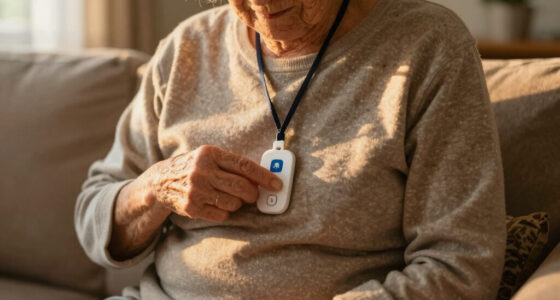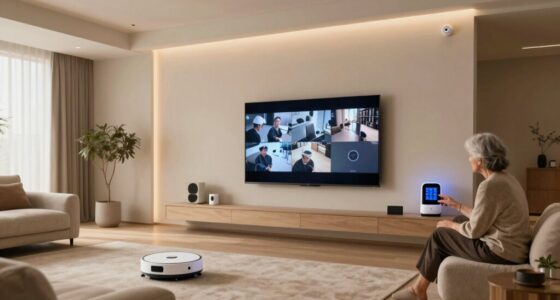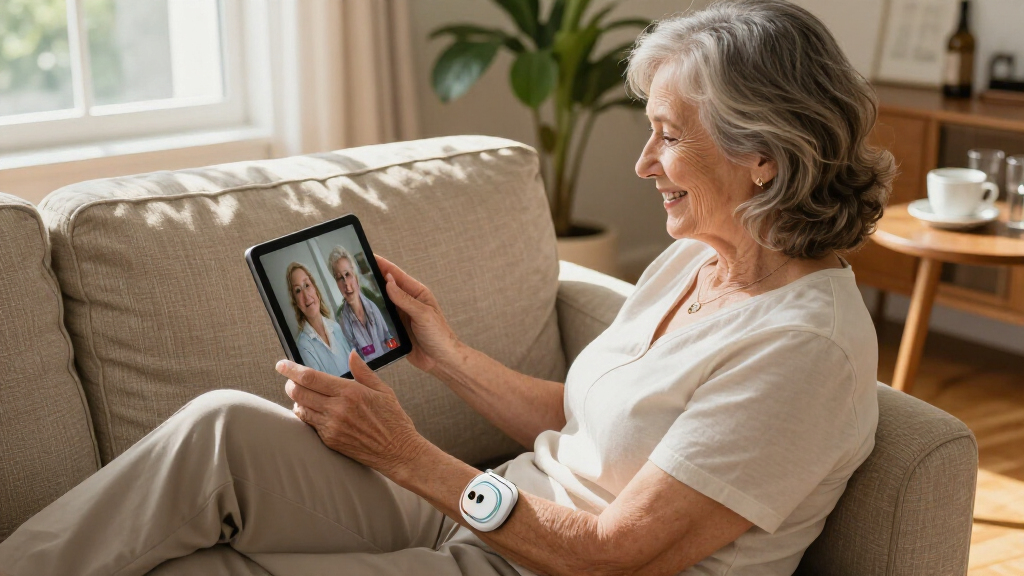
Medical alert systems for seniors split into two camps: monitored devices that connect to a 24/7 emergency call center for a monthly fee, and no-monthly-fee devices that dial 911, family, or a caregiver pager directly. After comparing 11 popular options, the Medical Guardian MGMini stands out as the best overall pick for its small wearable size, SOS button, and professional monitoring, while the Bay Alarm Medical SOS Mobile GPS earns the premium spot with built-in fall detection and location tracking for active seniors. On the budget side, the SecuLife pendant with fall detection and GPS and several caregiver pager systems deliver protection without recurring costs. The main tradeoff is simple: monitored systems offer faster, guaranteed response but cost more over time, while fee-free systems depend on family availability or direct 911 dialing. Read on for the full breakdown of all 11 systems and which one fits your situation.

Get comfort and care essentials delivered free — and shop member deals
- Fast, free delivery on millions of items
- Access to Prime Big Deal Days deals on October 6–7
- Prime Video, Amazon Music and more included
Complete the kit


Key Takeaways
- Monthly fees are the biggest cost driver: monitored options like the Medical Guardian MGMini and Bay Alarm Medical SOS cost $25–$50 per month, while no-fee devices like the Freedom Alert and Direct 911 pendant only cost their one-time purchase price.
- Fall detection was only available on two picks (SecuLife and Bay Alarm Medical), which matters most for seniors who live alone or have a history of falls — everyone else can save money by skipping it.
- GPS and cellular connectivity separated mobile picks (SecuLife, MGMini, Bay Alarm) from home-only devices (Freedom Alert, caregiver pagers), which are useless outside the house or beyond pager range.
- Caregiver pager systems (Life Alert No Fee pager, Wireless Caregiver Pager, WiFi pager) only work when a caregiver is nearby — they alert family, not emergency services, so they suit shared households rather than independent seniors.
- The rose gold MGMini and standard MGMini are functionally identical; style variants command a small premium, so color preference is the only reason to pay extra.


| medical alert systems for senior | Connectivity |
|---|---|
| SecuLife Medical Alert Pendant | — |
| Life Alert Systems for Seniors | — |
| Life Alert System for Seniors | — |
| Medical Guardian MGMini Medica | Cellular with GPS location updates |
| Bay Alarm Medical SOS Mobile G | 4G LTE |
| Freedom Alert Landline Persona | Landline phone service |
| Medical Guardian MGMini Medica | — |
| Medical Alert Pendant | Cellular 4G network |
| Life Alert System No Monthly F | Wi-Fi |
| Wireless Caregiver Pager with | — |
| WiFi Caregiver Pager Life Aler | Wi-Fi (2.4GHz only) |
More Details on Our Top Picks
SecuLife Medical Alert Pendant for Seniors with Fall Detection and GPS
SecuLife earns the top spot because it bundles the three features that matter most to worried families — automatic fall detection, live GPS tracking, and two-way calling — into a single waterproof pendant at a reasonable $20 per month. Compared with the Bay Alarm Medical SOS Mobile, SecuLife keeps things simpler: one device, one SOS button, no pairing decisions. The IP67 rating means it survives the shower, where a large share of senior falls happen, and a full year of location history is genuinely useful for caregivers reviewing wandering patterns. The tradeoff is honesty about cost — that subscription never goes away, and real-world battery life often lands under the six-day claim when GPS pings frequently. Still, for all-in-one protection outside the home, this is the strongest package here.
Pros:- Automatic fall detection included at no extra add-on cost
- Real-time GPS with geofence zones for wandering alerts
- IP67 waterproofing safe for shower and sink use
- Two-way calling straight through the pendant
Cons:- Monthly subscription is mandatory, not optional
- Battery drains faster than the 6-day claim with heavy GPS use
Best for: Active seniors who leave the house alone and families who want fall detection plus GPS without managing multiple devices
Not ideal for: Budget-conscious buyers who refuse any recurring fee — the $20 monthly cost adds up to $240 a year forever
- Fall Detection:Yes
- GPS Tracking:Yes
- Two-Way Calling:Yes
- Waterproof Rating:IP67
- Battery Life:Up to 6 days
- Subscription Cost:$20 per month
- Location History:1 year
Our verdict“If you want one pendant that handles falls, location, and emergency calls everywhere the senior goes, this is the pick that justifies its subscription.”
Life Alert Systems for Seniors No Monthly Fee App-Controlled with Call Buttons and LED Display
For seniors who rarely leave the house, paying a monthly fee for cellular coverage makes little sense, and that’s exactly the gap this system fills. You get two call buttons and a receiver with an LED display that works across a 300-foot range, with alerts pushed to a caregiver’s phone through the app — all without a monthly fee. Compared with the SecuLife pendant, there’s no fall detection or GPS here, but there’s also no $240-a-year bill. Unlike the waterproof wristband version (B0H3N2BP3D), the buttons here are pendants rather than shower-safe wearables, so coverage in the bathroom is weaker. The real limitation is the Wi-Fi dependency: it only works on 2.4GHz networks, and if the internet drops, so does remote alerting. As a budget caregiver alert setup, though, the value is hard to beat.
Pros:- No monthly fees for core caregiver alerts
- Two call buttons cover multiple rooms for one price
- 300-foot range suits large homes and facilities
- App lets family respond remotely
Cons:- Dead without a working 2.4GHz Wi-Fi connection
- Buttons aren’t shower-safe like the wristband competitor
- SMS text alerts require an optional paid subscription
Best for: Homebound seniors and caregivers on a budget who want button-to-phone alerts in a house or care facility
Not ideal for: Anyone who needs protection outside the home or automatic fall detection — this system has neither
- Call Buttons:2
- Receiver:1
- LED Number Display:1-6
- Wi-Fi Support:2.4GHz only
- Connectivity Range:Up to 300 feet
- Monthly Fee:None (optional SMS subscription)
Our verdict“The cheapest credible way to give a homebound senior a lifeline to family, provided your Wi-Fi is dependable and the senior can press the button themselves.”
Life Alert System for Seniors No Monthly Fee App-Controlled Waterproof Wristband with Call Buttons
This is the budget pick built around the bathroom — statistically the most dangerous room in a senior’s home. Its waterproof wristband means the call button stays on in the shower, which directly addresses the biggest weakness of the LED-display system (B0HBW3QSTT), whose pendant buttons can’t get wet. Like that sibling product, it charges nothing monthly, pushes alerts through the Tuya Smart or Smart Life app, and covers 300 feet — enough for most single-family homes. What it doesn’t do is summon professionals: alerts go to family caregivers, not a monitoring center, and there’s no GPS or cellular fallback the way the MGMini offers. The 2.4GHz-only Wi-Fi requirement is also a recurring frustration with newer routers. For shower-risk protection at near-zero ongoing cost, though, this is the most targeted solution in the lineup.
Pros:- Waterproof wristband works in the shower
- No monthly fees for caregiver notifications
- Works with common Tuya Smart and Smart Life apps
- 300-foot wireless range for whole-home coverage
Cons:- 2.4GHz-only Wi-Fi can clash with modern dual-band routers
- Connectivity hiccups reported in areas with weak signal
- No professional monitoring or cellular backup
Best for: Seniors at fall risk in the bathroom and families who want a wearable, shower-proof call button without subscription costs
Not ideal for: Seniors living alone far from family — alerts only reach caregivers through the app, and there’s no professional monitoring
- Waterproof Wristband:Yes
- Number Display:6 LED digits
- Wi-Fi Support:2.4GHz only
- Communication Range:Up to 300 feet
- App Compatibility:Tuya Smart, Smart Life
- Monthly Fee:None
Our verdict“Choose this when the priority is a wearable button that survives the shower and alerts family for free — not when professional emergency response is required.”
Medical Guardian MGMini Medical Alert Device for Seniors with SOS Button and 24/7 Monitoring
The MGMini is the pick when a live human being needs to answer every call. Unlike the no-monthly-fee systems in this roundup, it connects to 24/7 professionally trained operators who can dispatch EMS with the senior’s medical profile already on file — a level of response app-based caregiver alerts simply can’t match. Its discreet, lightweight design makes daily wear more palatable for seniors who resist anything that looks like a medical device, and it works both at home and away, unlike the LED-display home system. The compromises are real: the device is a paperweight until you activate a subscription, fall detection costs extra as an add-on rather than being standard like on the SecuLife pendantFor families who prioritize professional response over DIY alerts, this remains the most complete service in the batch.
Pros:- 24/7 live operators can dispatch emergency services directly
- Discreet, comfortable design seniors actually wear
- GPS location assistance and step counting included
- Works at home and away with multiple wearing accessories
Cons:- Fall detection is a paid add-on, not standard
- Device is unusable until a subscription is activated
- Monthly fees after the free trial add up quickly
Best for: Seniors living alone whose families want a professional monitoring center — not just relatives — answering every SOS
Not ideal for: Budget buyers and anyone expecting fall detection included — the base subscription excludes it, and nothing works before activation
- Brand:Medical Guardian
- Monitoring:24/7 professional monitoring
- Connectivity:Cellular with GPS location updates
- Wearing Options:Lanyard and belt clip
- Two-Way Speaker:Yes
- Included Accessories:Charging cradle, power cord, clip, lanyard, EMT card
- Fall Detection:Optional paid add-on
Our verdict“Worth the premium when the goal is a trained professional on the line within seconds — just budget for fall detection as an extra.”
Bay Alarm Medical SOS Mobile GPS Medical Alert System with Fall Detection for Seniors
Weighing under two ounces with 4G LTE coverage and fall detection built in, the Bay Alarm Medical SOS is the lightest full-protection option for seniors who are out and about — walking groups, grocery runs, doctor visits. It shares the SecuLife’s core strengths (GPS, falls, one-button help) but adds flexibility the pendant lacks: a neck lanyard or belt clip, plus caregiver tracking through a mobile app so family can check in without calling. Compared with the MGMini, its fall detection isn’t a paid add-on, which narrows the long-term cost gap between them. The catch is physical rather than functional: it’s water-resistant, not waterproof, so unlike the IP67-rated SecuLife, it shouldn’t join the senior in the shower. Battery life also fluctuates with signal conditions, so charging discipline matters more here. For mobile seniors, it’s the best-balanced wearable in this group.
Pros:- Under 2 oz — the lightest full-featured device in this roundup
- Fall detection and GPS included without add-on charges
- 4G LTE coverage works nationwide away from home
- Choice of lanyard or belt clip plus caregiver app tracking
Cons:- Water-resistant only; not safe for shower use
- Ongoing subscription required for any functionality
- Battery life varies noticeably with network conditions
Best for: Active seniors who spend hours away from home and want fall detection and GPS in the lightest possible device
Not ideal for: Seniors who need shower protection — water resistance falls short of the full waterproofing rivals offer
- Connectivity:4G LTE
- Weight:Under 2 oz
- Water Resistance:Water-resistant (not waterproof)
- Battery Life:Up to several days
- Wearing Options:Neck lanyard, belt clip
- Fall Detection:Included
- Caregiver App:Yes
- Subscription Required:Yes
Our verdict“The best companion for seniors still living full, mobile lives — just pair it with a waterproof option for bathroom coverage.”
Freedom Alert Landline Personal Emergency Device with 2-Way Call for Seniors and Elderly
No monthly fees and a direct line to 911 or family make the Freedom Alert a rare breed among home medical alert systems. Unlike the Medical Guardian MGMini, which demands a $43.95/month subscription for monitoring, this device keeps total costs at the purchase price alone. The two-way voice communication means a senior can talk directly through the unit without reaching a phone, and the 24-hour backup battery keeps protection running through power outages.
The tradeoff is structural: it tied to a landline, so it only works for homeowners who still pay for landline service, and there is zero protection outside the house. Compared with the cellular-based Medical Alert Pendant with Direct 911 Calling, the Freedom Alert offers more flexible call routing but far less portability.
Pros:- No monthly fees or contracts of any kind
- Two-way voice lets the user speak directly with responders or family
- 24-hour battery backup covers power outages
- Multiple programmable contact options, from family members to 911
Cons:- Requires an active landline phone service to function
- Not portable — offers no protection away from home
- Useless if the landline itself goes down
Best for: Seniors living alone who still have a landline and want a one-time-cost, monitored-free way to reach 911 or relatives
Not ideal for: Anyone without landline service or who leaves the house regularly — the device is homebound and landline-dependent
- Connectivity:Landline phone service
- Communication:Two-way voice
- Monthly Fees:None
- Battery Backup:24 hours
- Rechargeable:Yes
- Use Range:Home only
Our verdict“A smart buy for landline households that want permanent emergency coverage without subscription creep, but anyone who ventures out needs a cellular alternative.”
Medical Guardian MGMini Medical Alert Device for Seniors | SOS Button, Emergency Location Assistance, 24/7 Monitoring | Rose Gold
The MGMini is the most full-featured option in this lineup, pairing an SOS button with GPS location assistance, two-way communication, and a professional 24/7 monitoring center. Unlike the fee-free Medical Alert Pendant with Direct 911 Calling, which skips the call center entirely, the MGMini routes emergencies to trained operators who can contact family or dispatch specific responders — a meaningful difference when the caller cannot speak.
It also works anywhere on AT&T and Verizon 4G LTE networks, unlike the landline-bound Freedom Alert. The cost of that professional safety net is real: $43.95 per month, plus $10 more for fall detection, and only one active device per member. Style-conscious buyers may still find the rose gold, pendant-style design worth the premium.
Pros:- Works both at home and away on nationwide 4G LTE
- 24/7 professional monitoring with two-way communication
- GPS location assistance helps responders find the user
- Discreet, stylish pendant design encourages daily wear
Cons:- Mandatory subscription at $43.95/month
- Fall detection costs an extra $10/month
- Only one active device allowed per member
Best for: Active seniors who leave home regularly and want GPS tracking plus a professional monitoring center behind every button press
Not ideal for: Budget-conscious buyers or anyone opposed to ongoing subscriptions — annual costs exceed $500 before fall detection
- Network:AT&T and Verizon 4G LTE
- Subscription:Required, $43.95/month after free trial
- Fall Detection:Optional, $10/month
- Battery Life:3 days
- Recharge Time:4 hours
- Design:Wearable pendant, Rose Gold
- Monitoring:24/7 professional center
Our verdict“The strongest all-around protection in this roundup for seniors who travel or live independently, provided the monthly fee fits the budget.”
Medical Alert Pendant – Direct 911 Calling, No Monthly Fees, Emergency Communicator for Seniors
This pendant splits the difference between two philosophies in this roundup. Like the MGMini, it runs on a cellular network and travels anywhere in the country; like the Freedom Alert, it charges nothing beyond the purchase price. The compromise is that pressing the button connects straight to 911 — there is no monitoring center to notify family or verify the situation first.
For many buyers, that direct connection is actually a benefit: no middleman delays during an emergency. At 3 ounces and under three inches tall, it is genuinely pocketable, and the AAA batteries last a full year before needing replacement. The included protective cover guards against accidental presses, a common complaint with budget pendants. Just remember it is emergency-only — it cannot call relatives or caregivers the way the Freedom Alert can.
Pros:- No monthly fees or contracts ever
- Direct 911 connection with no call-center delay
- Compact 3 oz design with lanyard for everyday carry
- One-year battery life on standard AAA batteries
Cons:- Coverage depends entirely on local cellular signal
- No way to call family or non-emergency contacts
- Batteries must be replaced annually
Best for: Seniors and families who want portable, nationwide 911 access for a one-time cost with zero subscriptions
Not ideal for: Users who want family notified during emergencies or need fall detection — this pendant makes emergency calls only
- Connectivity:Cellular 4G network
- Monthly Fees:None
- Batteries:3x AAA, lasts up to one year
- Dimensions:2.8″ x 1.75″ x 0.6″
- Weight:3 oz
- Included:Lanyard, protective cover
- Coverage:Nationwide
Our verdict“The cheapest path to true mobile emergency protection, ideal when 911 access is the only feature that matters.”
Life Alert System No Monthly Fee Caregiver Pager Call Button for Elderly with App Notification
This system solves a narrower problem than the Medical Guardian MGMini: instead of summoning emergency services, it alerts a caregiver in or near the house. That focus pays off in the details — the package includes both a waterproof pendant and a wrist button, and the companion app pushes real-time notifications to family members’ phones, a feature even the more expensive Wireless Caregiver Pager lacks entirely.
Because it rides on Wi-Fi, there are no monthly fees and no cellular dependence, but an internet outage silences the system — a real weakness compared with cellular options like the Direct 911 Pendant. For live-in caregiving situations, though, it hits a practical sweet spot.
Pros:- No monthly fees or subscription required
- Both waterproof pendant and wrist button included
- App notifications alert family members in real time
- Simple setup that works across home environments
Cons:- Dependent on Wi-Fi — internet outages disable the system
- Battery life is not documented
Best for: Families where a caregiver lives with or near the senior and needs immediate alerts rather than emergency dispatch
Not ideal for: Seniors living alone — with no caregiver nearby and reliance on Wi-Fi, there is no path to emergency services
- Connectivity:Wi-Fi
- Monthly Fees:None
- Buttons Included:Waterproof pendant and wrist button
- Notifications:Receiver plus smartphone app
- Batteries:1 Lithium Ion (included)
- Package Weight:7 ounces
- Package Dimensions:4.09 x 4.06 x 3.23 inches
Our verdict“A low-cost, fee-free way to connect a senior with a nearby caregiver, as long as someone is actually home to answer the alert.”
Wireless Caregiver Pager with Call Button and Receiver for Elderly and Patients
Where the Life Alert Caregiver Pager with App Notification targets a single family smartphone, this system scales up: it supports up to 30 expandable call buttons feeding one loud receiver, which makes it the obvious choice for larger homes, assisted living setups, or small care facilities where several residents or rooms need coverage. The 1,500-foot range comfortably beats typical Wi-Fi pagers, and 58 ringtones with five volume levels up to 120 dB mean alerts get heard across a big house or over a loud television.
What it gives up is intelligence. There is no app integration, no cellular backup, and no path to 911 — it purely rings a receiver, so it cannot replace a true medical alert device like the MGMini. The IP55 waterproofing and wide temperature tolerance make it durable enough for bathrooms and outdoor walkways.
Pros:- 1,500-foot wireless range covers large properties
- Expandable to 30 call buttons on one system
- IP55 waterproof and dustproof with a wide temperature range
- 58 ringtones and volume up to 120 dB
Cons:- No smartphone app or smart notifications
- Cannot contact emergency services under any circumstances
- Receiver requires a constant power source
Best for: Caregivers managing multiple rooms or residents who need a scalable, loud, no-fee alert system
Not ideal for: Anyone seeking emergency response — this is an in-house pager only, with no smartphone or emergency service connection
- Wireless Range:1500 feet
- Expandable Buttons:Up to 30
- Ringtones:58
- Volume Levels:5, up to 120 dB
- Waterproof Rating:IP55
- Temperature Range:-4°F to 140°F
- Warranty:18 months
- Monthly Fees:None
Our verdict“The best pick when the goal is summoning a caregiver across a large space, but it should supplement — never replace — a real emergency alert device.”
WiFi Caregiver Pager Life Alert System for Seniors with Waterproof Call Buttons and App Control
This option stands out for layering two call buttons onto one system — a waterproof panic button plus a watch-style button — which is something the single-button Wireless Caregiver Pager with Call Button and Receiver simply can’t match. With a 656-foot range that penetrates walls and doors, it outperforms the shorter-range pager-style alternatives for larger homes or care facilities. Compared with monitored services like the Medical Guardian MGMini, the tradeoff is clear: you get no monthly fees for app-based alerts, but alerts go to family or caregivers rather than a professional response center, so someone needs to actually be reachable. The Wi-Fi requirement is the real catch — it only works on a 2.4GHz networks, and SMS or phone-call alerts sit behind a subscription, which undercuts the ‘no monthly fee’ pitch if you want those features.
Pros:- Two included buttons (waterproof plus watch-style) cover more scenarios than single-button competitors
- 656-foot signal reliably reaches caregivers across multi-room homes and facilities
- No monthly fee for core app alerts and notifications
- Waterproof button works in the bathroom, where many senior falls happen
Cons:- Only works on 2.4GHz Wi-Fi — newer 5GHz-only networks are incompatible
- SMS and phone-call alerts require a paid subscription despite the no-monthly-fee claim
- No connection to professional monitoring or 911 dispatch if caregivers are unreachable
Best for: Families caring for a senior at home who want two wearable buttons, caregiver notifications through an app, and coverage across a large house without monitoring fees
Not ideal for: Seniors living alone who need guaranteed emergency response — alerts depend on family members seeing and acting on notifications, and homes without 2.4GHz Wi-Fi can’t use it at all
- Connectivity:Wi-Fi (2.4GHz only)
- Signal Range:656 feet (200 meters)
- Waterproof:Yes — bathroom and outdoor safe
- Included Components:1 waterproof call button, 1 watch button, 1 receiver
- Mounting Options:Screw, adhesive patch, or lanyard
- Monthly Fees:None for app alerts; subscription needed for SMS/call alerts
- Professional Monitoring:No — caregiver and family alerts only
Our verdict“This pick makes the most sense for families with an in-home caregiver network who want flexible, fee-free button coverage across a large home — not for seniors who live alone and need professional emergency response.”
How We Picked
I evaluated these 11 systems against the factors that actually determine safety and value: response reliability (who answers the alert — a professional monitoring center, 911, or a family member), coverage range (home-only landline, pager range, or nationwide cellular with GPS), wearability (pendant vs. wristband vs. base-station button, plus waterproofing for shower use), and total cost of ownership (upfront price plus any monthly monitoring fees over a typical two-year period). Fall detection, battery life, and caregiver app features served as secondary differentiators when two systems tied on the basics.
The ranking logic favors systems that match the most common senior scenario: living alone with occasional outings. That pushes monitored GPS devices with 24/7 response to the top, followed by no-fee direct-dial devices that trade professional response for zero recurring cost. Caregiver pagers rank lower not because they are poorly made, but because they solve a narrower problem — alerting a nearby caregiver — rather than summoning help when no one else is home. Where two products were functionally identical, as with the two MGMini variants, I noted the difference rather than pretending one outperformed the other.
Factors to Consider When Choosing Medical Alert Systems For Seniors
Choosing a medical alert system is less about finding the most features and more about matching the system to how the senior actually lives. These are the factors that most often change which pick is right.Monitored vs. No-Fee: The Core Decision
Before comparing specs, decide who should answer when the button is pressed. Monitored systems route the alert to a trained emergency operator who can assess the situation and dispatch paramedics, contact family, or cancel false alarms — but they charge $25–$50 every month indefinitely. No-fee systems either dial 911 directly or call programmed family numbers, so the only cost is the device itself. The mistake I see most often is families buying a no-fee system without confirming that a listed contact will actually answer their phone at 2 a.m. If nobody reliable can take that call, the monthly fee buys something a pager never will: a guaranteed human on the other end. Conversely, paying for monitoring for a senior who lives with a full-time caregiver is money spent twice on the same job.
Home-Only vs. GPS Mobile Coverage
Landline and base-station systems like the Freedom Alert only work within roughly 1,500 feet of the base unit, which covers the house and yard but nothing else. Cellular GPS devices work anywhere with cell coverage, which matters for seniors who still drive, walk the neighborhood, garden beyond the yard, or travel. A common and dangerous buying mistake is assuming all pendants work everywhere — a senior who wears a home-only pendant to the grocery store is carrying a false sense of security. GPS also helps responders find someone who is confused or cannot speak. Pay for mobile coverage only if the senior genuinely leaves home alone; otherwise the simpler home system is more reliable and easier to set up.
Fall Detection: Who Actually Needs It
Fall detection uses sensors to automatically signal for help when it registers a sudden drop, covering the scenario where the senior is unconscious or unable to press the button. It sounds essential, but it adds cost and produces occasional false alarms from bending over quickly or a bumpy car ride. The seniors who benefit most live alone and have fallen before, take blood thinners, or have balance or gait issues flagged by a doctor. For a senior with a spouse at home or a low fall risk, a standard SOS button is usually enough — the person who can call out for help does not need a sensor to do it for them. If you do want fall detection, confirm it works in the shower, where a large share of senior falls happen.
Wearability and Waterproofing
A system only works if it is worn, and seniors abandon devices that are heavy, ugly, or inconvenient. Neck pendants tend to get worn more consistently than wristbands because they cannot be forgotten the way a watch can, and the button is easier to reach during a fall. Waterproofing is non-negotiable for shower and bath use — check for it explicitly, since some call buttons are water-resistant rather than fully submersible. Battery life is the hidden wearability factor: a pendant that needs charging every day will inevitably be on the charger when the fall happens, so multi-day battery (or a replaceable battery lasting a year) is worth prioritizing. Involve the senior in the style choice; a device they refuse to wear provides zero protection.
Caregiver Features and App Control
Several no-fee systems pair with caregiver apps that send push notifications when a button is pressed, which works well for families where someone is usually within a few minutes’ reach. App control lets caregivers adjust volume, add contacts, and check battery status remotely — genuinely useful for adult children managing a parent’s setup from another city. The limitation to understand is that these systems alert caregivers rather than dispatch emergency services, so response time depends entirely on how fast a family member can drive over. They are best treated as a communication layer for shared households or assisted-living situations, not as a standalone safety net for someone living alone. If the senior is alone for hours every day, pair any pager system with a monitored or 911-direct backup.
Total Cost Over Two Years
Price tags mislead in this category because monthly fees dwarf the purchase price over time. A $30 device with no fees costs $30 for two years of protection; a $50 device with $35 monthly monitoring costs about $890 over the same period. That does not make monitored systems a bad deal — professional response is worth real money — but it means you should compare systems on a two-year total, not the sticker price. Watch for monitoring contracts with cancellation penalties, auto-renewal terms, and per-user or per-device add-ons like fall detection or spouse coverage. No-fee devices have their own hidden cost: replacing batteries, and in some cases replacing the entire unit if the battery is sealed and non-serviceable.
Frequently Asked Questions
Is a no-monthly-fee medical alert system actually reliable enough for a senior living alone?
It can be, but only if the system dials 911 directly or reaches a contact who reliably answers. Devices like the Direct 911 pendant connect the senior straight to emergency dispatch, so response does not depend on a middleman — the tradeoff is that 911 cannot tell family what happened, and dispatchers get no medical history the way a monitoring center would. Systems that only call family numbers are the weak option for someone living alone, because a single missed call leaves the senior without help. If your no-fee device dials 911, has good battery life, and is worn consistently, it covers the core emergency scenario well. If it only pages a caregiver, it belongs in a shared household or paired with a monitored backup.
Do I need fall detection, or is an SOS button enough?
An SOS button covers every emergency where the senior can press it — chest pain, fire, dizziness, or a fall they can recover from. Fall detection only adds value in the specific case where the person is unable to press the button, which is most common with sudden, severe falls involving head impact or loss of consciousness. Seniors with a prior fall, balance conditions, or blood thinner prescriptions fall into that higher-risk group and benefit most. Everyone else can skip it and save the added cost, since fall detection typically raises the monthly fee or the device price. Also expect occasional false alarms that require canceling a call — annoying, but far better than the alternative.
What is the difference between a caregiver pager system and a true medical alert system?
A caregiver pager sends a signal from a wearable button to a receiver or smartphone app within the home — usually a few hundred feet — and that is the entire safety net. A true medical alert system summons outside help: either 911 or a 24/7 monitoring center that can dispatch an ambulance. The pager option works well when a spouse, relative, or aide is in the house most of the time and just needs to be summoned from another room. It fails completely when nobody is home or when the caregiver is out of range. Many families use both: a pager for everyday in-home convenience and a monitored or 911-direct device for the hours the senior is alone.
Are the two Medical Guardian MGMini versions (standard and rose gold) functionally different?
No — the rose gold MGMini and the standard MGMini offer the same SOS button, 24/7 monitoring, and emergency location assistance. The difference is finish and sometimes price, with the rose gold variant carrying a small premium for styling. That styling is not trivial, though: a device a senior finds attractive is a device that gets worn, and a worn device is the only kind that works. If the color increases the odds of daily wear, the few extra dollars are well spent. Otherwise, buy whichever version is cheaper at checkout and expect identical performance.
Can these systems work without a landline or Wi-Fi?
It depends entirely on how the device connects. Cellular-based systems like the MGMini, Bay Alarm Medical SOS, and SecuLife pendant use their own built-in cellular connection and work anywhere with cell coverage — no landline, Wi-Fi, or even a smartphone required. Landline devices like the Freedom Alert need an active phone line to place calls, so they suit older homes that still have one. Wi-Fi pager systems need a working router, which means they go down during internet outages unless the home has backup connectivity. Before buying, check which connection type the device uses and confirm the home actually has it; this is the single most common setup failure I encountered in this comparison.
Conclusion
The right pick here depends on one question: who responds when the button is pressed? For the best overall choice, the Medical Guardian MGMini balances small wearable size, cellular GPS coverage, and 24/7 professional monitoring — the strongest match for a senior living alone. The Bay Alarm Medical SOS Mobile GPS is the best premium option, adding automatic fall detection and location tracking for active seniors who leave home regularly. For the best value, the Freedom Alert landline device and the Direct 911 pendant deliver real emergency response with zero monthly fees, ideal for budget-conscious families with a landline or confidence in direct 911 dialing. The SecuLife pendant earns the best for fall-risk seniors on a budget slot by combining fall detection and GPS without a monitoring contract. For beginners and shared households, the caregiver pager systems (Life Alert No Fee pager, Wireless Caregiver Pager, and the WiFi pager variant) are the simplest to set up when a caregiver is nearly always nearby. Whichever route you take, prioritize the system the senior will actually wear every day — every pick in this lineup only works when it is on the body, not in a drawer.
Cold & flu season Picks
humidifiers
As an affiliate, we earn on qualifying purchases.