TL;DR
Easy-to-use senior safety gadgets can support independence with alert buttons, voice assistants, motion sensors, medication reminders, GPS devices, and targeted home upgrades. Match each device to a specific routine, check its power and connection needs, and make sure someone can respond to alerts. No gadget detects every emergency or replaces a practical care plan.
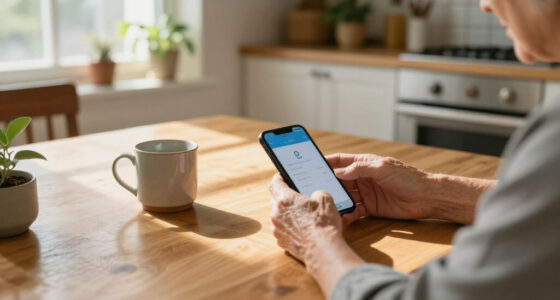
A safety button can sit on the kitchen counter for months if it feels awkward to wear. That small detail matters more than a long list of features: a device only helps when it fits the person’s day and someone knows what to do when it signals.

Turn quiet afternoons into listening time
- Thousands of audiobooks, podcasts and originals
- Listen on your phone, tablet or Echo — also offline
- Cancel anytime
This guide explains how easy-to-use senior safety gadgets work, which problems different devices can address, and what to check before you buy. You’ll see why a pendant may suit one person while voice controls or a door sensor work better for another, plus how to test the setup at home.
Think of a gadget as one useful thread in a safety net. It can make calling for help easier or flag a change in routine, but it cannot guarantee a response or replace care from people. The best plan starts with the older adult’s preferences, then matches simple tools to real needs.
Match one device to one clear routine, such as calling for help away from home or remembering a scheduled task.
Keep a manual alert button available even when a wearable includes automatic fall detection.
Check whether a device relies on Wi-Fi, cellular coverage, a landline, power, a subscription, or regular charging.
Set sensor alerts around meaningful events and name the people who will respond.
Discuss tracking data and consent with the older adult, then test the device in the places they actually use it.
Start with the gadget that fits one daily routine
Easy-to-use senior safety gadgets work best when you match one tool to one clear need, such as calling for help after a fall or remembering a lunchtime dose. Start with the older adult’s routine, comfort, and abilities, then choose controls they can manage. A short list of simple jobs beats a drawer full of confusing devices.
For example, if Ruth walks her dog around the block and worries about falling away from home, a cellular medical alert wearable may fit better than a home-only base station. If her main issue is reaching a phone with stiff fingers, a voice assistant near the sofa might make calls easier. The right answer depends on where she spends time and what she can use without help.
Ask the person what feels acceptable. A pendant may feel reassuring to one wearer and intrusive to another. Consider comfort, button size, sound and vibration, display readability, charging routine, and whether the device works in the rooms or places that matter. Let the older adult handle the controls before deciding.
Make a simple plan for what happens after an alert. Name the person who checks in, add a backup contact, and confirm the monitoring service’s process if you use one. A device can send a signal; people and clear instructions turn that signal into useful support.
Products Worth Considering

Withings BeamO Contactless Smart Thermometer, ECG Monitor, and Digital Stethoscope

Withings ScanWatch Light Hybrid Smartwatch – White
Therabody Theragun Relief Massage Gun, 3-Speed, Navy
As an affiliate, we earn on qualifying purchases.
Compare alert buttons, voice controls, and home sensors
Medical alert wearables, smart speakers, and home sensors solve different problems: wearables let a person call for help, voice assistants respond to spoken commands, and sensors notify another person about a selected event. Compare the location, action, and connection each requires before choosing. A clever feature is only useful if it works where and when you need it.
| Gadget | Useful for | Check before choosing |
|---|---|---|
| Wearable alert button | Calling a monitoring center or contact at home or away | Wear comfort, cellular coverage, subscription, and charging |
| Voice assistant | Hands-free calls, reminders, or compatible lights | Power, internet needs, speech recognition, and hearing |
| Motion or entry sensor | Notifying a caregiver about a door opening or expected activity not occurring | Placement, alert rules, and who responds |
| GPS-enabled wearable | Sharing location during outings | Consent, indoor accuracy, battery, and data access |
Imagine Jim has trouble gripping a phone, but speaks clearly. A voice assistant could let him call his daughter from the kitchen, while a wearable button could still help if he cannot reach the speaker or the internet drops. Those tools offer different routes to help, and a household may choose one or combine them.
Ask how each system connects. Some alerts use a landline, some use cellular service, and many smart-home features depend on Wi-Fi or power. Confirm what continues during an outage, whether a backup battery exists, and whether a paid plan is needed. A comparison is useful only when it includes the ongoing costs and the places the device will actually be used.
Treat fall detection as backup, not a promise
Fall detection uses sensors in some alert wearables to try to recognize a hard fall and call for help automatically, but it can miss falls or send false alarms. Keep a manual call button available and make sure the wearer knows how to use it. Automatic detection adds a layer of support; it does not guarantee that every fall will be found.
Picture a wearable that mistakes a quick drop onto a sofa for a fall. The monitoring center may call to check in, which is a false alarm but still a chance to confirm the device works. In another case, a slow slide to the floor may not trigger the sensor. That is why a wearer should practice pressing the button and know whom the system contacts.
Test the full response path after setup. Find out whether an alert goes to a monitoring center, family member, or both, and confirm that contact details are current. If a caregiver receives a notification, agree on a realistic response: a phone call, a visit, or escalation to emergency services when needed. Avoid setting rules that no one can reliably follow.
Ask the provider what the service includes, where it operates, and what happens if the wearer cannot speak. Features and service terms vary, so check current specifications before buying. If falls are a concern, discuss a broader safety plan with a qualified health professional; a gadget is not a diagnosis or a substitute for appropriate care.
Make reminders and smart-home alerts easy to live with
Medication aids and smart-home alerts can support daily routines by prompting a task or notifying a chosen caregiver, but they do not decide what is medically appropriate. A timed dispenser may make a schedule easier to follow, while a stove shutoff or smoke alert can address a household risk. Set each device around a specific job and confirm how it handles missed alerts or changes.
For instance, imagine Elena takes several medicines at different times. A timed dispenser might signal when the next compartment is ready, while a connected organizer could notify her son if a scheduled opening does not happen. The family still needs a plan for refills, medication changes, and missed doses; the gadget cannot determine whether she should take an extra dose.
Home devices can help with small, practical tasks. Motion-activated lights may brighten a dark hall during a midnight trip to the bathroom. A door sensor can notify a caregiver when an expected outing begins. A leak detector near the washing machine may send an alert before water spreads across the floor.
Keep notifications meaningful. If a sensor sends alerts every time the cat crosses the room, a caregiver may start ignoring them. Adjust placement and rules, then review who receives each notice and what they should do. For systems that depend on internet or power, check backup options and test them in the rooms where they are meant to help.
Choose GPS and tracking with the wearer’s agreement
GPS-enabled safety gadgets can share a person’s location with caregivers during an outing, which may help families respond if someone gets lost. They also collect sensitive location information, and GPS can be inaccurate or unavailable indoors. Discuss tracking openly, agree who can see the data, and decide how caregivers will act on an alert before turning the feature on.
Suppose Marcus enjoys walking to the neighborhood bakery but sometimes loses his way home. A location-sharing wearable could help his daughter find him if he asks for help, provided the device is charged and has a signal. It may not show his exact position inside a large building, and it cannot replace supervision or a broader support plan.
Consent and comfort matter. Explain what information the device collects, who can access it, and how sharing can be stopped or changed. If the person has difficulty weighing the decision, families can seek guidance from appropriate care professionals and follow applicable legal responsibilities. Treat the wearer as a participant in the choice, not simply the subject of a tracker.
Check practical details, too: battery life, cellular coverage, subscription fees, account security, and the process for a lost device. Set strong account protection and limit access to people who need it. A tracker helps most when the data has a clear purpose and the person wearing it understands what it does.
Use a short test before you rely on a new device
A hands-on test shows whether a safety gadget fits the person’s real routine, including its sound, controls, connection, and alert response. Test it in the places it will be used and practice the steps that matter. A device that seems simple in its box may feel very different in a dim hallway or during a busy morning.
- Choose one specific task. For example, make it possible to call for help from the garden or remind someone about a scheduled task.
- Let the older adult try it. Ask them to wear it, press it, speak to it, or respond to its alert without coaching.
- Check the connection and power. Walk through the rooms or routes where it should work, and learn what happens during Wi-Fi, cellular, or power loss.
- Practice a test alert. Confirm who receives it, whether they can respond, and how the wearer can cancel a false alarm.
- Review after a week. Ask what feels annoying, confusing, uncomfortable, or genuinely helpful, then adjust settings or reconsider the device.
For example, if a pendant catches on a sweater and gets left on the dresser, the family learns that comfort is the issue before an emergency. A wristband or clip may fit better. Try the alternative during ordinary chores, not just while sitting at the kitchen table.
Write down the service cost, replacement battery needs, and cancellation terms. Check whether installation or accessories add charges, and contact the insurer or relevant program directly if you want to ask about coverage. A careful trial gives you evidence about usability and helps the wearer keep control of the decision.
Frequently Asked Questions
What is the easiest safety gadget for an older adult to use?
It depends on the person’s routine and abilities. A wearable alert button may suit someone who can remember to wear and press it, while voice controls or automatic alerts may help someone with limited dexterity. Try the device in the person’s actual home and daily routine.
Do medical alert systems require a landline?
Some use a landline, while others connect through cellular service. Confirm coverage at home and in places the wearer visits, and check for service fees or subscription requirements before choosing.
Can a fall-detection device catch every fall?
No. Fall detection can miss some falls and produce false alarms. Treat it as extra support, and make sure the wearer can still call for help manually.
Will safety gadgets work without Wi-Fi or power?
That depends on the device. Ask what continues to work during an outage, whether backup batteries are included, and whether a cellular model can contact help without a smartphone.
How should a family choose between a wearable and home sensors?
A wearable can travel with the person but must be worn and charged. Home sensors can send alerts without an action from the wearer, though they usually cover only selected areas and may depend on internet or power. Some households use both for different needs.
Are GPS trackers suitable for someone who may get lost?
A GPS-enabled device may help caregivers locate someone during an outing, but it can be inaccurate indoors and does not replace supervision or a care plan. Discuss the person’s preferences, consent, who can access location data, and what caregivers will do when an alert arrives.
Conclusion
Choose the simplest device that the older adult is willing and able to use, then test the complete alert path with the people who will respond. A comfortable button, a clearly heard reminder, or a well-placed light can support independence in a way a long feature list cannot.
Keep the plan human: one useful signal, one clear next step, and someone ready to answer when the house grows quiet.