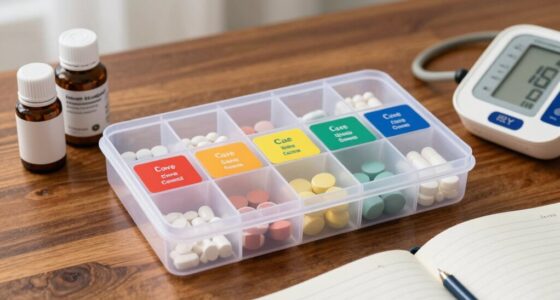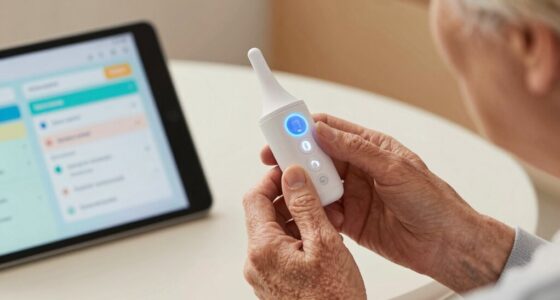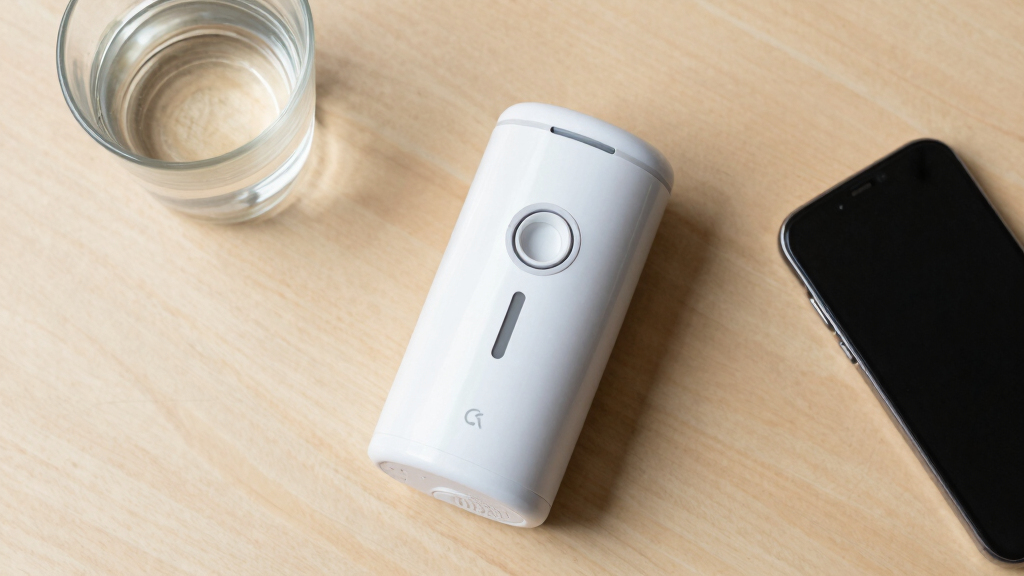

This guide walks you through the process of setting up an automatic pill dispenser for seniors, ensuring they receive the correct medication at the right times. Suitable for caregivers or family members, this task involves selecting the right device, setting up medication schedules, and troubleshooting common issues. Completing this will improve medication adherence and reduce errors.

Turn quiet afternoons into listening time
- Thousands of audiobooks, podcasts and originals
- Listen on your phone, tablet or Echo — also offline
- Cancel anytime

Windtrace Automatic Pill Dispenser with Alarm
- ✔ Daily Dose Frequency: 1 to 6 times
- ✔ Number of Compartments: 28
- ✔ Alerts: Loud alarm and flashing blue light

Colorwing 2025 Smart Pill Dispenser for Seniors – 31-Slot Automatic Medication Organizer with Bluetooth Alarms and Dual Lock
- ✔ Slots: 31
- ✔ Lock: Fingerprint + mechanical key
- ✔ Connectivity: Bluetooth 5.0
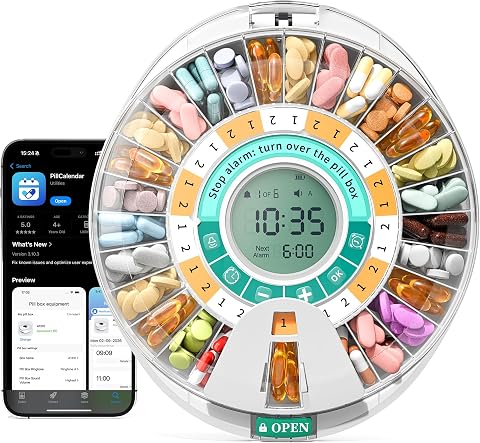
Betife 28-Day Automatic Pill Dispenser with Bluetooth App Control
- ✔ Capacity: 28 days
- ✔ Connectivity: Bluetooth
- ✔ App: Pillcalendar
Difficulty: Intermediate | Time: 30-45 minutes
What You’ll Need
Tools & Materials:
- Automatic pill dispenser device
- Medications in pill bottles or blister packs
- Smartphone or computer (if required for programming)
- Screwdriver (if needed for device assembly)
Knowledge:
- Basic understanding of medication schedules
- Ability to read medication labels
- Basic familiarity with device setup and programming (or willingness to follow instructions)
Ensure medications are organized and labeled correctly before starting. Read the device manual thoroughly. Have all medications ready and within reach.
Windtrace Automatic Pill Dispenser with Alarm
<p>The <strong>Windtrace Automatic Pill Dispenser</strong> stands out for its straightforward design and accessible features. With 28 large compartments, it offers flexible scheduling from once to six times daily, making it suitable for various medication routines. The loud alarm, flashing blue light, and easy-to-read LCD help reduce missed doses, especially for seniors with hearing or vision impairments. Its accessible lid and sliding window are particularly beneficial for those with arthritis or dexterity issues. However, it requires programming before use, which might pose a challenge for less tech-inclined users. Compared to more advanced models, it lacks Bluetooth connectivity or app control, but its simplicity ensures reliable operation without complex setup.</p>
Pros:
- Supports flexible medication schedules (1-6 times daily)
- Audible and visual alerts prevent missed doses
- Large, removable tray reduces refill frequency
- Accessible lid and retrieval window suitable for arthritis
Cons:
- Requires initial programming, which could be tricky
- Limited to 28 compartments, not ideal for complex medication regimens
Best for: Seniors or caregivers seeking a straightforward, easy-to-use dispenser with reliable alerts and minimal tech setup
Not ideal for: Users wanting smartphone app control, remote monitoring, or extensive scheduling options
Bottom line: A reliable, simple dispenser ideal for seniors needing straightforward medication management without tech complexities.
“A reliable, simple dispenser ideal for seniors needing straightforward medication management without tech complexities.”
Colorwing 2025 Smart Pill Dispenser for Seniors – 31-Slot Automatic Medication Organizer with Bluetooth Alarms and Dual Lock
<p>The <strong>Colorwing 2025 Smart Pill Dispenser</strong> offers cutting-edge features like a 31-slot capacity, Bluetooth connectivity, and a dual-lock system combining fingerprint scanning with a mechanical key. Its one-touch press-release access is especially arthritis-friendly, minimizing physical effort. The device supports full-month or weekly scheduling with 7 reversible dose rings, and its Bluetooth-enabled app provides customizable voice reminders, alerts, and detailed medication logs. The rechargeable battery lasts over 30 days, reducing recharge frequency. However, the fingerprint lock may frustrate users with poor fingerprint readability or those unfamiliar with tech setup. The complex initial setup, despite video guides, could be a barrier for less tech-savvy seniors, despite its robust feature set.</p>
Pros:
- Arthritis-friendly one-touch access
- Dual-lock system increases safety against overdose
- Long battery life with quick recharge
- Free app with no subscription needed
Cons:
- Fingerprint lock can be problematic if fingerprints are worn or poor quality
- Setup complexity may be a hurdle for some seniors
Best for: Seniors comfortable with technology who need secure, long-lasting medication management with remote control features
Not ideal for: Users preferring simple, non-digital devices or those who struggle with fingerprint access or complex setup
Bottom line: A high-tech, secure dispenser best suited for tech-savvy seniors prioritizing safety and remote management.
“A high-tech, secure dispenser best suited for tech-savvy seniors prioritizing safety and remote management.”
Betife 28-Day Automatic Pill Dispenser with Bluetooth App Control
<p>The <strong>Betife 28-Day Dispenser</strong> emphasizes app integration, allowing caregivers or seniors to manage medication schedules via the ‘Pillcalendar’ app. With a capacity for 28 days, it supports up to 6 daily alarms, medication naming, and dose tracking, making it ideal for detailed adherence monitoring. The LCD screen with intuitive icons and physical buttons facilitates on-device operation, while sound and light alerts on both the device and smartphone enhance dose adherence. Its fingerprint lock with a mechanical backup ensures medication security from children and prevents overdose. However, Bluetooth-only connectivity limits remote oversight compared to Wi-Fi models, and the 28-day capacity might be restrictive for users with complex multiple medications per day. Nonetheless, its app-centric approach is a major advantage for caregivers managing multiple patients or busy schedules.</p>
Pros:
- Easy app-based scheduling and dose management
- Dual alerts help prevent missed doses
- Detailed adherence logs and statistics
- Secure fingerprint lock with backup
Cons:
- Bluetooth-only can limit remote monitoring without internet
- Limited capacity for complex medication regimens
Best for: Caregivers managing medication routines for multiple seniors or tech-savvy users seeking detailed dose tracking
Not ideal for: Seniors without consistent Bluetooth or smartphone access, or those needing very large capacity
Bottom line: A comprehensive, app-driven dispenser perfect for caregivers and tech-savvy seniors needing detailed oversight.
“A comprehensive, app-driven dispenser perfect for caregivers and tech-savvy seniors needing detailed oversight.”
As an Amazon Associate we earn from qualifying purchases.
Before You Start
Verify the device is compatible with your medication types and quantities. Ensure the area is clean and dry. Confirm the power source (batteries or electrical outlet) is available and functioning.
Step-by-Step Instructions
Step 1: Choose the appropriate automatic pill dispenser
Select a device suitable for the senior’s medication needs, considering the number of doses per day and medication size. Check features like alarm alerts, remote access, and ease of use.
Tip: Opt for a model with clear displays and simple interface to minimize confusion.
Check: You have selected a device that fits the medication schedule and is easy to operate.
Step 2: Assemble and prepare the device
Follow the manufacturer’s instructions to assemble the dispenser if needed. Insert the medication trays or slots, ensuring they are securely in place.
Tip: Double-check that all parts are correctly fitted before proceeding.
Check: The device is fully assembled, with all trays securely installed and ready for medication loading.
Step 3: Load medications into the dispenser
Place each medication into the designated compartment, matching the correct medication to its scheduled dose. Use labels or notes if necessary to identify medications.
Tip: Use a clean, dry surface to prevent medication contamination. Do not overload compartments.
Check: All medications are correctly loaded and labeled, with no spills or mix-ups.
Step 4: Program the medication schedule
Use the device’s interface or app to set the times for each dose, specifying medication names and quantities. Confirm each entry before saving.
Tip: Start with the most critical doses first. Double-check time settings and medication labels after programming.
Check: The schedule is accurately programmed; the device displays correct times and medication information.
Step 5: Test the device’s operation
Run a test by manually activating the dispenser to release a dose. Observe that it dispenses correctly and alerts as scheduled.
Tip: Ensure the senior is present or aware of the test to prevent confusion.
Check: The device dispenses medication correctly at the test time, with proper alerts.
Step 6: Educate the senior on use and maintenance
Explain how the device works, how to recognize alerts, and what to do if a dose is missed or the device malfunctions. Show how to refill medications when needed.
Tip: Use simple language and demonstrate each step for clarity.
Check: The senior understands how to operate and respond to the device’s alerts.
Step 7: Set regular reminders and check-ins
Schedule weekly or daily checks to refill medications and verify device operation. Adjust settings if medication times change.
Tip: Use a calendar or reminder app to stay on top of maintenance tasks.
Check: Refills are completed on schedule, and the device continues to operate smoothly.
Common Mistakes to Avoid
- Loading medications incorrectly or into the wrong compartments. — Double-check medication placement and labels before programming and loading.
- Setting incorrect medication times or doses. — Review each programmed time and medication label carefully before saving.
- Not testing the device before regular use. — Perform a manual test to confirm proper dispensing and alert functions.
- Failing to educate the senior about device operation. — Explain and demonstrate the device’s use thoroughly, ensuring understanding.
Troubleshooting
Problem: Device does not dispense medication at scheduled times.
Solution: Check the programmed schedule, ensure the device is powered, and verify the medication is loaded correctly.
Problem: Dispenser alerts but no medication is released.
Solution: Inspect the dispensing mechanism for jams or blockages and clear if necessary. Confirm the medication compartment is properly aligned.
Problem: Device shows error messages or fails to turn on.
Solution: Replace batteries if battery-powered, or check power connections. Reset the device according to the manual.
What Success Looks Like
The dispenser operates on schedule, dispensing the correct medication into the tray or cup, with clear alerts. The senior receives doses as programmed, with no missed or double doses, and can easily understand device operation.
Next Steps
Perform weekly checks to refill medications and verify device function. Keep a log of doses dispensed and any issues. Contact customer support if persistent problems occur. Consider integrating with health management apps for better oversight.
Frequently Asked Questions
Can I program the dispenser for multiple medications at once?
Yes, most devices allow programming for multiple medications and times, but review the manual to confirm features and limitations.
What if the device runs out of batteries or power?
Replace batteries promptly or ensure the device is plugged into a reliable power source to prevent missed doses.
How often should I clean the dispenser?
Clean the device regularly as per the manufacturer’s instructions, typically weekly, using a damp cloth and avoiding harsh chemicals.
Fall Picks
fall essentials
As an affiliate, we earn on qualifying purchases.