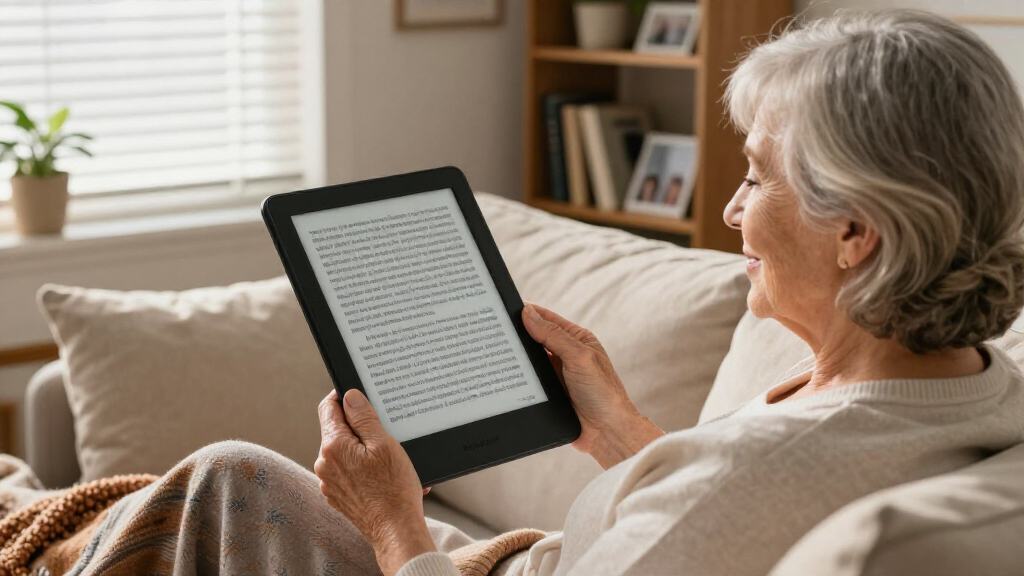

The best large print e-reader for seniors is the Kindle Paperwhite Signature Edition, thanks to its 6.8-inch high-contrast display, auto-adjusting front light, and dead-simple menu system that works well for readers who just want to open a book and read. Close behind, the Kobo Elipsa 2E offers the biggest screen in this lineup at 10.3 inches, which means larger text at the same font setting, while the PocketBook InkPad 4 strikes a middle ground with a 7.8-inch display and built-in text-to-speech. The main tradeoff in this category is screen size versus weight and simplicity: bigger displays make text easier on aging eyes, but they cost more and can feel bulky for bedtime reading. Budget models like the EBTOOLS and Veidoo 6-inch readers keep prices low but demand more patience with slower interfaces. Keep reading for the full breakdown of all 13 models and which one fits your reading habits.

Turn quiet afternoons into listening time
- Thousands of audiobooks, podcasts and originals
- Listen on your phone, tablet or Echo — also offline
- Cancel anytime
Complete the kit


Key Takeaways
- Screen size matters more than font settings alone — the 10.3-inch amazon.com/dp/B0CN3XR57P?tag=eldercarecompass-20&ascsubtag=dc-610563″ target=”_blank” rel=”nofollow sponsored noopener”>amazon.com/dp/B0C15G7J3V?tag=eldercarecompass-20&ascsubtag=dc-610563″ target=”_blank” rel=”nofollow sponsored noopener”>Kobo Elipsa 2E and 7.8-inch PocketBook InkPad 4 display larger text at identical font sizes compared with 6- and 7-inch models.
- Kindle‘s menu system proved the simplest for non-technical users, which is why two Kindle models landed in the top four despite Kobo and PocketBook offering larger or more flexible hardware.
- Color screens (Colorsoft, Kobo Libra Colour, PocketBook Era Color) come at a premium and slightly reduce black-and-white text sharpness — seniors reading plain novels get better value from monochrome E Ink.
- Text-to-speech on the PocketBook InkPad 4 and Verse Pro is a genuinely useful accessibility feature for readers with fatigue or vision limitations, not just a gimmick.
- The cheapest 6-inch readers (EBTOOLS, Veidoo) carry hidden costs in slower processors and clunkier stores; paying $60–80 more for a base Kindle or Kobo Clara delivers a noticeably smoother experience.


| large print e-readers for senior | Display | Storage | Waterproof | Battery Life |
|---|---|---|---|---|
| EBTOOLS 6 Inch E Reader with T | — | — | — | — |
| PocketBook Era Color E-Reader | 7-inch Kaleido 3 E Ink | 32GB | IPX8 | Up to one month |
| Kobo Elipsa 2E eReader with 10 | 10.3-inch E Ink Carta 1200 touchscreen | 32GB | — | Up to several weeks |
| Kindle Paperwhite Signature Ed | 7-inch glare-free screen | 32GB | Yes | Up to 12 weeks |
| Amazon Kindle Colorsoft Signat | 7-inch Colorsoft color display | 32GB | Yes | Up to 8 weeks |
| Veidoo 6 Inch E-Book Reader wi | 6-inch E-Ink, 758×1024, 212DPI | 32GB | — | — |
| Amazon Kindle 16 GB | 6-inch glare-free E-Ink | 16 GB | — | Up to 6 weeks |
| Kobo Libra Colour eReader | 7-inch full-color E Ink | — | Yes | — |
| Kobo Clara Colour eReader | 6-inch Colour E Ink Kaleido 3 | 16GB (up to 12,000 eBooks or 75 audiobooks) | IPX8, up to 60 minutes in 2 meters of water | Weeks per charge |
| PocketBook Verse Pro E-Reader | 6-inch E-Ink Carta HD touchscreen | 16GB | IPX8, up to 2 meters for 1 hour | — |
| Kindle Colorsoft 16 GB | 7-inch Colorsoft, 300 ppi B&W / 150 ppi color | 16 GB | IPX8, 2 meters for 60 minutes | Up to 8 weeks |
| Kobo Clara Colour eReader with | 6-inch Kaleido 3 color E Ink | 16 GB | IPX8, up to 60 minutes in 2 meters of water | — |
| PocketBook InkPad 4 Eye-Friend | 7.8-inch E-Ink Carta 1200 | — | IPX8, immersion up to 2 meters for 60 minutes | — |
More Details on Our Top Picks
EBTOOLS 6 Inch E Reader with Touch Screen and Long Battery Life
For seniors who want a no-frills e-reader at a low price, this EBTOOLS model covers the basics: adjustable font sizes, a responsive touch screen, and support for the formats most libraries use, including EPUB and PDF. Text highlighting and a built-in dictionary add genuine value at this price, and the battery genuinely lasts weeks between charges. The tradeoffs are real, though. The 800×600 resolution falls well short of the Kobo Elipsa 2E’s 10.3-inch canvas, and without a built-in front light, bedtime reading requires a lamp. Compared with the similarly sized Veidoo 6-inch reader, it lacks the E-ink screen and adjustable SMARTlight, so expect a display that’s less crisp and less gentle on tired eyes.
Pros:- Very low entry price for a touch-screen e-reader
- Handles EPUB, PDF, MOBI and TXT without conversion
- Weeks of battery life on a single charge
- Built-in dictionary and highlighting for engaged reading
Cons:- 800×600 resolution is noticeably softer than modern E-ink screens
- No built-in front light for dim-room or nighttime reading
- 6-inch screen limits how large text can get before page turns become constant
Best for: Budget-conscious seniors who read mostly in daylight and want simple, cheap access to library EPUB files
Not ideal for: Anyone with low vision who needs maximum text size and crispness — the low resolution and small screen work against large-print reading
- Screen Size:6 inches
- Resolution:800×600
- Battery:2500mAh
- Supported Formats:PDF, EPUB, MOBI, TXT, DOC
- Features:Touch screen, adjustable fonts, highlighting, annotations, dictionary, audio playback
- Weight:Lightweight and portable
Our verdict“A reasonable starter device for casual daylight readers on a tight budget, but serious large-print readers should spend more for a sharper, lit screen.”
PocketBook Era Color E-Reader – 7 Inch E Ink Kaleido 3 Screen, Waterproof, 32GB, Audio & WiFi
The PocketBook Era earns its spot as the most flexible reader in this lineup. Unlike the Kindle Paperwhite Signature Edition, it plays nicely with files from almost any source — no format conversion headaches — and its built-in speakers plus Bluetooth support mean audiobooks and text-to-speech work without extra gadgets. For seniors whose eyes tire easily, having a book read aloud on the same device is a genuine comfort feature. The SmartLight adjusts both brightness and color warmth, and the IPX8 waterproof rating matches the Paperwhite. The color Kaleido 3 screen is more muted than a tablet’s, so picture-heavy magazines lose some punch, and the menu system is less streamlined than Amazon’s — expect a short learning curve.
Pros:- Open format support means library EPUBs and purchased books load directly
- Built-in speakers and Bluetooth for audiobooks and text-to-speech
- IPX8 waterproofing and adjustable warm SmartLight
- 32GB storage holds a lifetime library
Cons:- Color output is subdued compared with a standard tablet
- Interface is less intuitive than Kindle’s for tech-shy users
Best for: Seniors who alternate between reading and listening, and who borrow books from libraries or buy from multiple stores
Not ideal for: Readers who want the simplest possible interface — PocketBook’s menus and settings demand more patience than a Kindle’s
- Display:7-inch Kaleido 3 E Ink
- Color:Black-and-white and color
- Waterproof:IPX8
- Battery Life:Up to one month
- Storage:32GB
- Connectivity:WiFi, USB-C, Bluetooth, speakers
- Features:Text-to-speech, SmartLight, cloud sync
Our verdict“The best choice for seniors who want one device that reads any file aloud or on screen — provided they’re willing to learn a slightly busier menu system.”
Kobo Elipsa 2E eReader with 10.3” Glare-Free Touchscreen, ComfortLight PRO, 32GB Storage, and Kobo Stylus 2
When text size is the whole point, nothing in this roundup competes with the Elipsa 2E’s 10.3-inch screen. A large-print book on this display looks closer to a hardcover than a paperback, meaning seniors can push font sizes dramatically before running into constant page turns — the exact problem that plagues 6- and 7-inch models like the EBTOOLS or Kobo Clara Colour. The included Kobo Stylus 2 lets readers circle passages and jot margin notes, and ComfortLight PRO warms the screen tone for evening sessions. The costs are weight and price: this is heavier to hold one-handed than a Paperwhite, and it costs considerably more. Battery life also shortens with heavy stylus use.
Pros:- 10.3-inch screen allows huge font sizes without constant page turns
- Glare-free E Ink Carta 1200 display is crisp and easy on the eyes
- Stylus included for notes, highlights and annotations
- ComfortLight PRO offers adjustable warmth for nighttime reading
Cons:- Premium price well above standard e-readers
- Large and heavy compared with 7-inch models
- Battery drains faster with stylus and heavy use
Best for: Seniors with significant low vision who need the largest possible text, plus readers who like annotating
Not ideal for: Anyone wanting a pocketable, one-handed reader — the 10.3-inch size demands two hands or a stand
- Display:10.3-inch E Ink Carta 1200 touchscreen
- Lighting:Adjustable ComfortLight PRO
- Storage:32GB
- Stylus:Kobo Stylus 2 included
- Connectivity:Wi-Fi
- Battery Life:Up to several weeks
- Materials:Recycled and ocean-bound plastic
Our verdict“The clear winner for low-vision readers who need true large-print sizing — as long as the price and size don’t scare them off.”
Kindle Paperwhite Signature Edition 32GB (2023 Model) – Waterproof, Wireless Charging, Auto-Adjusting Front Light
This is the pick I’d point most seniors toward first. The 7-inch glare-free display hits the sweet spot between readability and one-handed comfort, and the auto-adjusting front light quietly handles lighting changes — no fiddling with settings when moving from a sunny porch to a dim bedroom. Amazon’s interface remains the simplest in the category, which matters for anyone who finds gadgets frustrating. Up to 12 weeks of battery life beats the Colorsoft’s 8 weeks, and the IPX8 waterproofing matches the PocketBook Era. Drawbacks exist: the wireless charging pad costs extra, and buyers who want to read library EPUB files directly will prefer Kobo or PocketBook devices, since Kindles favor Amazon’s own store.
Pros:- Auto-adjusting front light removes a common setup frustration
- Up to 12 weeks of battery life, the best in this batch
- Waterproof and durable for reading anywhere
- Simplest ecosystem for buying and downloading books
Cons:- Wireless charging dock sold separately
- Poor native support for library EPUB formats
- Black-and-white only, no color for illustrated books
Best for: Seniors who want a low-maintenance, easy-to-learn reader with sharp text and effortless lighting
Not ideal for: Heavy library borrowers — EPUB files from public libraries require conversion workarounds on Kindles
- Display:7-inch glare-free screen
- Storage:32GB
- Battery Life:Up to 12 weeks
- Charging:Wireless charging and USB-C
- Waterproof:Yes
- Front Light:Auto-adjusting
Our verdict“The safest all-around choice for seniors who value simplicity and long battery life over format freedom.”
Amazon Kindle Colorsoft Signature Edition 32GB – Color Display, Auto-Adjusting Front Light, Wireless Charging
For seniors whose reading includes cookbooks, travel guides, or family photo books, the Colorsoft adds color where the Paperwhite Signature Edition shows only grayscale. Text sharpness for standard novels stays excellent, and the auto-adjusting front light behaves identically to its sibling’s. Access to over 15 million titles through Amazon is a strong pull, and Dark Mode suits late-night reading. The tradeoffs: the color screen trims battery life to about 8 weeks versus the Paperwhite’s 12, the price sits at the top of the Kindle range, and the wireless dock is a separate purchase. Compared with the PocketBook Era’s Kaleido 3 display, colors look a touch richer here, but you give up the PocketBook’s open format support and built-in speakers.
Pros:- Color display brings illustrated books and magazines to life
- Auto-adjusting front light and Dark Mode for comfortable reading
- Waterproof with wireless charging support
- Access to Amazon’s massive bookstore
Cons:- Color screen reduces battery life to about 8 weeks
- Highest price in the Kindle lineup for a feature not everyone needs
- Wireless charging dock sold separately
Best for: Seniors who read illustrated content and want the easiest color e-reading experience inside Amazon’s ecosystem
Not ideal for: Pure novel readers on a budget — the color premium buys nothing if you only read plain text, and the Paperwhite lasts longer per charge
- Display:7-inch Colorsoft color display
- Storage:32GB
- Battery Life:Up to 8 weeks
- Charging:Wireless charging, USB-C
- Waterproof:Yes
- Color:Metallic Black
Our verdict“Worth the premium only if color content is part of your reading life; everyone else should save money with the Paperwhite.”
Veidoo 6 Inch E-Book Reader with Large E-Ink Screen, 32GB, Adjustable SMARTlight, Android, Built-in Speaker, WiFi, with Cover
The Veidoo 6-inch stands out for what comes in the box: a protective cover with auto sleep/wake, a built-in speaker for audiobooks, and 32GB of storage — double the capacity of the base Kindle at a similar price. Compared with the Kindle 16 GB, it trades Amazon’s polished simplicity for an open Android system that accepts EPUB, PDF, and MOBI files without conversion headaches, which matters if you borrow books from a library outside the Kindle ecosystem. The adjustable SMARTlight with color temperature control makes evening reading easier on aging eyes, and the 3000mAh battery comfortably lasts weeks. The tradeoff: at 212DPI the screen is sharper than budget rivals but softer than a Paperwhite, and the Android interface demands more patience from anyone who wants a purely turn-it-on-and-read experience.
Pros:- 32GB storage holds thousands of books plus audiobooks
- Cover, speaker, and adjustable warm light included at a budget price
- Handles EPUB, PDF, and MOBI files without conversion
- 3000mAh battery delivers weeks of reading between charges
Cons:- 6-inch screen is on the small side for large-print readers
- Android interface has a learning curve compared with Kindle or Kobo
- 212DPI display is less crisp than premium rivals
Best for: Budget-conscious buyers who want storage, a cover, and audiobook playback included without paying premium prices
Not ideal for: Seniors who want the simplest possible interface — the Android-based system involves menus and settings that less tech-savvy readers may find frustrating
- Display:6-inch E-Ink, 758×1024, 212DPI
- Storage:32GB
- Battery:3000mAh, weeks of typical use
- Lighting:Adjustable SMARTlight with color temperature
- Connectivity:WiFi
- Formats:EPUB, PDF, MOBI
- Extras:Built-in speaker, included cover with auto sleep/wake
- Weight:Approximately 153g, 7mm thick
Our verdict“This pick makes the most sense for value hunters who want a complete reading kit in one purchase and don’t mind a slightly busier interface.”
Amazon Kindle 16 GB (latest model) – Lightest, most compact Kindle with brighter front light and higher contrast
If simplicity is the priority, the base Kindle 16 GB is the least intimidating device in this lineup. Amazon’s setup process is famously hands-off — buy it, connect WiFi, and books appear — where the Veidoo requires fiddling with an Android system. The 25% brighter front light and higher contrast genuinely help readers with tired eyes, and six weeks of battery life means charging is a monthly afterthought rather than a routine. Unlike the Kobo Clara Colour, it lacks waterproofing and dark mode, so it’s less forgiving of bathtub accidents or bedtime reading in a dark room. The absence of warm light adjustment is the real miss for seniors: the front light stays cool-toned, which some find harsh at night. Still, for anyone who wants zero friction between unboxing and reading, nothing else here matches it.
Pros:- Dead-simple setup and interface, ideal for e-reader newcomers
- Brighter front light and improved contrast for easier reading
- Up to six weeks of battery life per charge
- Lightweight, compact body that’s easy to hold for long sessions
Cons:- No waterproof rating, unlike the Kobo and PocketBook options here
- No warm light adjustment for nighttime reading
- Access to the largest library requires a Kindle Unlimited subscription
Best for: First-time e-reader owners and less tech-confident seniors who value a foolproof setup above all else
Not ideal for: Anyone who reads in the bath or wants warm nighttime lighting — there’s no waterproofing and no color temperature control
- Display:6-inch glare-free E-Ink
- Storage:16 GB
- Battery life:Up to 6 weeks
- Brightness:25% brighter front light at max setting
- Sustainability:75% recycled plastics, 90% recycled magnesium
- Packaging:100% recyclable
- Content:Kindle Unlimited access to 4 million+ titles
Our verdict“The right choice for seniors buying their first e-reader who want Amazon’s plug-and-play experience without paying Paperwhite prices.”
Kobo Libra Colour eReader, 7” Color E Ink, Waterproof, Black
The Kobo Libra Colour earns its spot with a 7-inch color E Ink display — an extra inch of real estate that matters enormously when font sizes are cranked up for comfortable reading. Compared with the Kobo Clara Colour, the larger panel means fewer page turns for the same text size, and the physical page-turn buttons and ergonomic grip make it friendlier for arthritic hands than smaller slab-style readers. Color opens up comics, illustrated books, and cookbooks in a way the Kindle 16 GB‘s monochrome screen simply cannot. The waterproof build matches the Clara, so poolside and bathtub reading are both covered. The honest caveat: color E Ink renders text slightly grayer than a dedicated black-and-white screen, so pure-novel readers give up a little contrast for capability they may never use. Missing published storage and battery figures also make comparison shopping harder.
Pros:- 7-inch screen shows more large-print text per page
- Full color display brings illustrations, comics, and magazines to life
- Waterproof and glare-free for reading outdoors or in the bath
- Larger body is easier to grip than compact 6-inch readers
Cons:- Color E Ink has lower text contrast than monochrome screens
- Storage capacity and battery life not clearly published
- Heavier and pricier than 6-inch alternatives in this lineup
Best for: Seniors who want a bigger screen for enlarged text and enjoy illustrated books, comics, or magazines in color
Not ideal for: Readers who only read plain-text novels — the color layer slightly softens text contrast versus a black-and-white Paperwhite
- Display:7-inch full-color E Ink
- Color:Black
- Waterproof:Yes
- Glare:Glare-free in sunlight
- Notifications:None — distraction-free reading
- Content support:eBooks, comics, graphic novels
Our verdict“This model is better suited to readers who want the biggest comfortable screen with color capability than to purists chasing maximum text sharpness.”
Kobo Clara Colour eReader
What separates the Kobo Clara Colour from everything else in this roundup is OverDrive integration: borrowed library books download straight to the device with no computer, no cables, and no fees. For seniors on fixed incomes who’d rather borrow than buy, that alone justifies choosing it over the Kindle 16 GB, where library borrowing requires extra steps and depends on your local branch. The Kaleido 3 color screen covers the illustrated-book ground of the larger Libra Colour in a lighter 6-inch body, and the IPX8 waterproofing outclasses the base Kindle entirely. Dark mode and adjustable lighting are genuine boons for night readers. The compromises: color here costs some text crispness versus a monochrome display, and the Kobo bookstore is smaller than Amazon’s, so buyers outside library systems may find fewer titles readily available.
Pros:- OverDrive integration delivers free library books directly to the device
- IPX8 waterproofing survives baths, pools, and spills
- 16GB holds up to 12,000 eBooks or 75 audiobooks
- Dark mode and adjustable lighting ease nighttime eye strain
Cons:- 6-inch screen limits how large text can get per page
- Smaller bookstore ecosystem than Amazon
- Color layer reduces text contrast versus monochrome readers
Best for: Library users and Kobo Plus subscribers who want free and low-cost books delivered wirelessly to a waterproof color reader
Not ideal for: Readers deeply invested in Amazon’s Kindle library who would lose access to purchased titles by switching ecosystems
- Display:6-inch Colour E Ink Kaleido 3
- Waterproof:IPX8, up to 60 minutes in 2 meters of water
- Storage:16GB (up to 12,000 eBooks or 75 audiobooks)
- Battery life:Weeks per charge
- Reading modes:Dark mode, adjustable highlights
- Services:Kobo Plus, OverDrive library integration
Our verdict“The smart pick for seniors who borrow from their public library and want waterproofing and color without stepping up to a pricier 7-inch model.”
PocketBook Verse Pro E-Reader Waterproof, 6” E-Ink Carta HD Touchscreen, Audio & E-Book Reader, Text-to-Speech, SMARTlight, 16GB, WiFi & Bluetooth, Red
The PocketBook Verse Pro carves out a niche none of the Kindles or Kobos here occupy: text-to-speech in 26 languages plus Bluetooth audio, effectively turning any ebook into an impromptu audiobook. For seniors whose eyes tire before their interest does, that flexibility is the whole point. Where the Veidoo offers a speaker but a locked-down Android experience, PocketBook pairs Bluetooth headphone support with a clean, dedicated reading interface. Its other strength is format tolerance — EPUB, PDF, DOC, CBR, and more load directly with no conversion, matching the open-file philosophy of the PocketBook InkPad 4 in a smaller, cheaper package. The IPX8 waterproofing and SMARTlight with dark mode hold their own against the Kobo Clara Colour. On the downside, the 6-inch screen limits large-print real estate, and PocketBook’s bookstore and software polish trail Amazon and Kobo noticeably.
Pros:- Text-to-Speech in 26 languages reads any book aloud
- Accepts EPUB, PDF, DOC, CBR and more without conversion
- IPX8 waterproof and glare-free for anywhere reading
- SMARTlight and dark mode reduce evening eye strain
Cons:- 6-inch screen caps how large text can comfortably get
- Software and bookstore experience lag Amazon and Kobo
- No published brightness specifications for the front light
Best for: Seniors with fading vision or reading fatigue who want books read aloud and files loaded from any source without conversion
Not ideal for: Buyers who want a polished storefront experience — PocketBook’s ecosystem and interface are less refined than Kindle or Kobo
- Display:6-inch E-Ink Carta HD touchscreen
- Waterproof:IPX8, up to 2 meters for 1 hour
- Storage:16GB
- Connectivity:WiFi, Bluetooth
- Formats:EPUB, FB2, DOC, DJVU, PDF (DRM), JPEG, CBR, CBZ
- Audio:6 major audio formats, Bluetooth playback
- Text-to-Speech:26 languages
- Color:Red
Our verdict“This option stands out for readers who want their e-reader to double as an audiobook player and accept files from anywhere without hassle.”
Kindle Colorsoft 16 GB (Newest Model) – Waterproof, Color Display, No Ads
Color can genuinely help older readers, and the Colorsoft’s 150 ppi color layer makes book covers, illustrated novels, and large-print cookbooks feel more engaging than any black-and-white screen. Where the standard Amazon Kindle 16 GB wins on portability, the Colorsoft’s larger 7-inch panel gives text more room to grow before lines break awkwardly — a real advantage when scaling fonts up. Dark Mode and adjustable warm lighting reduce evening eye strain.
The tradeoff is honest: color e-ink text runs at 300 ppi in black-and-white but color content looks softer and slightly dimmer than a Paperwhite. Buyers wanting maximum text sharpness for dense reading should compare the Kindle Paperwhite Signature Edition first. No ads and 8 weeks of battery soften the premium price.
Pros:- 7-inch screen gives large fonts room before awkward line breaks
- Up to 8 weeks of battery means minimal charging fuss
- IPX8 waterproofing tolerates spills and bath-time reading
- Ships ad-free, so no distracting lock-screen clutter
Cons:- Color content is noticeably less sharp than dedicated black-and-white e-ink
- Color layer can look dimmer and add subtle texture to text
- Premium price over comparable monochrome Kindles
Best for: Seniors who read illustrated books, magazines, or color-coded content and want the polish of the Kindle ecosystem without lock-screen ads
Not ideal for: Budget-conscious buyers or those who only read plain-text novels — the color premium buys sharpness you won’t use, and the Kobo Clara Colour covers similar ground for less
- Display:7-inch Colorsoft, 300 ppi B&W / 150 ppi color
- Storage:16 GB
- Battery Life:Up to 8 weeks
- Waterproof:IPX8, 2 meters for 60 minutes
- Weight:7.6 oz (215 g)
- Connectivity:Wi-Fi 2.4 GHz and 5.0 GHz
- Charging:USB-C, full charge under 2.5 hours
Our verdict“This pick makes the most sense for seniors who want color illustrations in a refined, low-maintenance package — skip it if pure text sharpness is the priority.”
Kobo Clara Colour eReader with 6” Kaleido™ 3 Display, Waterproof, 16GB, Dark Mode
Compared with the Kindle Colorsoft, the Clara Colour delivers the same Kaleido-style color reading concept at a friendlier price, and it plays nicer with library borrowing through OverDrive — a huge plus for seniors who rely on public library ebooks rather than buying titles. The 6-inch screen is smaller, though, so very large font settings mean more frequent page turns.
This model is better suited to readers whose collections mix novels with the occasional comic, cookbook, or travel guide. Dark Mode and adjustable lighting handle bedtime reading well. Unlike the PocketBook InkPad 4, there’s no text-to-speech or speaker, so anyone whose eyes fatigue quickly may want audio as a backup. The recycled-plastic build also feels lighter and less substantial in hand.
Pros:- Native library-lending integration beats Kindle’s sideloading hassle
- Color display brightens comics, maps, and illustrations
- Dark Mode and adjustable lighting ease nighttime reading
- IPX8 waterproofing matches pricier rivals
Cons:- 6-inch screen forces more page turns at large font sizes
- No audio playback or text-to-speech for tired eyes
- 16 GB fills quickly with graphic-heavy content
Best for: Library-loving seniors who want occasional color content without paying flagship Kindle prices
Not ideal for: Readers who need huge text or audiobook support — the 6-inch screen and lack of audio make the larger InkPad 4 a better fit
- Display:6-inch Kaleido 3 color E Ink
- Waterproof:IPX8, up to 60 minutes in 2 meters of water
- Storage:16 GB
- Features:Dark Mode, adjustable lighting, colored highlights
- Material:Recycled and ocean-bound plastic
Our verdict“A smart middle-ground buy for seniors who mostly read text but enjoy color extras and free library books.”
PocketBook InkPad 4 Eye-Friendly Audio & E-Book Reader with 7.8″ E-Ink Display, Waterproof, and Text-to-Speech
The 7.8-inch Carta 1200 screen is the standout here — bigger than the Kindle Colorsoft’s 7 inches and far larger than the Kobo Clara Colour’s 6, which means large-print settings stay comfortable without constant page turns. Better yet, Text-to-Speech lets the book read aloud through the built-in speaker or Bluetooth headphones, a genuine lifeline when eye fatigue sets in during long sessions.
Unlike the Kobo Clara Colour, the InkPad 4 opens EPUB, PDF, and DRM files natively without conversion — useful for seniors receiving books from varied sources. The tradeoffs: no color, so illustrated content loses vibrancy next to any Kaleido model, and the brand’s store ecosystem is thinner than Amazon’s or Kobo’s. Battery life is also unpublished, which makes planning around charging a guessing game.
Pros:- 7.8-inch glare-free screen is the largest in this lineup for large print
- Text-to-Speech plus built-in speaker reads books aloud when eyes tire
- Opens EPUB, PDF, and DRM files without conversion
- Anti-scratch coating and IPX8 waterproofing add durability
Cons:- No color display — illustrations look flat next to Kaleido rivals
- Smaller ebook store ecosystem than Amazon or Kobo
- No published battery-life figure
Best for: Seniors with declining vision or reading stamina who want the biggest comfortable screen plus a read-aloud fallback
Not ideal for: Readers tied to a single bookstore ecosystem or wanting color — the Kindle Colorsoft or Kobo options serve both better
- Display:7.8-inch E-Ink Carta 1200
- Waterproof:IPX8, immersion up to 2 meters for 60 minutes
- Audio:Built-in speaker, Bluetooth, Text-to-Speech
- Protection:Anti-scratch coating
- Lighting:Adjustable SMARTlight
- Supported Formats:EPUB, FB2, DOC, DJVU, PDF (DRM), JPEG, CBR, CBZ
Our verdict“The strongest choice in this roundup when comfort and read-aloud support matter more than color or ecosystem polish.”
How We Picked
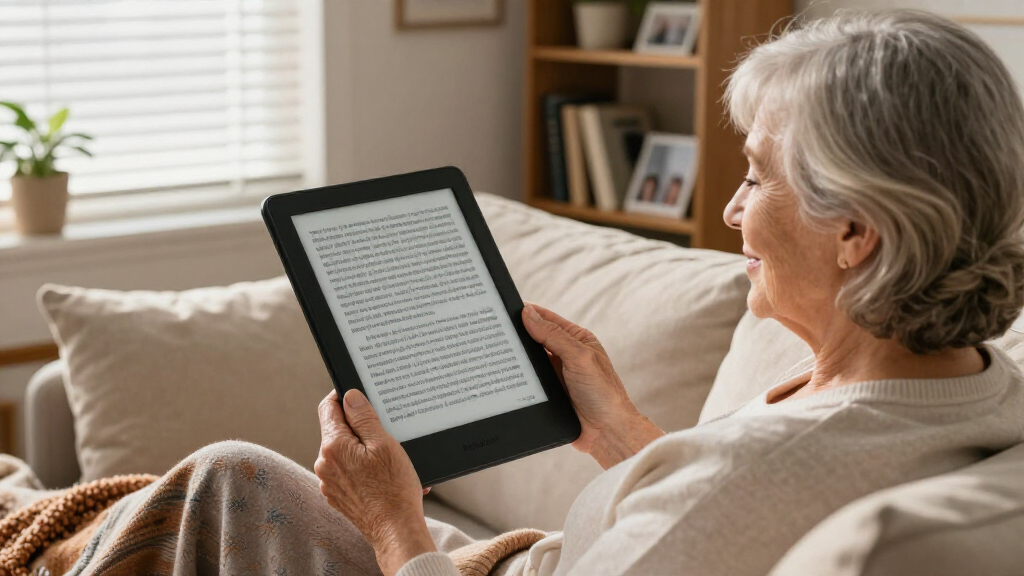
I evaluated every model in this roundup against the factors that matter most to senior readers: text legibility (screen size, E Ink contrast, adjustable font weight), ease of use (menu simplicity, physical handling, setup friction), eye comfort (front light quality, warm light options, glare), and practical value (battery life, library access, price relative to the experience delivered). Extras like waterproofing, audio support, and text-to-speech were treated as meaningful bonuses rather than ranking drivers, since they only matter to specific reader profiles.
The ranking reflects a simple priority order: a senior should be able to increase text size without fighting the device. That pushed large-screen models with clean interfaces to the top, rewarded Kindle’s straightforward ecosystem, and nudged budget 6-inch readers down despite their low prices. Color displays were judged on whether the color actually improved the reading experience for books and large-print content — often it did not, which affected where those models placed.
| large print e-readers for senior | Waterproof | Battery Life |
|---|---|---|
| EBTOOLS 6 Inch E Reader with T | — | — |
| PocketBook Era Color E-Reader | IPX8 | Up to one month |
| Kobo Elipsa 2E eReader with 10 | — | Up to several weeks |
| Kindle Paperwhite Signature Ed | Yes | Up to 12 weeks |
| Amazon Kindle Colorsoft Signat | Yes | Up to 8 weeks |
| Veidoo 6 Inch E-Book Reader wi | — | — |
| Amazon Kindle 16 GB | — | Up to 6 weeks |
| Kobo Libra Colour eReader | Yes | — |
| Kobo Clara Colour eReader | IPX8, up to 60 minutes in 2 meters of water | Weeks per charge |
| PocketBook Verse Pro E-Reader | IPX8, up to 2 meters for 1 hour | — |
| Kindle Colorsoft 16 GB | IPX8, 2 meters for 60 minutes | Up to 8 weeks |
| Kobo Clara Colour eReader with | IPX8, up to 60 minutes in 2 meters of water | — |
| PocketBook InkPad 4 Eye-Friend | IPX8, immersion up to 2 meters for 60 minutes | — |
Factors to Consider When Choosing Large Print E-readers For Seniors
Choosing a large print e-reader involves more than picking the biggest screen. These are the factors that most often make the difference between a device a senior uses daily and one that ends up in a drawer.Screen Size and Text Sharpness Work Together
A common mistake is assuming any e-reader can produce large print, so screen size doesn’t matter. In reality, larger text needs physical space to stay comfortable — a 6-inch screen showing very large fonts displays only a few words per line, which slows reading and feels choppy. Screens of 7 inches or more let readers bump up the font without sacrificing lines of text per page. Sharpness matters too: higher-resolution E Ink renders bigger letters with cleaner edges, which reduces eye strain at large sizes. If reading sessions regularly stretch past an hour, the jump from a 6-inch to a 7.8- or 10.3-inch display is often worth more than any other upgrade.
Front Light Quality and Warm Light
A built-in front light is what allows comfortable reading in dim rooms or at night, and quality varies widely. Look for adjustable brightness with a warm color temperature setting, which reduces the blue-ish glare that bothers many older eyes at evening. Auto-adjusting lights, found on the Kindle Paperwhite Signature and Colorsoft, remove one more setting to fiddle with. Kobo’s ComfortLight PRO performs the same function well. Readers with cataracts or light sensitivity often report that warm-light modes make night reading possible again, so treat this as a health feature, not a luxury.
Interface Simplicity and Setup Friction
The single biggest reason seniors abandon e-readers is a confusing interface, not hardware. Kindle devices have the shallowest learning curve: buying a book takes three taps, and the storefront, library, and settings are clearly separated. Kobo follows closely and offers OverDrive integration for free library borrowing, which is excellent for cost-conscious readers but adds a small setup step. Android-based readers like the Veidoo offer flexibility that most senior readers will never use, at the cost of a more complicated home screen. Match the device to the person’s comfort with technology, not to a spec sheet.
Weight, Buttons, and Physical Handling
Larger screens add weight, and holding a 10.3-inch tablet-sized reader for an hour can strain arthritic hands or wrists. A cover with a fold-out stand solves this for desk or lap reading, and models with physical page-turn buttons (Kobo Libra Colour) are easier for readers with less precise touchscreen accuracy. Before choosing the biggest screen available, think about how and where the device will actually be held. Sometimes a 7-inch model with a light grip case beats a 10-inch model that requires two hands or a table.
Audio and Text-to-Speech as Accessibility Tools
Built-in speakers and text-to-speech are often marketed as conveniences, but for seniors with declining vision, they can extend reading life by years. PocketBook models read books aloud in multiple languages, and Bluetooth audio support lets listeners use wireless headphones discreetly. The tradeoff is that synthetic narration isn’t for everyone — sampling it before committing to a device built around the feature is wise. If vision fluctuates day to day, a device that switches between reading and listening is genuinely valuable insurance.
Where to Spend More and Where to Save
Paying more buys three things: bigger screens, better lighting, and convenience features like waterproofing and wireless charging. Waterproofing is worth it for anyone who reads near a bath, pool, or spills coffee — a real and common risk. Wireless charging and auto-adjusting lights are nice but skippable. Color displays are the priciest upgrade and the least useful for plain-text large print reading; they shine mainly for magazines, cookbooks, and illustrated content. The sweet spot for most senior readers sits in the $150–$250 range, where screen size and lighting quality improve dramatically over entry-level models without paying for features that go unused.
Frequently Asked Questions
What screen size is best for seniors with low vision?
For most seniors with low vision, 7 inches is the practical minimum, and 7.8 to 10.3 inches is better if the reader uses very large fonts. On a 6-inch screen, choosing the largest text sizes leaves only a handful of words per line, which makes reading feel fragmented and slow. Larger screens like the Kobo Elipsa 2E’s 10.3-inch display accommodate big, bold text while still showing a full paragraph per page. The catch is weight — a 10-inch reader is a two-handed or table-bound device. A 7.8-inch option like the PocketBook InkPad 4 is often the best compromise between text size and handheld comfort.
Are color e-readers worth it for seniors, or is black and white better?
For seniors who read novels, biographies, and other text-focused books, monochrome E Ink is the better choice. Color screens like the Kindle Colorsoft and Kobo’s Kaleido 3 displays use a color filter layer that slightly softens black-and-white text sharpness, which works against the whole point of large print reading. Color earns its price only when the reader regularly enjoys magazines, cookbooks, comics, or illustrated hobby books where color images carry meaning. If that describes the reader, the Kobo Libra Colour offers color plus physical page-turn buttons, a rare and senior-friendly combination. Otherwise, the same money buys a larger or sharper monochrome screen, which serves low-vision readers better.
Which e-reader is easiest for a senior who has never used a tablet or smartphone?
The base Amazon Kindle or Kindle Paperwhite is the gentlest introduction to e-reading. The interface has barely changed in years, the storefront and library are clearly separated, and there are essentially no settings a new user needs to touch beyond brightness and text size. Kindle also supports a family member remotely managing the account, buying books, and sending titles to the device, which removes most of the friction entirely. Kobo is a close second and adds free library borrowing through OverDrive, but that requires a library card and a one-time setup that a helper should handle. Android-based readers should be avoided for tech-hesitant users.
Can an e-reader read books aloud if reading becomes too tiring?
Yes, and this is one of the most underused features in the category. The PocketBook InkPad 4 and PocketBook Verse Pro both include text-to-speech that reads books aloud through built-in speakers or Bluetooth headphones, with adjustable reading speed. This is invaluable for readers whose vision fluctuates or who experience eye fatigue during long sessions. Amazon’s Kindle ecosystem also supports audiobooks through Audible on compatible models, though that requires purchasing audiobooks separately rather than converting the text you already own. The tradeoff with text-to-speech is a robotic voice quality — functional, but not comparable to a professional narrator, so it’s best treated as a supplement to reading rather than a replacement.
Is it worth paying extra for a waterproof e-reader for a senior?
Waterproofing is one of the few premium features with genuine everyday relevance, and I’d call it worth the extra cost in most cases. Spilled tea, reading near a sink, and bath reading are among the most common ways e-readers are destroyed, and seniors are statistically more likely to be reading in one fixed spot near liquids. The Kindle Paperwhite line, Kobo’s Clara and Libra models, and the PocketBook Verse Pro all carry IPX8 ratings, meaning full submersion protection. What waterproofing doesn’t protect against is drops, which cause just as many casualties — a good case addresses that. If budget forces a choice, prioritize screen size first, then waterproofing, then conveniences like wireless charging.
Conclusion
For the best overall choice, the Kindle Paperwhite Signature Edition balances a large, sharp screen, automatic lighting, and the simplest interface in the lineup — the safest pick for nearly every senior reader. For best value, the base Amazon Kindle 16GB delivers the core large-print experience at the lowest sensible price, and the Kobo Clara Colour is the value pick for library borrowers who want color occasionally. The best premium option is the Kobo Elipsa 2E, whose 10.3-inch screen produces the largest, most comfortable text of any model here, provided weight isn’t a dealbreaker. For beginners, the standard Kindle’s minimal setup and familiar interface make it the least intimidating entry point. And for specific needs: the PocketBook InkPad 4 suits readers who want text-to-speech for tiring eyes, the Kobo Libra Colour serves those who prefer physical page-turn buttons, and the Kindle Colorsoft Signature is the pick for readers whose libraries include illustrated books and magazines. Whatever the choice, prioritize screen size and interface simplicity over extra features — those two factors determine whether the device gets read daily or shelved.
Fall Picks
fall essentials
As an affiliate, we earn on qualifying purchases.